 CloudConsole
 · AWS console on iPhone
The AWS console on your iPhone
A native iPhone app for AWS: fast to open, readable one-handed, and locked behind Face ID.
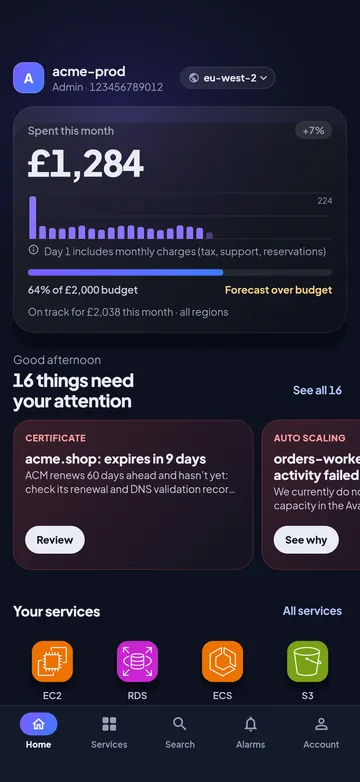
Built for one hand and a small screen
The web console works in Safari, but tables of 40 columns don’t. CloudConsole shows each resource as a card with the three numbers that matter, and puts the actions you need at the bottom of the screen, within reach of your thumb.
Face ID on the app and on risky actions
Turn on app lock and CloudConsole asks for Face ID when you open it and after a minute away. Any account can require Face ID again before a stop, reboot, scale or delete. Credentials sit in the iOS Keychain.
Alarm alerts
Turn on alarm alerts and CloudConsole checks CloudWatch in the background and notifies you when an alarm starts firing. On iPhone, iOS decides how often background checks run. How alarm alerts work.
IAM Identity Center sign-in
Enter your AWS access portal start URL, approve in Safari, and pick from the accounts and roles your organisation gives you. How SSO sign-in works.


Questions
Can I use the AWS console in Safari on iPhone?
Yes, the AWS Management Console loads in mobile Safari, but it is designed for desktop screens. A native app is quicker for checking alarms and logs on the move.
Does it work on iPad?
Yes. From version 1.0.3 CloudConsole runs on iPad with a layout made for the bigger screen: a sidebar, and lists with the detail beside them.
Can I try it before connecting my AWS account?
Yes. Explore the demo uses sample data and never touches AWS.
Availability: CloudConsole is on the App Store now for iPhone and on Google Play for Android. The help centre describes the app as it is.
Try CloudConsole
On the App Store for iPhone and Google Play for Android. Look around the demo before connecting an account.