 CloudConsole
On-Demand vs Spot Instances
Use Spot for work that can be interrupted and retried (batch, CI runners, stateless web tiers behind a load balancer, containers): AWS advertises discounts of up to 90% off On-Demand. Use On-Demand, ideally covered by Savings Plans, for anything stateful or that must not stop: databases, single-instance services and baseline capacity.
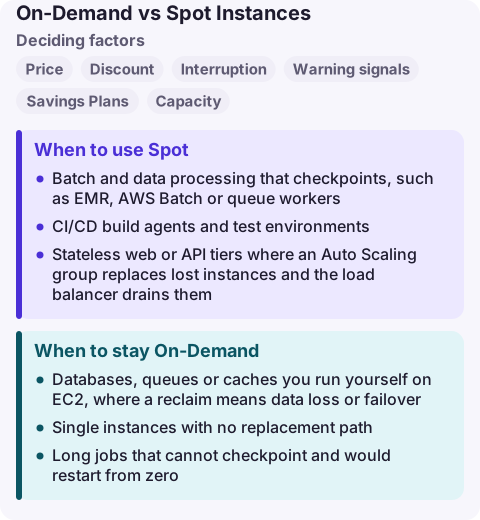
On-Demand vs Spot compared
| Factor | On-Demand | Spot |
|---|---|---|
| Price | Fixed per-second rate, no commitment | Spot price set by EC2 per instance type and AZ, adjusted gradually by long-term supply and demand |
| Discount | None (add Savings Plans for that) | Up to 90% off On-Demand, as advertised by AWS |
| Interruption | Only if you stop it | EC2 can reclaim it with a two-minute notice |
| Warning signals | None needed | Interruption notice and an earlier rebalance recommendation |
| Savings Plans | Covered | Not covered (already discounted) |
| Capacity | Can fail with InsufficientInstanceCapacity; reserve with ODCRs | Depends on spare capacity in each pool |
When to use Spot
- Batch and data processing that checkpoints, such as EMR, AWS Batch or queue workers.
- CI/CD build agents and test environments.
- Stateless web or API tiers where an Auto Scaling group replaces lost instances and the load balancer drains them.
- Container capacity for ECS or EKS, with the orchestrator rescheduling tasks or pods.
Diversify: allow many instance types and sizes across several Availability Zones and use a price-capacity-optimised allocation strategy, so one reclaimed pool does not take out the whole fleet.
When to stay On-Demand
- Databases, queues or caches you run yourself on EC2, where a reclaim means data loss or failover.
- Single instances with no replacement path.
- Long jobs that cannot checkpoint and would restart from zero.
- The baseline of a service: keep a guaranteed floor On-Demand and add Spot above it.
Mixing the two
An Auto Scaling group with a mixed instances policy can keep a base of On-Demand capacity and fill the rest with Spot across a list of instance types. ECS capacity providers and EKS node pools (or Karpenter) do the same for containers. Cover the On-Demand base with Savings Plans; Savings Plans do not apply to Spot usage.
Handle the notice in code: watch instance metadata or the EventBridge interruption event, stop taking work, finish or checkpoint, and deregister from target groups. Two minutes is enough for a web server to drain, not for a large in-memory job to finish.
Common wrong reasons
- "Spot is unreliable." Individual instances can go; well-diversified fleets keep running. Design for replacement rather than avoiding Spot entirely.
- "Bid high to avoid interruptions." You pay the current Spot price, and setting a maximum price does not protect you from capacity reclaims.
- "On-Demand guarantees capacity." It does not; only Capacity Reservations (and zonal Reserved Instances) reserve capacity.
Questions
How much notice do I get before a Spot Instance is interrupted?
Two minutes. EC2 may also send a rebalance recommendation earlier, when the instance is at elevated risk of interruption.
Can I use Savings Plans with Spot?
No. Savings Plans do not apply to Spot usage. Use them to cover your On-Demand baseline and add Spot on top.
Is Spot suitable for production?
Yes, for stateless or retryable parts of production that run behind a load balancer or queue and can lose an instance at short notice.
A wave of Spot reclaims looks like a sudden drop in healthy hosts. CloudConsole is being built to show that alarm, the Auto Scaling activity and logs on a phone with production guardrails.
About the app → · Download on the App Store