 CloudConsole
aws s3api list-object-versions
aws s3api list-object-versions --bucket my-bucket --prefix path/file.txt lists every stored version of matching objects, plus delete markers. To undelete a file in a versioned bucket, find its delete marker here and delete that marker by version ID; the previous version becomes current again.
What the command does
In a bucket with versioning enabled (or suspended), every overwrite keeps the old copy and every plain delete adds a delete marker rather than removing data. list-object-versions shows all of it in two arrays:
Versions[]: real object versions, each withKey,VersionId,IsLatest,LastModified,SizeandStorageClass.DeleteMarkers[]: markers, withKey,VersionId,IsLatestandLastModified.
An object whose latest entry is a delete marker looks deleted to GET and ls, but all its data is still there and still billed.
Syntax
aws s3api list-object-versions --bucket my-bucket \
  [--prefix path/] [--delimiter /] \
  [--key-marker ...] [--version-id-marker ...] \
  [--max-items 100] [--query ...]
--prefix is a prefix match, so --prefix report.csv also returns report.csv.bak. Filter on Key in --query when you need one exact key.
Worked examples
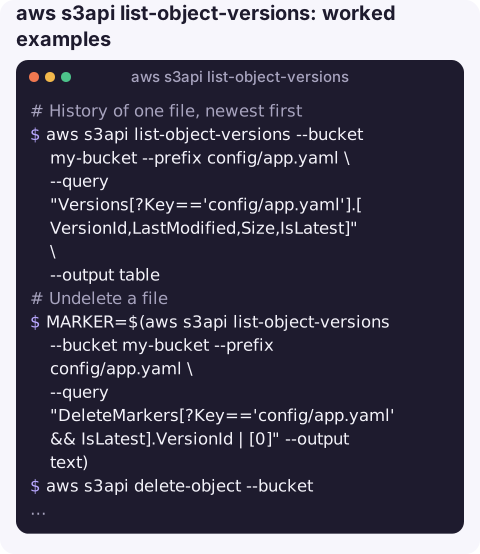
History of one file, newest first:
aws s3api list-object-versions --bucket my-bucket --prefix config/app.yaml \
  --query "Versions[?Key=='config/app.yaml'].[VersionId,LastModified,Size,IsLatest]" \
  --output table
Undelete a file by removing the delete marker that is currently on top:
MARKER=$(aws s3api list-object-versions --bucket my-bucket --prefix config/app.yaml \
  --query "DeleteMarkers[?Key=='config/app.yaml' && IsLatest].VersionId | [0]" --output text)
aws s3api delete-object --bucket my-bucket --key config/app.yaml --version-id "$MARKER"
Roll back to an older version by copying it over the current one (keeps full history):
aws s3api copy-object --bucket my-bucket --key config/app.yaml \
  --copy-source "my-bucket/config/app.yaml?versionId=3HL4kqtJlcpXroDTDmJ.rmSpXd3dIbrHY"
Every file that currently looks deleted under a prefix:
aws s3api list-object-versions --bucket my-bucket --prefix uploads/ \
  --query "DeleteMarkers[?IsLatest].Key" --output json
How much storage old versions are using (JSON output so the sum covers all pages):
aws s3api list-object-versions --bucket my-bucket \
  --query "sum(Versions[?!IsLatest].Size)" --output json
Reading the result
| You see | Meaning |
|---|---|
VersionId: "null" | Object written before versioning was enabled, or while it was suspended. |
Delete marker with IsLatest: true | The object appears deleted; older versions are recoverable. |
| Only a delete marker, no versions | An "expired object delete marker"; safe to remove, it hides nothing. |
| Many versions of small, frequently rewritten keys | A likely cost driver; add a noncurrent-version expiration rule. |
Gotchas
- Deleting a version ID is permanent.
delete-objectwith a real version ID (not a marker) destroys that version with no undo. - Per-page queries. As with other paginated listings,
--output textapplies--queryto each page of results, so prefer JSON for totals and sorting. - Buckets with versioning cannot be emptied with
aws s3 rmalone; versions and markers remain. See deleting a versioned bucket. - MFA delete, if enabled, requires the
--mfaoption for permanent version deletes.
Questions
How do I restore a deleted file in a versioned S3 bucket?
List versions for the key, find the delete marker with IsLatest true, and delete that marker with delete-object --version-id. The previous version becomes current.
Why is my bucket larger than the objects I can see?
Noncurrent versions are billed like any other object. Sum Versions[?!IsLatest].Size to see how much they use, and add a lifecycle rule to expire them.
What does VersionId null mean?
The object was stored when versioning was off or suspended. It is still a real version and can be addressed with the version ID null.
Recovering an accidentally deleted file is a high-pressure job that is easy to get wrong. CloudConsole, a phone app for AWS, is built with production guardrails and to show resources and their recent changes on a phone.
About the app → · Download on the App Store