 CloudConsole
aws s3api head-object
aws s3api head-object --bucket my-bucket --key path/file.txt returns an object's metadata without downloading it: size, ETag, content type, last-modified, storage class, encryption and user metadata. It fails with a 404 if the key does not exist, or a 403 if you lack s3:ListBucket, which makes it the standard existence check in scripts.
What the command does
HEAD is the same request as GET minus the body. It costs a request but no data transfer, so it is the cheap way to ask "is it there, how big is it, how is it stored?".
Because a HEAD response has no body, failures carry no S3 error code. The CLI only sees the HTTP status, which is why you get the terse An error occurred (404) when calling the HeadObject operation: Not Found rather than NoSuchKey.
Syntax
aws s3api head-object --bucket my-bucket --key path/to/object \
  [--version-id <id>] [--part-number 1] [--checksum-mode ENABLED]
Typical output:
{
  "AcceptRanges": "bytes",
  "LastModified": "2026-11-16T08:12:44+00:00",
  "ContentLength": 734003200,
  "ETag": "\"5f3c9e0a1b7d2c4e8f6a9b0c1d2e3f40-88\"",
  "ContentType": "application/zip",
  "ServerSideEncryption": "aws:kms",
  "SSEKMSKeyId": "arn:aws:kms:eu-west-2:123456789012:key/...",
  "Metadata": { "build": "4821" },
  "StorageClass": "STANDARD_IA"
}
Worked examples
Existence check in a shell script:
if aws s3api head-object --bucket my-bucket --key releases/app-1.4.2.zip >/dev/null 2>&1; then
  echo "already uploaded"
fi
This treats any error as "missing". If you need to tell missing from forbidden, capture stderr and look for (404) versus (403).
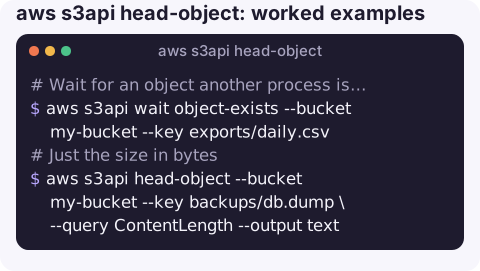
Wait for an object another process is writing:
aws s3api wait object-exists --bucket my-bucket --key exports/daily.csvJust the size in bytes:
aws s3api head-object --bucket my-bucket --key backups/db.dump \
  --query ContentLength --output text
Has a Glacier restore finished?
aws s3api head-object --bucket my-bucket --key archive/2019.tar \
  --query Restore --output text
ongoing-request="true" means still restoring; ongoing-request="false", expiry-date="..." means the temporary copy is ready to download.
Get the stored checksum for an integrity check, where one was recorded at upload:
aws s3api head-object --bucket my-bucket --key data.parquet --checksum-mode ENABLEDReading the fields
| Field | Notes |
|---|---|
ETag | An MD5 of the content only for single-part uploads without SSE-KMS. A suffix like -88 means a multipart upload with 88 parts; it is not an MD5 of the file. |
StorageClass | Omitted for STANDARD objects; present for other classes. |
Metadata | User-defined x-amz-meta-* headers, with the prefix removed and keys lower-cased. |
VersionId | Present when the bucket has versioning enabled. |
Restore | Only present for archived objects with a restore requested. |
Gotchas
- 403 for a missing key. Without
s3:ListBucketon the bucket, S3 returns 403 instead of 404 for keys that do not exist, to avoid leaking which keys exist. A "Forbidden" result may just mean "not there". See 403 Forbidden on HeadObject. - A successful HEAD does not guarantee a successful GET. Objects in archive classes such as Glacier Flexible Retrieval answer HEAD normally but fail GET with
InvalidObjectStateuntil restored, and KMS-encrypted objects also need permission on the key to download. - Keys are exact and case-sensitive. A leading slash, a trailing space or URL-encoded characters make a different key.
- SSE-C objects need the same customer key on HEAD as on GET, or the request fails with 400.
Questions
How do I check if a file exists in S3 with the CLI?
Run aws s3api head-object --bucket my-bucket --key path/file. Exit code 0 means it exists; a 404 error means it does not, and a 403 can also mean it does not exist if you lack s3:ListBucket.
Why does head-object return 403 Forbidden?
Either the caller is not allowed s3:GetObject on that key, or the key does not exist and the caller lacks s3:ListBucket, so S3 hides the 404.
How do I see an S3 object's metadata?
head-object returns system metadata such as ContentType and user metadata under Metadata, without downloading the object.
Confirming that an export or backup actually arrived is a common late-evening check. CloudConsole, a phone app for AWS, is built to show resources, logs and alarms on a phone.
About the app → · Download on the App Store