 CloudConsole
aws s3api list-objects-v2
aws s3api list-objects-v2 --bucket my-bucket --prefix logs/ lists objects with their key, size, last-modified date, ETag and storage class. The CLI follows pagination for you, so all matching keys come back; use --query to filter by size or date and --delimiter / to list "folders" instead of every key.
What the command does
This is the structured, scriptable way to list a bucket. The API returns up to 1,000 keys per request in Contents[], plus CommonPrefixes[] when you use a delimiter. The CLI keeps requesting pages until the listing is complete, unless you cap it with --max-items.
Keys come back in UTF-8 binary order. There are no real folders in S3; a "folder" is just a shared prefix ending in /.
Syntax
aws s3api list-objects-v2 --bucket my-bucket \
  [--prefix path/to/] [--delimiter /] \
  [--start-after path/to/key] \
  [--max-items 100] [--page-size 1000] \
  [--query ...]
One entry of Contents looks like this:
{ "Key": "logs/2026/11/16/app.log.gz", "LastModified": "2026-11-16T09:00:12+00:00",
  "ETag": "\"9b2cf535f27731c974343645a3985328\"", "Size": 48213, "StorageClass": "STANDARD" }
Worked examples
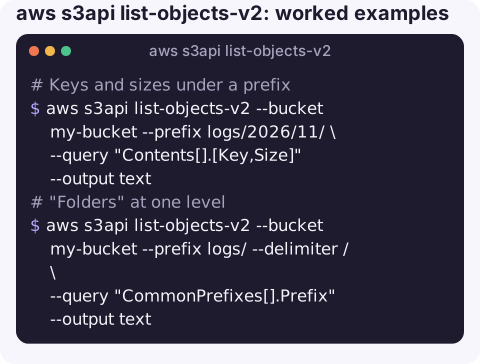
Keys and sizes under a prefix:
aws s3api list-objects-v2 --bucket my-bucket --prefix logs/2026/11/ \
  --query "Contents[].[Key,Size]" --output text
"Folders" at one level, like ls on a directory:
aws s3api list-objects-v2 --bucket my-bucket --prefix logs/ --delimiter / \
  --query "CommonPrefixes[].Prefix" --output text
Total object count and size for a prefix (use JSON output, see the gotcha below):
aws s3api list-objects-v2 --bucket my-bucket --prefix exports/ \
  --query "{count: length(Contents[]), bytes: sum(Contents[].Size)}" --output json
Most recently modified object:
aws s3api list-objects-v2 --bucket my-bucket --prefix uploads/ \
  --query "sort_by(Contents, &LastModified)[-1].[Key,LastModified]" --output json
Objects changed since a date (ISO timestamps compare correctly as strings):
aws s3api list-objects-v2 --bucket my-bucket \
  --query "Contents[?LastModified>='2026-11-01'].Key" --output json
Large objects only (over 1 GiB):
aws s3api list-objects-v2 --bucket my-bucket \
  --query "Contents[?Size>`1073741824`].[Key,Size]" --output json
Key options
| Option | Effect |
|---|---|
--prefix | Server-side filter on the start of the key. The only server-side filter there is. |
--delimiter / | Rolls deeper keys up into CommonPrefixes. |
--start-after | Begin listing after this key; handy for resuming. |
--max-items | CLI-level cap on total results; prints a NextToken to continue with --starting-token. |
--page-size | Keys per API call (max 1,000). Smaller pages avoid timeouts but mean more requests. |
--max-keys | The raw API page size; with automatic pagination you normally want --max-items instead. |
--fetch-owner | Adds the Owner field, which v2 omits by default. |
Gotchas
- Text output applies
--queryper page. With--output text, the CLI runs your expression on each 1,000-key page separately, sosum(),length()andsort_by(...)[-1]give one answer per page. JSON and table output run it once on the merged result. - Empty prefixes return no
Contentskey, sosum(Contents[].Size)errors on an empty listing. Treat that as zero in scripts. - Everything except the prefix is client-side. Filtering a 50-million-object bucket by date still lists all 50 million keys, costing LIST requests and time. For big buckets use S3 Inventory instead.
- Versions are not shown. Only current versions appear; deleted-but-versioned objects need
list-object-versions. AccessDeniedneedss3:ListBucketon the bucket ARN (notbucket/*), optionally conditioned ons3:prefix.
Questions
What is the difference between aws s3 ls and aws s3api list-objects-v2?
aws s3 ls is a human-friendly listing. list-objects-v2 returns structured JSON that you can filter with --query and feed into other commands.
How do I get the total size of an S3 prefix?
Use --query "sum(Contents[].Size)" with JSON output. For very large buckets, the BucketSizeBytes CloudWatch metric or S3 Storage Lens is cheaper.
How do I list only folders in S3?
Pass --delimiter / with a --prefix and read CommonPrefixes[].Prefix instead of Contents.
Checking whether a file landed in a bucket is a common quick question when you are away from a terminal. CloudConsole, a phone app for AWS, is built to show resources, logs and alarms on a phone.
About the app → · Download on the App Store