 CloudConsole
aws s3api delete-objects
aws s3api delete-objects --bucket my-bucket --delete file://delete.json removes up to 1,000 objects in one request. The file lists keys (and optionally version IDs); the command exits successfully even if some keys failed, so always check the Errors array in the response.
What the command does
This is S3's multi-object delete. One request carries up to 1,000 keys and S3 reports per key whether it was deleted. On a versioned bucket, a key without a version ID gets a delete marker (recoverable); a key with a version ID is deleted permanently.
The CLI calculates the integrity checksum S3 requires for this request, so you do not need to supply one.
Syntax
aws s3api delete-objects --bucket my-bucket --delete file://delete.jsondelete.json:
{
  "Objects": [
    { "Key": "tmp/a.csv" },
    { "Key": "tmp/b.csv" },
    { "Key": "reports/old.pdf", "VersionId": "3HL4kqtJlcpXroDTDmJ.rmSpXd3dIbrHY" }
  ],
  "Quiet": true
}
With "Quiet": true the response only lists failures, which keeps output small for big batches.
Worked examples
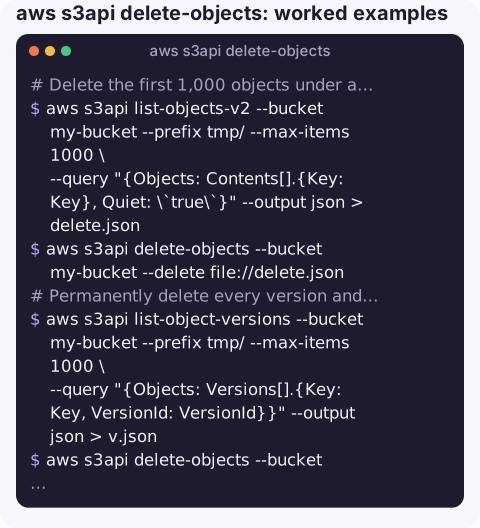
Delete the first 1,000 objects under a prefix by building the request from a listing:
aws s3api list-objects-v2 --bucket my-bucket --prefix tmp/ --max-items 1000 \
  --query "{Objects: Contents[].{Key: Key}, Quiet: \`true\`}" --output json > delete.json
aws s3api delete-objects --bucket my-bucket --delete file://delete.json
Repeat until the listing is empty. If Contents is empty the file contains "Objects": null and the delete call fails, which conveniently stops a loop.
Permanently delete every version and delete marker under a prefix (destructive, no undo):
aws s3api list-object-versions --bucket my-bucket --prefix tmp/ --max-items 1000 \
  --query "{Objects: Versions[].{Key: Key, VersionId: VersionId}}" --output json > v.json
aws s3api delete-objects --bucket my-bucket --delete file://v.json

aws s3api list-object-versions --bucket my-bucket --prefix tmp/ --max-items 1000 \
  --query "{Objects: DeleteMarkers[].{Key: Key, VersionId: VersionId}}" --output json > m.json
aws s3api delete-objects --bucket my-bucket --delete file://m.json
Check for failures in a script:
aws s3api delete-objects --bucket my-bucket --delete file://delete.json \
  --query "Errors[].[Key,Code,Message]" --output text
Empty output means every key was deleted.
Response and errors
| Part | Meaning |
|---|---|
Deleted[] | Keys removed; on versioned buckets shows DeleteMarker and DeleteMarkerVersionId where a marker was created. Omitted in quiet mode. |
Errors[] with AccessDenied | Your role lacks s3:DeleteObject (or s3:DeleteObjectVersion for version IDs) on those keys. |
MalformedXML for the whole request | More than 1,000 keys, an empty list, or invalid JSON shape. |
| A key that never existed | Reported as deleted; S3 does not treat it as an error. |
Gotchas
- Exit code 0 is not success. Partial failures are in
Errors, not the exit code. - Easier alternative. For "delete everything under a prefix" in an unversioned bucket,
aws s3 rm s3://my-bucket/tmp/ --recursivehandles batching for you; add--dryrunfirst. - Very large deletions (millions of objects) are cheaper and safer as a lifecycle expiration rule than as API calls.
- Object Lock retention or legal holds cause per-key
AccessDeniederrors for protected versions.
Questions
How many objects can delete-objects remove at once?
Up to 1,000 keys per request. Batch larger deletions, or use aws s3 rm --recursive or a lifecycle rule.
Does delete-objects permanently delete in a versioned bucket?
Only for entries that include a VersionId. Entries with just a Key get a delete marker, and the data remains as a noncurrent version.
Why did delete-objects succeed but files remain?
Check the Errors array for per-key failures, and check whether versioning added delete markers rather than removing data.
Bulk deletes are exactly the sort of command you do not want to run from a phone in a hurry. CloudConsole, a phone app for AWS, is built with production guardrails, focusing on visibility of alarms, logs and resources.
About the app → · Download on the App Store