 CloudConsole
CloudFormation stack DELETE_FAILED
One or more resources in the stack couldn't be deleted, so CloudFormation stopped and left the stack in DELETE_FAILED. The stack events name the resource and the reason; the usual ones are a non-empty S3 bucket, a security group or subnet still used by network interfaces, an output exported to another stack, or a custom resource whose Lambda failed. Fix that and delete again, or delete the stack while retaining the stuck resource and clean it up yourself.
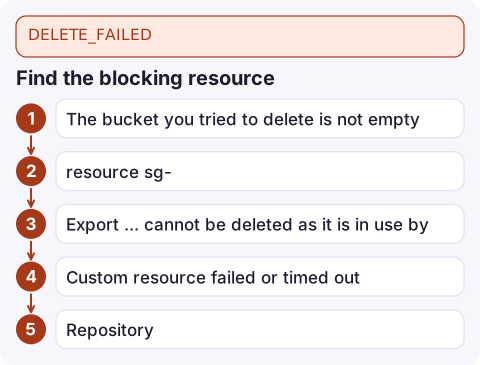
Find the blocking resource
aws cloudformation describe-stack-events --stack-name orders-dev \
  --query "StackEvents[?ResourceStatus=='DELETE_FAILED'].[LogicalResourceId,ResourceType,ResourceStatusReason]" \
--output table| Reason in the events | Fix |
|---|---|
The bucket you tried to delete is not empty | Empty it, including all versions: see delete a versioned bucket |
resource sg-... has a dependent object | Something still uses the security group, often Lambda VPC interfaces that take time to release; see DependencyViolation |
Export ... cannot be deleted as it is in use by ... | Remove the import from the other stack first; see export in use |
| Custom resource failed or timed out | Fix the handler so it responds SUCCESS on Delete, or retain it |
Repository ... cannot be deleted because it still contains images | Delete the images or retain the repository |
| Access denied for the stack's service role | Give the role the delete permissions, or delete with a role that has them |
Delete it
1. Fix and retry: after removing the dependency, simply delete again.
aws cloudformation delete-stack --stack-name orders-dev
aws cloudformation wait stack-delete-complete --stack-name orders-dev
2. Retain the stuck resource: only allowed when the stack is already DELETE_FAILED. CloudFormation deletes everything else and leaves the named resources in your account.
aws cloudformation delete-stack --stack-name orders-dev --retain-resources ArtifactsBucket LegacySecurityGroup3. Force delete: --deletion-mode FORCE_DELETE_STACK deletes the stack and skips any resources that fail to delete, leaving them behind. The console offers the same choice when you delete a stack that's in DELETE_FAILED.
Clean up what you left behind
- Retained or skipped resources keep running and keep costing money. Note their physical IDs before deleting:
aws cloudformation describe-stack-resources --stack-name orders-dev. - Delete them in their own service once the dependency is gone, or import them into another stack if they should be kept.
- Deleted resources with
DeletionPolicy: Retainin the template are never deleted by the stack; that's by design and doesn't cause DELETE_FAILED.
Stacks stuck in DELETE_IN_PROGRESS
If the stack sits in DELETE_IN_PROGRESS for a long time, it's waiting on a resource. Common cases: a custom resource whose Lambda never responds (it waits up to the custom resource timeout, an hour by default), CloudFront distributions that must be disabled and propagated first, and VPC resources waiting for Lambda interfaces to be released. Look for the last DELETE_IN_PROGRESS event without a matching DELETE_COMPLETE.
Questions
How do I delete a CloudFormation stack in DELETE_FAILED?
Fix the resource named in the stack events and delete again, or run delete-stack with --retain-resources for the stuck resources, or use --deletion-mode FORCE_DELETE_STACK.
Why can't CloudFormation delete my S3 bucket?
CloudFormation only deletes empty buckets. Empty all object versions and delete markers first, or retain the bucket.
What happens to resources retained when deleting a stack?
They stay in your account, unmanaged by any stack. Delete them manually or import them into another stack.

Failed deletes are rarely urgent, but forgotten retained resources quietly cost money. CloudConsole, a phone app for AWS, is being built to show resources and costs on your phone, which helps you spot what a teardown left behind.
Did it start after a deploy? What changed? on the app’s alarm screen lists the deploys and configuration changes from the hour before the alarm fired.
About the app → · Download on the App Store