 CloudConsole
aws cloudformation delete-stack
aws cloudformation delete-stack --stack-name my-stack deletes a stack and every resource it created, except those with a Retain deletion policy. It returns immediately with no output; run aws cloudformation wait stack-delete-complete to know when it has finished, and check events if it ends in DELETE_FAILED.
What the command does
CloudFormation deletes the stack's resources in reverse dependency order, then the stack itself. This is destructive: databases, buckets and queues created by the stack go with it unless the template set DeletionPolicy: Retain or Snapshot on them. Stacks with termination protection enabled refuse to be deleted until it is turned off.
Deleting a stack name that does not exist is not an error, so a typo appears to succeed. Always describe the stack first.
Syntax
aws cloudformation delete-stack --stack-name <name-or-id> \
  [--retain-resources <LogicalId> ...] \
  [--deletion-mode STANDARD|FORCE_DELETE_STACK] \
  [--role-arn <service-role-arn>]
Worked examples
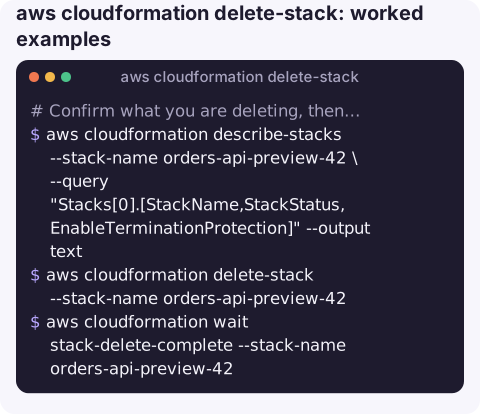
Confirm what you are deleting, then delete and wait:
aws cloudformation describe-stacks --stack-name orders-api-preview-42 \
  --query "Stacks[0].[StackName,StackStatus,EnableTerminationProtection]" --output text
aws cloudformation delete-stack --stack-name orders-api-preview-42
aws cloudformation wait stack-delete-complete --stack-name orders-api-preview-42
See what will be removed (and what is retained) before deleting a stack you did not create:
aws cloudformation list-stack-resources --stack-name orders-api-preview-42 \
  --query "StackResourceSummaries[].[LogicalResourceId,ResourceType,PhysicalResourceId]" --output table
Turn off termination protection when the delete is refused:
aws cloudformation update-termination-protection \
  --stack-name orders-api-preview-42 --no-enable-termination-protection
Recover from DELETE_FAILED by keeping the resource that could not be deleted (only allowed on a stack already in DELETE_FAILED):
aws cloudformation delete-stack --stack-name orders-api-preview-42 \
  --retain-resources ExportsBucket
Force the stack record away when it is stuck in DELETE_FAILED and you will clean up the leftovers yourself:
aws cloudformation delete-stack --stack-name orders-api-preview-42 \
  --deletion-mode FORCE_DELETE_STACK
Why deletes fail
| Event reason | Fix |
|---|---|
| S3 bucket is not empty | Empty it (including versions) or retain it; see BucketNotEmpty |
| Export is in use by another stack | Remove the import from the other stack first; see export in use |
| Security group or ENI still in use | Something outside the stack (often a Lambda ENI being released, or a manually launched instance) still references it; wait or detach |
| Role no longer exists or cannot be assumed | The stack's service role was deleted. Pass a valid role with --role-arn |
| Termination protection | Disable it as above |
Gotchas
- Irreversible. There is no undo for deleted resources. For anything holding data, snapshot or back it up first, or retain it.
--retain-resourcesonly works after a failure. On a healthy stack, CloudFormation rejects it; change the template's DeletionPolicy and update the stack instead.- Retained and force-deleted resources keep costing money and are no longer managed by any stack. Record them so someone cleans them up.
- Nested stacks are deleted with their parent; delete the root stack, not the nested ones.
- ROLLBACK_COMPLETE stacks must be deleted before you can create one with the same name again.
Questions
How do I delete a CloudFormation stack stuck in DELETE_FAILED?
Read the failed events to see which resource blocked it, fix that if you can, and run delete-stack again. Otherwise rerun with --retain-resources for the blocking logical IDs, or --deletion-mode FORCE_DELETE_STACK, and clean up the leftovers manually.
Does deleting a stack delete the S3 bucket and its data?
It tries to delete the bucket, which only succeeds if the bucket is empty. A bucket with objects makes the delete fail, unless the template retains it.
How do I wait for a stack deletion in a script?
aws cloudformation wait stack-delete-complete --stack-name <name>. It polls every 30 seconds and exits non-zero if the stack ends in DELETE_FAILED.
Deleting the wrong stack is the kind of mistake a confirmation step exists to prevent. CloudConsole is built with production guardrails and to show stacks and resources on a phone.
About the app → · Download on the App Store