 CloudConsole
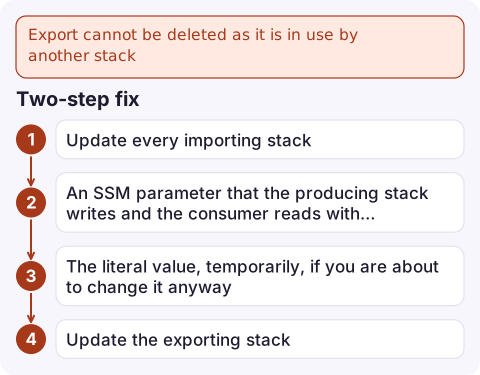
Export cannot be deleted as it is in use by another stack
A stack output that is exported cannot be removed or changed while any other stack imports it with Fn::ImportValue. Find the importing stacks with list-imports, update them to stop importing (replace the import with a literal value, a parameter or an SSM parameter), deploy them, and only then change or delete the export.
What blocks the update
Export prod-network-VpcId cannot be deleted as it is in use by prod-ordersCross-stack references are deliberately strict: CloudFormation will not let the exporting stack remove an export, rename it, change its value, or be deleted while another stack depends on it. The exporting stack's update fails and rolls back. The same mechanism produces a related error when you try to change an export's value instead of deleting it.
Find who imports it
aws cloudformation list-exports \
  --query "Exports[?Name=='prod-network-VpcId'].[ExportingStackId,Value]"

aws cloudformation list-imports --export-name prod-network-VpcId
list-imports returns every stack name that uses the export. All of them have to stop importing it before the export can change. Exports are per Region and account, so check the Region you deploy to.
Two-step fix
- Update every importing stack so it no longer uses
Fn::ImportValuefor this export. Common replacements:- A parameter, passing in the current value explicitly.
- An SSM parameter that the producing stack writes and the consumer reads with a
AWS::SSM::Parameter::Value<String>parameter type or a dynamic reference. - The literal value, temporarily, if you are about to change it anyway.
list-importsno longer lists them. - Update the exporting stack to remove or change the output. It now succeeds.
If the consumer still needs the resource, keep the export unchanged and add a new export with a new name for the new value; migrate consumers to it, then remove the old one later.
CDK and generated exports
CDK creates exports automatically when one stack references a resource in another. Removing that reference in the consumer and the resource in the producer in the same deploy fails, because CDK deploys the producer first. Do it in two deployments: first make the consumer stop referencing it (CDK's exportValue can keep the export alive in the producer meanwhile), then remove it from the producer.
Design to avoid it
- Use exports for values that truly never change (a VPC ID, a shared KMS key ARN).
- For values that do change, prefer SSM parameters: consumers read the current value on their next deploy, and the producer is never blocked.
- Use a naming convention such as
${AWS::StackName}-VpcIdfor exports so ownership is obvious. - Deleting the exporting stack has the same constraint: remove all imports first, then delete it (see delete-stack).
Questions
How do I find which stacks import a CloudFormation export?
Run aws cloudformation list-imports --export-name with the export's name. It lists every stack that uses it in that Region.
Can I change the value of a CloudFormation export that is in use?
No. CloudFormation blocks changes to exports that are imported. Remove the imports first, or create a new export and migrate consumers to it.
How do I export temporary credentials from the AWS CLI?
That is a different kind of export: aws configure export-credentials prints the credentials of a profile, including assumed-role or SSO sessions, as environment variables or JSON.

Export conflicts block infrastructure changes rather than break services, but they can stall an urgent fix. CloudConsole, a phone app for AWS, is built to show failed deployments alongside live alarms on your phone so you can tell the two apart.
Did it start after a deploy? What changed? on the app’s alarm screen lists the deploys and configuration changes from the hour before the alarm fired.
About the app → · Download on the App Store