 CloudConsole
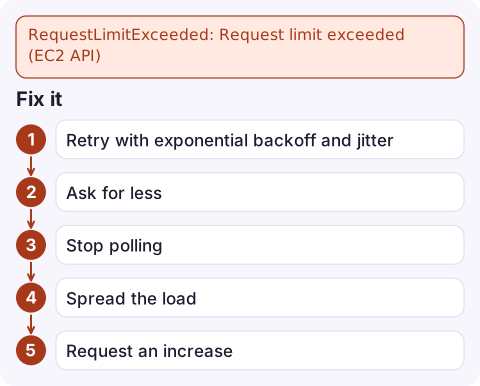
RequestLimitExceeded: Request limit exceeded (EC2 API)
The EC2 API throttles each account per region using token buckets, and you've used up the tokens for one category of calls. Back off and retry with jitter, then cut the call volume: filter Describe calls instead of listing everything, batch IDs into one request, and react to EventBridge state-change events instead of polling. If legitimate load still exceeds the limit, ask AWS Support for an increase.
What the error means
An error occurred (RequestLimitExceeded) when calling the DescribeInstances operation (reached max retries: 4): Request limit exceeded.EC2 uses its own error code rather than the generic ThrottlingException; in CloudTrail it appears as Client.RequestLimitExceeded. Throttling works like a bucket of tokens per account and region: each call takes a token, tokens refill at a fixed rate, and short bursts can use up the bucket. Separate buckets apply to different kinds of calls, so heavy Describe* traffic doesn't use up the tokens for RunInstances, and vice versa. Resource-heavy actions like launching and terminating instances also have their own resource-rate limits.
What usually causes it
| Source | Why it adds up |
|---|---|
Unfiltered DescribeInstances, DescribeVolumes or DescribeSnapshots in loops | Large responses, paginated over many calls, repeated every few seconds |
| Waiters and status polling in scripts or pipelines | Each waiter polls on a fixed interval; dozens in parallel add up quickly |
| Kubernetes node autoscalers and CNI plugins | Large clusters make many EC2 calls for nodes, ENIs and IP addresses |
| Terraform or inventory tools over big estates | One refresh describes every resource in state |
| Several teams' tools in one account | All share the same account-level buckets |
Fix it
- Retry with exponential backoff and jitter. In SDKs and the CLI, set the standard or adaptive retry mode and allow more attempts:
export AWS_RETRY_MODE=adaptive export AWS_MAX_ATTEMPTS=8 - Ask for less. Filter on the server and pass IDs in one call rather than one call per instance:
aws ec2 describe-instances \ --instance-ids i-0123456789abcdef0 i-0fedcba9876543210 \ --query 'Reservations[].Instances[].[InstanceId,State.Name]' --output text aws ec2 describe-instances \ --filters Name=tag:Service,Values=checkout Name=instance-state-name,Values=running--queryonly trims output on your side;--filtersand IDs reduce the work and the pages. - Stop polling. Use EventBridge rules on EC2 instance state-change notifications, or Auto Scaling lifecycle hooks, instead of loops that call Describe every few seconds.
- Spread the load. Stagger scheduled jobs that all start on the hour, and reduce concurrency in tools that make many parallel calls.
- Request an increase through AWS Support if, after the changes above, your normal workload still exceeds the limit. Include the API actions and request rates you need.
Find the noisy caller
CloudTrail records throttled EC2 calls. With CloudTrail in CloudWatch Logs:
filter eventSource = "ec2.amazonaws.com" and errorCode = "Client.RequestLimitExceeded"
| stats count(*) as throttled by eventName, userIdentity.arn, userAgent
| sort throttled desc
The userAgent field usually names the tool (Terraform, an autoscaler, a specific SDK), which tells you whom to talk to.
Mistakes to avoid
Don't add tight retry loops of your own on top of the SDK's retries; that multiplies the traffic that caused the problem. And don't move workloads into a second region just to escape throttling unless they belong there anyway. Fixing the polling pattern is cheaper and permanent.
Questions
What is the EC2 API request limit?
EC2 throttles API calls per account and region using token buckets with separate limits for different categories of actions. AWS documents the bucket sizes and refill rates, which can change, so check the EC2 API throttling documentation for current numbers.
Is RequestLimitExceeded the same as an instance limit?
No. It limits how fast you call the API. Running out of instances or vCPUs gives VcpuLimitExceeded or InsufficientInstanceCapacity instead.
Can I see when EC2 throttles me?
Yes. Throttled calls appear in CloudTrail with errorCode Client.RequestLimitExceeded, which you can count by caller with Logs Insights.

EC2 throttling often hits during a scale-out, when launches and autoscaler calls spike at the same time. CloudConsole, a phone app for AWS, is built to show alarms and Auto Scaling activity on your phone so you can see whether capacity is actually arriving.
Did it start after a deploy? What changed? on the app’s alarm screen lists the deploys and configuration changes from the hour before the alarm fired.
About the app → · Download on the App Store