 CloudConsole
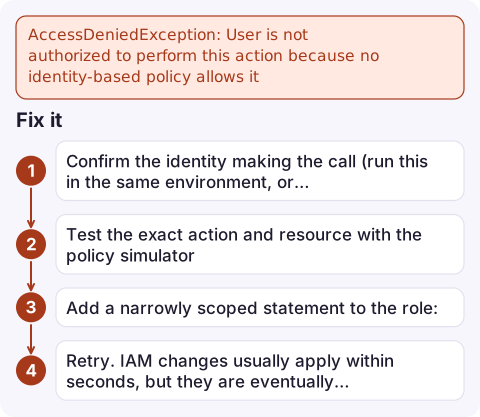
AccessDeniedException: User is not authorized to perform this action because no identity-based policy allows it
This is an implicit deny: none of the IAM policies attached to the calling user or role allows the named action on the named resource. Copy the action and resource ARN from the message, confirm which identity made the call with aws sts get-caller-identity, and add a policy statement allowing exactly that action on that resource.
What the message tells you
Newer AWS error messages say which kind of policy caused a denial. This one names the action, the resource and the reason:
An error occurred (AccessDeniedException) when calling the PutItem operation:
User: arn:aws:sts::123456789012:assumed-role/orders-api/1731750000 is not authorized
to perform: dynamodb:PutItem on resource: arn:aws:dynamodb:eu-west-2:123456789012:table/orders
because no identity-based policy allows the dynamodb:PutItem action
"No identity-based policy allows" means there was nothing to grant it, not that something blocked it. Compare it with the other phrasings you may see:
| Phrase | Meaning |
|---|---|
| no identity-based policy allows | Missing grant on the user or role. Add one. |
| with an explicit deny in an identity-based policy | A Deny statement on the user, role or group matched. Adding an Allow won't help. |
| no resource-based policy allows | Cross-account call: the bucket, key or queue policy must also grant you. |
| with an explicit deny in a service control policy | Organisation-level block; see SCP deny. |
| no permissions boundary allows / explicit deny in a permissions boundary | The role's boundary caps it; see permissions boundary deny. |
Common reasons the grant is missing
- The call came from a different identity than you think. Lambda uses its execution role, ECS its task role (not the task execution role), EC2 its instance profile. Granting your own user does nothing for them.
- The resource ARN in the policy is wrong. Wrong region or account, a table ARN without
/index/*for queries on an index, or an S3 bucket ARN where object actions needmy-bucket/*. - The action name differs from the API name.
s3:ListBucketcoversListObjectsV2;logs:CreateLogStreamandlogs:PutLogEventsare separate. - A condition didn't match, such as a required tag or
aws:RequestedRegion. - The policy was edited but not attached, or a new managed policy version wasn't set as default.
Fix it
- Confirm the identity making the call (run this in the same environment, or read
userIdentityin CloudTrail):aws sts get-caller-identity --query Arn --output text - Test the exact action and resource with the policy simulator:
aws iam simulate-principal-policy \ --policy-source-arn arn:aws:iam::123456789012:role/orders-api \ --action-names dynamodb:PutItem \ --resource-arns arn:aws:dynamodb:eu-west-2:123456789012:table/orders \ --query 'EvaluationResults[].[EvalActionName,EvalDecision]' --output textimplicitDenyconfirms nothing grants it. - Add a narrowly scoped statement to the role:
{ "Effect": "Allow", "Action": ["dynamodb:PutItem", "dynamodb:UpdateItem"], "Resource": "arn:aws:dynamodb:eu-west-2:123456789012:table/orders" } - Retry. IAM changes usually apply within seconds, but they are eventually consistent, so give it a moment before assuming the fix failed.
Mistakes to avoid
Don't attach AdministratorAccess or "Action": "*" to make the error go away; you lose the only record of what the workload really needs. When a fix adds one action and the next call fails with a different one, keep going one action at a time; the error tells you each missing permission in turn. For CloudFormation and CDK deployments, the failing identity is often the deployment role, not you.
Questions
What does no identity-based policy allows mean?
None of the policies attached to the calling user or role (directly, through a group, or inline) contains an Allow that matches this action, resource and context. It is an implicit deny.
Why do I get access denied in S3 when making the API call?
Either the caller's IAM policy lacks the S3 action for that bucket or object ARN, or a bucket policy, Block Public Access, a KMS key or an SCP is blocking it. The wording after the resource ARN tells you which.
How do I find which IAM permission is missing?
The error message names the action. Run aws iam simulate-principal-policy with that action and the resource ARN to confirm, then grant it.

Missing permissions often show up only after a deploy, as a jump in errors from one function or service. CloudConsole, a phone app for AWS, is built to show those alarms and the AccessDenied log lines together on your phone, so you can see which role needs the change.
Did it start after a deploy? What changed? on the app’s alarm screen lists the deploys and configuration changes from the hour before the alarm fired.
About the app → · Download on the App Store