 CloudConsole
aws ec2 describe-instances
aws ec2 describe-instances returns details for the EC2 instances in one region: state, type, IP addresses, tags, security groups and more. Narrow it with --filters (for example Name=tag:Name,Values=web-*) and trim the output with --query, because the raw JSON nests every instance inside Reservations[].Instances[].
What the command does
describe-instances is the read-only call behind the EC2 console's instance list. With no arguments it describes every instance you can see in the current region, including ones that were terminated within roughly the last hour. It changes nothing, so it is safe to run against production.
The response groups instances by reservation (one launch request), so every query path starts with Reservations[].Instances[]. Forgetting the first level is the most common reason a --query returns null or an empty list.
Syntax
aws ec2 describe-instances \
  [--instance-ids i-0123456789abcdef0 ...] \
  [--filters "Name=<filter>,Values=<v1>,<v2>" ...] \
  [--query <jmespath>] [--output table|text|json] \
  [--region eu-west-2]
Several --filters entries are combined with AND; several values inside one filter are combined with OR. Values accept * and ? wildcards.
Worked examples
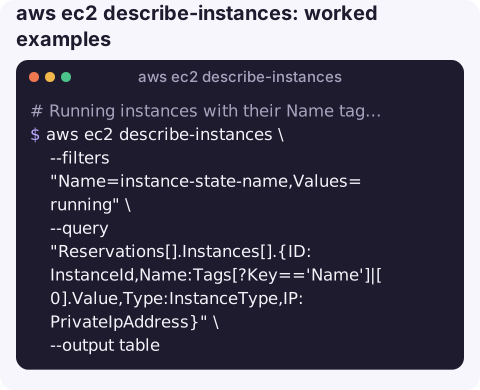
Running instances with their Name tag, as a table:
aws ec2 describe-instances \
  --filters "Name=instance-state-name,Values=running" \
  --query "Reservations[].Instances[].{ID:InstanceId,Name:Tags[?Key=='Name']|[0].Value,Type:InstanceType,IP:PrivateIpAddress}" \
  --output table
Filter by tag. Use tag:<key> to match a value, or tag-key to match any instance that has the key at all:
aws ec2 describe-instances \
  --filters "Name=tag:Environment,Values=prod" "Name=tag:Name,Values=api-*" \
  --query "Reservations[].Instances[].InstanceId" --output text
Find the instance that owns an IP address (private, then public):
aws ec2 describe-instances --filters "Name=private-ip-address,Values=10.0.1.23" \
  --query "Reservations[].Instances[].InstanceId" --output text
aws ec2 describe-instances --filters "Name=ip-address,Values=203.0.113.10" \
  --query "Reservations[].Instances[].InstanceId" --output text
Count instances by state for a quick health glance:
aws ec2 describe-instances --query "Reservations[].Instances[].State.Name" \
  --output text | tr '\t' '\n' | sort | uniq -c
Search every region, since the command only looks at one:
for r in $(aws ec2 describe-regions --query "Regions[].RegionName" --output text); do
  echo "== $r"
  aws ec2 describe-instances --region "$r" \
    --query "Reservations[].Instances[].[InstanceId,State.Name]" --output text
done
Key options
| Option | What it does |
|---|---|
--instance-ids | Describe only these IDs. An unknown ID fails the whole call with InvalidInstanceID.NotFound rather than returning an empty list. |
--filters | Server-side filtering. Useful names: instance-state-name, tag:<key>, tag-key, instance-type, vpc-id, subnet-id, private-ip-address, ip-address, image-id. |
--query | Client-side JMESPath projection, applied after all pages are fetched. |
--max-results / --next-token | Manual paging. Cannot be combined with --instance-ids. |
--dry-run | Checks permissions only; success shows up as a DryRunOperation error. |
Gotchas
- Wrong region looks like "no instances". An empty result usually means the CLI is pointed at a different region from the console. Check with
aws configure get regionor pass--region. - Filters are case-sensitive.
tag:namedoes not match a tag calledName, andValues=Proddoes not matchprod. - Prefer
--filtersover--queryfor selection.--queryfilters only after the CLI has downloaded every page, which is slow in large accounts and can hit API throttling. - Brand-new instances may not appear immediately. EC2 is eventually consistent; a describe straight after
run-instancescan briefly returnInvalidInstanceID.NotFound. Retry, or useaws ec2 wait instance-exists. - Tags can be missing. Instances with no Name tag return
nullfor the tag expression; intextoutput that prints asNone.
Questions
How do I filter describe-instances by the Name tag?
Use --filters "Name=tag:Name,Values=my-server". The part after tag: is the tag key, and it is case-sensitive; wildcards such as web-* are allowed in the value.
How do I get only the instance IDs?
Add --query "Reservations[].Instances[].InstanceId" --output text. That prints the IDs tab-separated on one line, ready to pass to another command.
How do I see network interfaces or volumes instead?
They have their own calls: aws ec2 describe-network-interfaces and aws ec2 describe-volumes. Each instance's attached ENIs and block devices also appear under NetworkInterfaces and BlockDeviceMappings in this command's output.
When an instance misbehaves out of hours, you mostly need to know which one it is and what state it is in. CloudConsole, a phone app for AWS, is built to show your instances, their tags and their alarms on a phone.
About the app → · Download on the App Store