 CloudConsole
S3 Standard vs Intelligent-Tiering vs Standard-IA
Use Intelligent-Tiering as the default for data with unknown or changing access patterns: it moves objects to cheaper tiers after 30 and 90 days without access, with no retrieval fees, for a small per-object monitoring fee. Use Standard for small objects, short-lived data and data read constantly. Use Standard-IA only when you know objects are larger than 128 KB, kept for at least 30 days and read rarely (about once a month).
The three classes compared
| Factor | S3 Standard | S3 Standard-IA |
|---|---|---|
| Designed for | Frequently accessed data | Long-lived data accessed about once a month |
| Availability (designed) | 99.99% | 99.9% |
| Minimum storage duration | None | 30 days |
| Minimum billable size | None | 128 KB |
| Retrieval fee | None | Per GB retrieved |
| Access latency | Milliseconds | Milliseconds |
| S3 Intelligent-Tiering | Behaviour |
|---|---|
| Frequent Access tier | Where new objects start |
| Infrequent Access tier | After 30 consecutive days without access |
| Archive Instant Access tier | After 90 consecutive days without access, still millisecond reads |
| Optional archive tiers | Archive Access (90+ days) and Deep Archive Access (180+ days); need a restore before reading |
| Fees | Monthly monitoring and automation fee per object; no retrieval fees; no minimum duration |
| Small objects | Under 128 KB: not monitored, always billed at the Frequent Access rate, no monitoring fee |
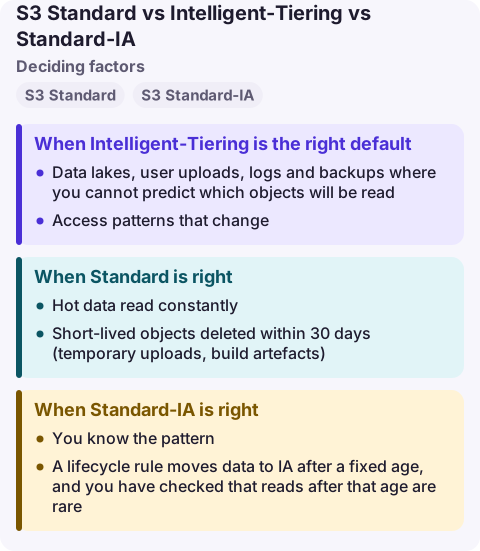
When Intelligent-Tiering is the right default
- Data lakes, user uploads, logs and backups where you cannot predict which objects will be read.
- Access patterns that change: hot for a week after upload, then rarely touched, then occasionally scanned.
- You do not want to maintain lifecycle rules per prefix or risk retrieval charges from a misjudged IA transition.
The monitoring fee is per object, so buckets of many medium-sized objects pay more in monitoring relative to storage than buckets of large objects. Model it for your object count and size.
When Standard is right
- Hot data read constantly: website assets, current application data, active datasets.
- Short-lived objects deleted within 30 days (temporary uploads, build artefacts).
- Very small objects under 128 KB, which gain nothing from tiering.
When Standard-IA is right
- You know the pattern: objects larger than 128 KB, retained for months, read rarely but needing millisecond access when they are, such as disaster-recovery copies or older backups.
- A lifecycle rule moves data to IA after a fixed age, and you have checked that reads after that age are rare.
Standard-IA becomes expensive when you guess wrong: every read pays a retrieval fee, early deletes are billed to 30 days and small objects to 128 KB. By default lifecycle rules do not transition objects smaller than 128 KB, and each transition is a billed request.
Common wrong reasons
- "IA is always cheaper because storage costs less." Retrieval fees and minimums can make it cost more than Standard for data that is read.
- "Intelligent-Tiering slows down reads." The three automatic tiers all serve reads in milliseconds; only the optional archive tiers need restores.
- "Transition everything after 30 days." Check object sizes and read rates first with S3 Storage Lens or Storage Class Analysis.
Questions
Is S3 Intelligent-Tiering worth it?
Usually, for objects larger than 128 KB with unknown or changing access. You pay a small monitoring fee per object and avoid retrieval fees and manual lifecycle tuning.
What is the difference between Intelligent-Tiering and Standard-IA?
Intelligent-Tiering moves each object between tiers automatically based on its own access and charges no retrieval fees. Standard-IA is a fixed class with lower storage cost but retrieval fees, a 30-day minimum and a 128 KB minimum billable size.
Should I use lifecycle rules or Intelligent-Tiering?
Use lifecycle rules when access depends predictably on age (for example, logs never read after 90 days, then expired). Use Intelligent-Tiering when access is unpredictable per object.
Storage-class mistakes show up as a bill, not an alarm: a sudden jump in retrieval or transition charges. CloudConsole is being built to show costs on a phone with production guardrails, so the jump is visible early.
About the app → · Download on the App Store