 CloudConsole
EFS vs EBS vs S3
Use EBS for a single instance's disks (boot volumes, databases) where you need low-latency block storage in one AZ. Use EFS when many instances, containers or Lambda functions must share the same POSIX file system across AZs. Use S3 for everything accessed over an API: backups, data lakes, static assets, logs and anything large or long-lived; it is the cheapest per GB and the most durable.
EFS vs EBS vs S3 at a glance
| Service | What it is | Best for |
|---|---|---|
| Amazon EBS | Block volumes attached to an EC2 instance in one AZ | Boot disks, databases on EC2, anything needing a local file system with low latency |
| Amazon EFS | Managed NFSv4 file system, Regional (multi-AZ) or One Zone | Shared files for many clients: CMS uploads, home directories, ML datasets, containers |
| Amazon S3 | Object storage accessed by HTTPS API | Backups, data lakes, media, logs, static websites, artefacts |
| Factor | EBS | EFS |
|---|---|---|
| Sharing | One instance (Multi-Attach only for io1/io2 in one AZ) | Thousands of concurrent clients across AZs |
| Scope | Single AZ | Regional by default |
| Capacity | You provision size (up to 64 TiB per gp3 or io2 volume) | Grows and shrinks automatically |
| Pricing model | Per GB provisioned, plus IOPS and throughput above baseline | Per GB stored by class, plus data access charges |
| Lambda and Fargate | Fargate tasks can attach EBS; Lambda cannot | Both can mount EFS |
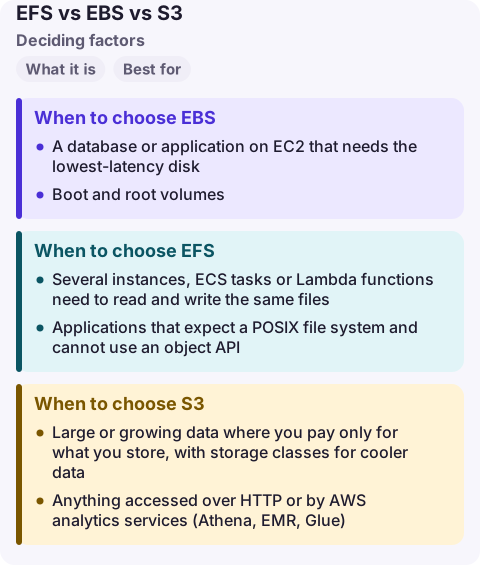
When to choose EBS
- A database or application on EC2 that needs the lowest-latency disk.
- Boot and root volumes.
- Workloads where one instance owns the data and snapshots are the backup.
EBS is billed on provisioned size, not used space, so an oversized volume costs money every hour. Snapshots go to S3-backed storage and are the way to copy data across AZs.
When to choose EFS
- Several instances, ECS tasks or Lambda functions need to read and write the same files.
- Applications that expect a POSIX file system and cannot use an object API.
- Data that must survive the loss of an AZ without you replicating it.
Use lifecycle management to move cold files to EFS Infrequent Access or Archive classes, and pick Elastic throughput unless you have a reason to provision it. EFS latency is higher than EBS, so do not put a busy database on it.
When to choose S3
- Large or growing data where you pay only for what you store, with storage classes for cooler data.
- Anything accessed over HTTP or by AWS analytics services (Athena, EMR, Glue).
- Backups and archives, with versioning, Object Lock and replication.
If a file-based tool must read S3 data, you have options before copying to EFS: Mountpoint for Amazon S3 mounts a bucket for read-heavy workloads (it cannot modify existing files), and the newer S3 Files gives a shared file system with full file semantics over data that stays in S3.
Common wrong reasons
- "S3 is a disk." It is an object store. Renames are copies, and there is no partial overwrite.
- "EFS is always more expensive." Per GB stored it costs more than EBS gp3, but you pay only for what you use and need no over-provisioning or replication.
- "EBS is durable enough without snapshots." gp3 is designed for 99.8% to 99.9% volume durability; take snapshots or use AWS Backup.
Questions
Can multiple EC2 instances share an EBS volume?
Only io1 and io2 volumes with Multi-Attach, and only within one AZ, with a cluster-aware file system. For general sharing use EFS.
Is EFS faster than S3?
For small file operations and file-system semantics, yes: EFS offers low-latency NFS access. S3 offers very high aggregate throughput for large objects over its API.
Which is cheapest, EFS, EBS or S3?
Per GB stored, S3 is usually cheapest, then EBS, then EFS Standard. Request and access charges, and EBS's pay-for-provisioned-size model, change the picture for each workload.
Storage incidents are a full EBS volume, an EFS file system out of burst credits, or an S3 permissions change; each looks different in the logs. CloudConsole is being built to show those alarms on a phone with production guardrails.
About the app → · Download on the App Store