 CloudConsole
Step Functions Standard vs Express workflows
Use Standard workflows for long-running or business-critical orchestration (up to one year) where steps must not run twice, you wait for callbacks or humans, and you want 90 days of visual execution history. Use Express workflows for high-volume, short (up to five minutes), idempotent event processing, where paying per execution and duration is far cheaper than per state transition.
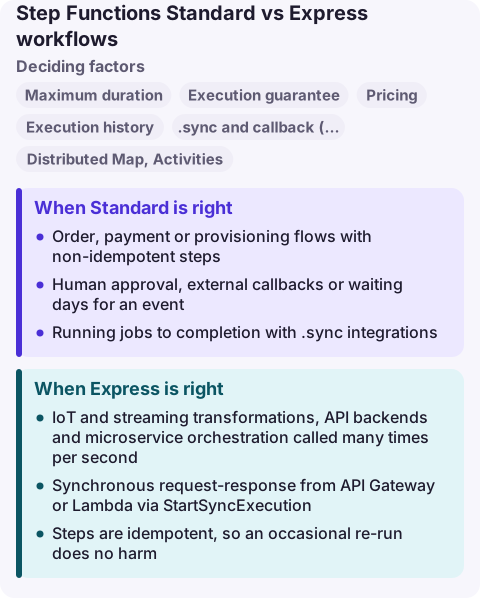
Standard vs Express compared
| Factor | Standard | Express |
|---|---|---|
| Maximum duration | One year | Five minutes |
| Execution guarantee | Exactly-once | Async: at-least-once; sync: at-most-once |
| Pricing | Per state transition | Per execution, duration and memory |
| Execution history | In the API and console for 90 days after completion | CloudWatch Logs only (if enabled) |
.sync and callback (.waitForTaskToken) | Supported | Not supported |
| Distributed Map, Activities | Supported | Not supported |
| State transition rate | Throttled by quota | No limit |
| Type change | Immutable after creation | Immutable after creation |
When Standard is right
- Order, payment or provisioning flows with non-idempotent steps.
- Human approval, external callbacks or waiting days for an event.
- Running jobs to completion with
.syncintegrations: ECS tasks, Glue jobs, EMR steps, other state machines. - Large-scale batch with Distributed Map over S3 objects.
- You need an audit trail that operators can open in the console.
When Express is right
- IoT and streaming transformations, API backends and microservice orchestration called many times per second.
- Synchronous request-response from API Gateway or Lambda via
StartSyncExecution. - Steps are idempotent, so an occasional re-run does no harm.
- Each execution is short and has many state transitions, where per-transition pricing would be expensive.
Turn on CloudWatch Logs for Express workflows from day one, at least for errors; without it there is no execution history to debug from.
Combining them
A Standard parent can start Express children for high-volume inner loops: the parent keeps the exactly-once, long-running orchestration and the audit trail, while each child processes a batch quickly and cheaply. Make sure what the child does is idempotent, because an asynchronous Express run can happen more than once.
Since the type cannot change, deciding later means creating a new state machine and moving callers to it. Keep the definition in infrastructure as code so switching is a matter of changing Type and redeploying under a new name.
Common wrong reasons
- "Express is the faster, newer version." It is a different execution model with weaker guarantees, not an upgrade.
- "Standard is too expensive." For low-volume business flows the transition charge is small; the exactly-once guarantee is what you pay for.
- "Express can wait for a callback." It cannot use
.waitForTaskToken; use Standard for anything that waits on an external system.
Questions
Can I change a Step Functions workflow from Standard to Express?
No. The type is immutable. Create a new state machine with the other type and move callers to it.
How long can an Express workflow run?
Up to five minutes. Synchronous Express executions started from the console expire after 60 seconds; use the SDK or CLI for the full five minutes.
Which is cheaper, Standard or Express?
Express is usually cheaper for short, high-volume executions with many steps; Standard is often cheaper for long-running flows that mostly wait. Model both with the Step Functions pricing page.
A failed Standard execution is easy to inspect in the console graph; an Express failure lives only in logs. CloudConsole is being built to show execution-failure alarms and the matching log lines on a phone with production guardrails.
About the app → · Download on the App Store