 CloudConsole
Lambda: Task timed out after 3.00 seconds
Lambda stopped your function because it ran longer than its configured timeout, which is 3 seconds unless you change it. Raising the timeout (up to 900 seconds) stops the error, but first check what the function was waiting on: most timeouts are a slow or unreachable dependency, not slow code.
What the error means
Every Lambda function has a timeout. When an invocation reaches it, Lambda stops the execution environment and writes a line like this to the function's log group:
2026-11-16T09:41:07.512Z 3f1c… Task timed out after 3.00 secondsThe number is your configured timeout, so 3.00 means the function is still on the default. The invocation counts as an error: the Errors metric goes up, a synchronous caller (API Gateway, the SDK) gets a failure, and asynchronous sources such as S3 or EventBridge retry it, which can turn one slow dependency into a burst of duplicate work.
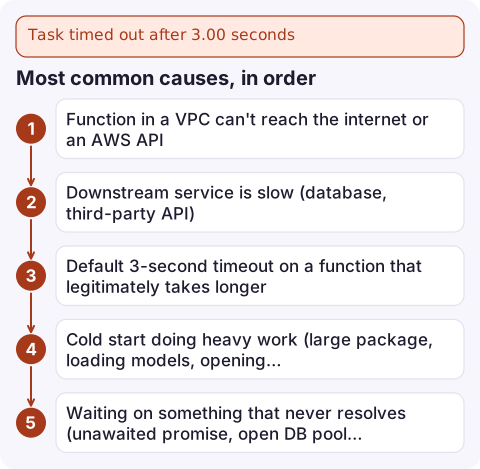
Most common causes, in order
| Cause | Tell-tale sign |
|---|---|
| Function in a VPC can't reach the internet or an AWS API | Every invocation times out at exactly the limit; calls to S3, DynamoDB, Secrets Manager or an external API never return |
| Downstream service is slow (database, third-party API) | Timeouts cluster at busy times; Duration creeps up before errors start |
| Default 3-second timeout on a function that legitimately takes longer | Log shows 3.00 seconds; works locally |
| Cold start doing heavy work (large package, loading models, opening connections) | Only the first request after idle times out; Init Duration is large in the REPORT line |
| Waiting on something that never resolves (unawaited promise, open DB pool keeping the event loop alive) | Node.js functions time out even though the handler logic finished |
How to find what's slow
- Read the REPORT line for the failing request. It shows
Duration,Billed Duration,Max Memory Usedand, on a cold start,Init Duration. - Log timestamps around each external call. The last line before the timeout tells you what it was waiting for.
- Check networking if the function is in a VPC. A function attached to private subnets needs a NAT gateway for internet access, or VPC endpoints for AWS services. A security group without outbound rules also produces silent hangs.
- Look at the trend. Plot the
Durationmetric at p99 for the last day: a sudden step usually points to a deploy or a dependency, a gradual climb to growing data or load.
This Logs Insights query lists the slowest recent invocations:
filter @type = "REPORT"
| fields @requestId, @duration, @initDuration, @maxMemoryUsed / 1000000 as memMB
| sort @duration desc
| limit 20
Fixes
- Set a realistic timeout. Give it headroom over your p99 duration, but keep it below the caller's own timeout (API Gateway REST APIs stop waiting at 29 seconds by default), or the client gives up while Lambda keeps running and billing.
aws lambda update-function-configuration \ --function-name my-function \ --timeout 15 - Fix VPC egress. Add a NAT gateway route for internet calls, or gateway/interface endpoints for S3, DynamoDB and other AWS APIs.
- Put timeouts on your own clients. An SDK or HTTP client timeout shorter than the function's lets you fail fast, log a useful error and retry, instead of being killed silently.
- Move work out of the request path. Long jobs belong in Step Functions, an SQS-driven worker or ECS, not a synchronous Lambda.
- Give it more memory. Lambda allocates CPU in proportion to memory, so CPU-bound functions often finish faster, and sometimes cheaper, at a higher memory setting.
Stop it happening silently
Alarm on the function's Errors metric and on Duration approaching the timeout; the recommended settings are in Lambda Errors alarm and Lambda Duration alarm. For asynchronous invocations, configure an on-failure destination or a dead-letter queue so events that time out repeatedly aren't lost.
Questions
What is the maximum Lambda timeout?
900 seconds (15 minutes). If a job can take longer, run it on Step Functions, ECS or AWS Batch instead.
Why does Lambda say 3.00 seconds?
3 seconds is the default timeout for a new function. The figure in the message is always your configured timeout, not how long the work would have taken.
Am I billed for a timed-out invocation?
Yes. You pay for the duration up to the timeout, so an unreachable dependency that makes every call hang is also the most expensive failure mode.

Timeouts tend to start while you're away from your desk, after a dependency slows down. CloudConsole, a phone app for AWS, is built to show the alarm, the slow invocations and the log lines behind them on one screen.
Did it start after a deploy? What changed? on the app’s alarm screen lists the deploys and configuration changes from the hour before the alarm fired.
About the app → · Download on the App Store