 CloudConsole
Lambda vs Fargate
Use Lambda for event-driven work that finishes in seconds or minutes and is idle much of the time: you pay per request and per millisecond, and scaling is automatic. Use Fargate for long-running services, steady high traffic, work over 15 minutes, or anything that needs a normal server process, open connections or more than 10 GB of memory.
Lambda vs Fargate compared
| Factor | AWS Lambda | AWS Fargate (ECS) |
|---|---|---|
| Unit | Function invocation | Task (one or more containers) |
| Billing | Requests plus duration per 1 ms, priced by memory | vCPU, memory and storage per second while the task runs |
| Idle cost | None (unless you buy provisioned concurrency) | You pay for running tasks even with no traffic |
| Maximum run time | 900 seconds (15 minutes) | No limit |
| Memory | 128 MB to 10,240 MB | Up to 120 GB (more at 32 vCPU) |
| Request/response size | 6 MB each, synchronous | Whatever your server and load balancer accept |
| Scaling | Per request, up to account concurrency (1,000 by default, adjustable) | Service auto scaling adds tasks in tens of seconds to minutes |
| Packaging | Zip (250 MB unzipped) or container image (10 GB) | Container image |
When Lambda is the right tool
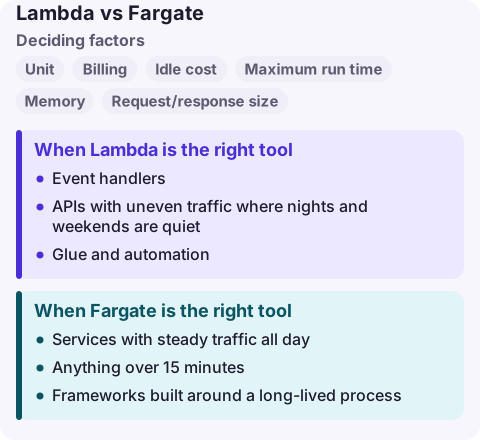
- Event handlers: S3 uploads, SQS messages, EventBridge events, DynamoDB streams. The integrations do the polling for you.
- APIs with uneven traffic where nights and weekends are quiet. Zero requests means close to zero cost.
- Glue and automation: scheduled clean-ups, Slack bots, custom CloudFormation resources.
- Bursty fan-out where you want hundreds of parallel workers for a few minutes without managing a fleet.
Watch for cold starts on latency-sensitive paths. Provisioned concurrency keeps environments initialised but is billed while configured, which moves Lambda towards the always-on cost model.
When Fargate is the right tool
- Services with steady traffic all day. Once a task is busy most of the time, per-second container pricing is usually cheaper than per-request pricing.
- Anything over 15 minutes: long batch jobs, video processing, migrations.
- Frameworks built around a long-lived process: WebSocket servers, gRPC, in-memory caches, connection pools to a database.
- Existing containerised apps you do not want to rewrite into handlers.
Using both together
Many systems use both: Lambda for event glue and scheduled work, Fargate for the core API. A common pattern is an SQS queue drained by Lambda at low volume and by a Fargate worker service once volume is steady. Keep business logic in a library so the same code can run under a Lambda handler or a container entry point.
Compute Savings Plans cover both Lambda and Fargate usage, so a commitment made for one still applies if you move work to the other.
If you want to compare costs for your own traffic, model Lambda as requests × duration × memory and Fargate as tasks × hours × (vCPU + memory), using the current rates on each pricing page.
Common wrong reasons
- "Serverless is always cheaper." At sustained high throughput, per-invocation pricing can cost more than a few right-sized tasks.
- "Containers mean Fargate." Lambda runs container images up to 10 GB too; the limits are the 15-minute timeout and the request model, not the packaging.
- "Lambda has no ops." You still manage concurrency limits, throttling, retries, dead-letter queues and timeouts.
Questions
Is Lambda cheaper than Fargate?
For low or spiky traffic, usually yes, because idle time costs nothing. For a service that is busy around the clock, Fargate is often cheaper. Model both with your own request rate and duration.
Can Fargate replace Lambda for jobs over 15 minutes?
Yes. Run the job as an ECS task, triggered by EventBridge Scheduler, Step Functions or an SQS-driven service; tasks have no maximum run time.
Do Savings Plans apply to Lambda and Fargate?
Compute Savings Plans apply to both, as well as EC2. EC2 Instance Savings Plans and Reserved Instances do not.
The failure modes differ when you are paged: Lambda shows up as throttles, timeouts and error rates on a function; Fargate as tasks stopping or failing health checks. CloudConsole is being built to show both kinds of alarm and their logs on a phone, with production guardrails.
About the app → · Download on the App Store