 CloudConsole
aws autoscaling update-auto-scaling-group
aws autoscaling update-auto-scaling-group --auto-scaling-group-name my-asg changes the settings of an existing group: size limits, launch template and version, health check type and grace period, subnets, termination policies and more. Only the options you pass change, and most changes apply to new instances rather than running ones.
What the command does
It updates the group configuration in place. Size changes take effect immediately (and can launch or terminate instances). A new launch template version is used for future launches only; existing instances keep running the old one until they are replaced, which is what an instance refresh is for.
Syntax
aws autoscaling update-auto-scaling-group --auto-scaling-group-name <asg> \
  [--min-size <n>] [--max-size <n>] [--desired-capacity <n>] \
  [--launch-template LaunchTemplateName=<lt>,Version=<v>] \
  [--health-check-type EC2|ELB] [--health-check-grace-period <s>] \
  [--vpc-zone-identifier "subnet-a,subnet-b"] \
  [--max-instance-lifetime <s>] [--default-instance-warmup <s>]
Worked examples
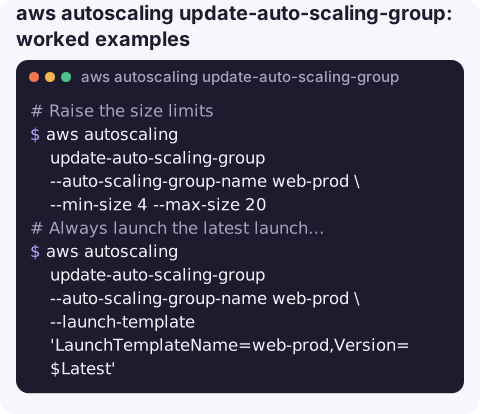
Raise the size limits for a busy period:
aws autoscaling update-auto-scaling-group --auto-scaling-group-name web-prod \
  --min-size 4 --max-size 20
Always launch the latest launch template version. Quote $Latest so the shell does not expand it:
aws autoscaling update-auto-scaling-group --auto-scaling-group-name web-prod \
  --launch-template 'LaunchTemplateName=web-prod,Version=$Latest'
Pin a specific version instead, which is safer for production rollouts:
aws autoscaling update-auto-scaling-group --auto-scaling-group-name web-prod \
  --launch-template LaunchTemplateName=web-prod,Version=17
Use load balancer health checks so instances failing the target group check are replaced:
aws autoscaling update-auto-scaling-group --auto-scaling-group-name web-prod \
  --health-check-type ELB --health-check-grace-period 300
Add a subnet in another Availability Zone:
aws autoscaling update-auto-scaling-group --auto-scaling-group-name web-prod \
  --vpc-zone-identifier "subnet-0a1b2c3d4e5f60001,subnet-0a1b2c3d4e5f60002,subnet-0a1b2c3d4e5f60003"
Confirm the result:
aws autoscaling describe-auto-scaling-groups --auto-scaling-group-names web-prod \
  --query "AutoScalingGroups[0].{min:MinSize,max:MaxSize,desired:DesiredCapacity,lt:LaunchTemplate,hc:HealthCheckType}"
Safe change routine
- Save the current configuration with
describe-auto-scaling-groupsso you can put it back. - Make one change at a time; combining size, template and subnet changes makes it hard to tell what caused a problem.
- Watch
describe-scaling-activitiesfor the next few minutes for launches or terminations you did not expect.
Settings that bite
| Setting | Watch out for |
|---|---|
--health-check-type ELB | Too short a grace period makes slow-booting instances get killed in a loop |
--vpc-zone-identifier | Replaces the whole subnet list; removing a subnet can trigger rebalancing that terminates instances there |
--max-instance-lifetime | Instances older than this are replaced automatically (minimum one day) |
--termination-policies | Decide which instances go first on scale-in, e.g. OldestLaunchTemplate |
--new-instances-protected-from-scale-in | Every new instance is protected, so scale-in can stall |
Gotchas
- Running instances are not updated. Changing the launch template or user data does nothing to existing instances until they are replaced.
$Latestvs$Default.$Latestpicks up every new version immediately, including untested ones; pinning a number makes rollouts deliberate.- Desired outside the new limits is adjusted. Lowering max below the current desired capacity scales the group in.
- ECS service auto scaling is not this. Task counts for ECS services are managed by Application Auto Scaling (
aws application-autoscaling register-scalable-target), while this command manages the EC2 instances in a capacity provider's group.
Questions
How do I update the launch template of an Auto Scaling group?
Pass --launch-template LaunchTemplateName=<name>,Version=<n> (or $Latest). Then start an instance refresh to replace running instances with the new version.
How do I update ECS service auto scaling from the CLI?
ECS services scale through Application Auto Scaling: change limits with aws application-autoscaling register-scalable-target and policies with put-scaling-policy, using service namespace ecs.
Does update-auto-scaling-group restart instances?
No. It only changes configuration. Instances are launched or terminated if size limits change, and replaced only by health checks, max lifetime or an instance refresh.
Group settings changed in a hurry tend to be forgotten until the next incident. CloudConsole, a phone app for AWS, is built to show Auto Scaling groups and their alarms on a phone.
About the app → · Download on the App Store