 CloudConsole
aws autoscaling set-desired-capacity
aws autoscaling set-desired-capacity --auto-scaling-group-name my-asg --desired-capacity 6 tells an Auto Scaling group to launch or terminate instances until it has 6. The value must be between the group's minimum and maximum, and any scaling policies on the group may change it again afterwards.
What the command does
It sets the group's desired capacity and starts a scaling activity straight away. Raising it launches instances from the group's launch template; lowering it terminates instances chosen by the group's termination policies, skipping any with scale-in protection. By default it ignores the cooldown period, because it is a manual action; add --honor-cooldown to respect it.
It changes only the desired capacity. To move the minimum or maximum, use update-auto-scaling-group.
Syntax
aws autoscaling set-desired-capacity \
  --auto-scaling-group-name <asg> \
  --desired-capacity <n> \
  [--honor-cooldown]
Worked examples
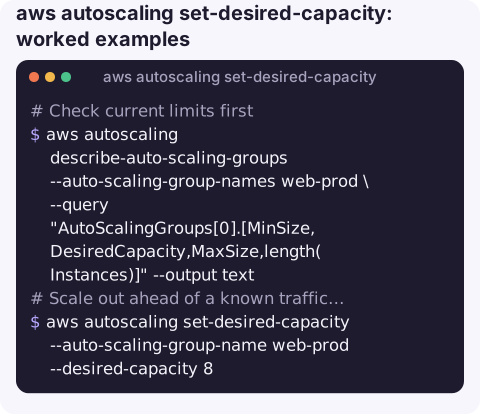
Check current limits first:
aws autoscaling describe-auto-scaling-groups --auto-scaling-group-names web-prod \
  --query "AutoScalingGroups[0].[MinSize,DesiredCapacity,MaxSize,length(Instances)]" --output text
Scale out ahead of a known traffic spike:
aws autoscaling set-desired-capacity --auto-scaling-group-name web-prod --desired-capacity 8Watch what the group does:
aws autoscaling describe-scaling-activities --auto-scaling-group-name web-prod --max-items 5 \
  --query "Activities[].[StartTime,StatusCode,Description]" --output table
See instance health and lifecycle state while it settles:
aws autoscaling describe-auto-scaling-groups --auto-scaling-group-names web-prod \
  --query "AutoScalingGroups[0].Instances[].[InstanceId,LifecycleState,HealthStatus,AvailabilityZone]" --output table
Scale a non-production group to zero overnight (minimum must already be 0):
aws autoscaling set-desired-capacity --auto-scaling-group-name web-staging --desired-capacity 0Making a manual scale-out stick
If the group has a target tracking or step scaling policy, a manual desired capacity is a suggestion that lasts until the policy next evaluates its alarm. For a few minutes of extra headroom that is fine. For a planned event, either raise the minimum for the duration and lower it afterwards, or create a scheduled action that sets minimum and desired capacity at a given time and another that restores them. Scheduled actions also leave a record of what was intended, which a one-off command does not.
aws autoscaling describe-policies --auto-scaling-group-name web-prod \
  --query "ScalingPolicies[].[PolicyName,PolicyType]" --output text
Errors and what they mean
| Message | Fix |
|---|---|
New SetDesiredCapacity value 12 is above max value 10 | Raise --max-size with update-auto-scaling-group first |
… is below min value … | Lower --min-size first |
ScalingActivityInProgress | Another activity is running; wait and retry |
| Launches fail in activities (e.g. capacity, vCPU limit) | See InsufficientInstanceCapacity and VcpuLimitExceeded |
Gotchas
- Scaling policies fight you. A target tracking policy recalculates desired capacity from its metric and will pull it back. For a planned change, add a scheduled action or raise the minimum instead.
- Scale-in picks instances for you. To remove a specific instance, use
aws autoscaling terminate-instance-in-auto-scaling-group --should-decrement-desired-capacity, or see stopping an instance in an ASG. - Stopping instances does not work here. A stopped instance is marked unhealthy and replaced. Scale down or use standby instead.
- Warm-up. New instances take time to pass health checks; until then the load balancer will not send them traffic.
- ECS services are separate. Scaling an ECS service's tasks is done with ecs update-service or Application Auto Scaling, not this command.
Questions
What is the difference between desired capacity and minimum size?
Minimum is a floor the group never goes below, even under scale-in policies. Desired is the current target, which policies and this command adjust between minimum and maximum.
Why did my Auto Scaling group change capacity back?
A scaling policy or scheduled action adjusted desired capacity after you did. Check describe-policies and describe-scheduled-actions for the group.
How do I scale an Auto Scaling group to zero?
Set the minimum to 0 with update-auto-scaling-group, then set desired capacity to 0. Instances are terminated, not stopped.
Scaling up during a traffic spike is the kind of change you may want to make from wherever you are. CloudConsole is built with production guardrails and to show capacity alarms on a phone.
About the app → · Download on the App Store