 CloudConsole
aws ecs update-service
aws ecs update-service --cluster my-cluster --service my-service --force-new-deployment restarts every task in a service with the current task definition, which also re-pulls a mutable image tag such as latest. Pass --task-definition family:revision to roll out a new version, or --desired-count to scale, then run aws ecs wait services-stable.
What the command does
update-service changes a running ECS service and, when the change affects tasks, starts a new deployment. With the default rolling update, ECS starts new tasks and drains old ones within the limits set by minimumHealthyPercent and maximumPercent, waiting for load balancer health checks where configured.
It returns the updated service description immediately; the deployment itself takes minutes. Watch it with describe-services or a waiter.
Syntax
aws ecs update-service --cluster my-cluster --service my-service \
  [--task-definition orders-api:42] \
  [--desired-count 4] \
  [--force-new-deployment] \
  [--deployment-configuration "deploymentCircuitBreaker={enable=true,rollback=true},maximumPercent=200,minimumHealthyPercent=100"] \
  [--enable-execute-command] \
  [--health-check-grace-period-seconds 60]
If you leave out --cluster, ECS uses the cluster called default, which produces a confusing ServiceNotFoundException.
Worked examples
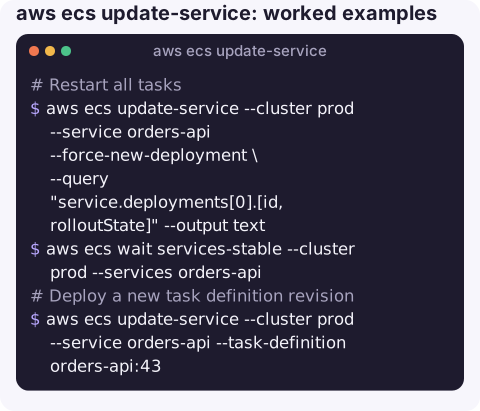
Restart all tasks (new containers, same task definition):
aws ecs update-service --cluster prod --service orders-api --force-new-deployment \
  --query "service.deployments[0].[id,rolloutState]" --output text
aws ecs wait services-stable --cluster prod --services orders-api
Deploy a new task definition revision:
aws ecs update-service --cluster prod --service orders-api --task-definition orders-api:43Passing only the family (orders-api) uses its latest ACTIVE revision.
Scale out or in:
aws ecs update-service --cluster prod --service orders-api --desired-count 6Scale to zero to stop a non-production service overnight:
aws ecs update-service --cluster staging --service orders-api --desired-count 0Turn on automatic rollback when tasks keep failing to become healthy:
aws ecs update-service --cluster prod --service orders-api \
  --deployment-configuration "deploymentCircuitBreaker={enable=true,rollback=true},maximumPercent=200,minimumHealthyPercent=100"
Enable ECS Exec; it only applies to tasks started afterwards, so force a deployment in the same call:
aws ecs update-service --cluster prod --service orders-api \
  --enable-execute-command --force-new-deployment
Watching the rollout
aws ecs describe-services --cluster prod --services orders-api \
  --query "services[0].deployments[].[status,taskDefinition,rolloutState,runningCount,desiredCount]" \
  --output table
rolloutState | Meaning |
|---|---|
IN_PROGRESS | New tasks starting or old ones draining. |
COMPLETED | The PRIMARY deployment reached steady state. |
FAILED | The circuit breaker tripped; with rollback on, ECS redeploys the last completed revision. |
The waiter gives up after about ten minutes and exits non-zero, which does not mean the deployment failed; check the state above.
Gotchas
- Auto scaling overrides desired count. If the service has an Application Auto Scaling target, a manual
--desired-countcan be changed back by the next scaling action, and is clamped by the target's minimum and maximum. - Mutable tags. Force-new-deployment re-pulls
:latest, so it can deploy code you did not intend. Pin image digests or unique tags in task definitions. - Stuck deployments usually mean new tasks never pass health checks. Read
services[0].eventsand the stopped tasks'stoppedReason. - Some settings need a new deployment to take effect on existing tasks, such as ECS Exec and network configuration.
Questions
How do I force a new deployment of an ECS service?
aws ecs update-service --cluster my-cluster --service my-service --force-new-deployment, then aws ecs wait services-stable to wait for it.
How do I update the image of an ECS service from the CLI?
Register a new task definition revision with the new image, then run update-service --task-definition with that revision.
How do I change the desired count of an ECS service?
Use update-service --desired-count. If the service uses auto scaling, adjust the scalable target's minimum and maximum instead or your change may be reverted.
Restarting a service is one of the most common on-call actions, and one you want to get right first time. CloudConsole, a phone app for AWS, is built to show service health, deployments and alarms on a phone, with production guardrails.
About the app → · Download on the App Store