 CloudConsole
How to change an EC2 instance type
Stop the instance, change its type, and start it again. In the EC2 console that is Instance state, Stop; then Actions, Instance settings, Change instance type; then Start. On the CLI: stop-instances, modify-instance-attribute --instance-type, start-instances. The new type must support the same architecture and the instance's AMI and drivers, and the public IPv4 address changes unless you use an Elastic IP.
Find the current type first
# From anywhere
aws ec2 describe-instances --instance-ids i-0123456789abcdef0 \
  --query 'Reservations[].Instances[].[InstanceId,InstanceType,Architecture,State.Name]' --output text

# From inside the instance (IMDSv2)
TOKEN=$(curl -sX PUT http://169.254.169.254/latest/api/token -H "X-aws-ec2-metadata-token-ttl-seconds: 300")
curl -s -H "X-aws-ec2-metadata-token: $TOKEN" http://169.254.169.254/latest/meta-data/instance-type
The console shows it in the Instance type column of the Instances list.
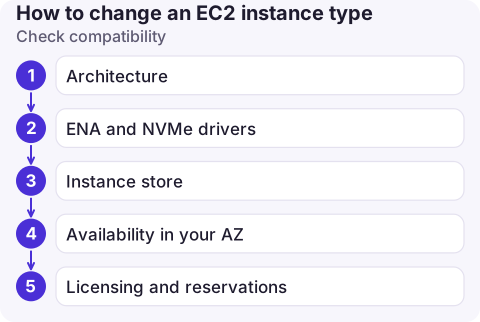
Check compatibility
| Check | Why it matters |
|---|---|
| Architecture | x86_64 AMIs can't run on Graviton (arm64) types such as m7g, and vice versa |
| ENA and NVMe drivers | Nitro-based types need them. Older AMIs moving from Xen types (for example m4) may not boot without them |
| Instance store | Moving to or from a type with local disks changes what's mounted; data on instance store is lost on stop anyway |
| Availability in your AZ | aws ec2 describe-instance-type-offerings --location-type availability-zone --filters Name=instance-type,Values=m7i.large |
| Licensing and reservations | Reserved Instances and some licences are tied to a type or family |
Change it
aws ec2 stop-instances --instance-ids i-0123456789abcdef0
aws ec2 wait instance-stopped --instance-ids i-0123456789abcdef0

aws ec2 modify-instance-attribute --instance-id i-0123456789abcdef0 \
  --instance-type "{\"Value\": \"m7i.large\"}"

aws ec2 start-instances --instance-ids i-0123456789abcdef0
aws ec2 wait instance-status-ok --instance-ids i-0123456789abcdef0
In the console: select the instance, Instance state > Stop instance, then Actions > Instance settings > Change instance type, choose the new type, apply, and start the instance.
Instances you shouldn't resize by hand
- Auto Scaling groups: a stopped instance gets replaced. Change the launch template's instance type and roll it out with an instance refresh (start-instance-refresh).
- Elastic Beanstalk, EKS managed node groups, ECS capacity providers: change the type in that service's configuration.
- CloudFormation or Terraform-managed instances: change the template, or the next deploy reverts your change (and may replace the instance).
Choosing a type, and common mistakes
AWS Compute Optimizer looks at an instance's CloudWatch metrics and recommends right-sized types; it's a good starting point if you're guessing. Compare memory pressure as well as CPU, since CPU alone misses memory-bound workloads.
- InsufficientInstanceCapacity on start: that type is short in your AZ right now. Try again later, a different size, or a similar type.
- Forgetting the public IP changes on stop/start, breaking DNS records.
- Moving to a burstable T type for a steady workload; it runs out of CPU credits.
To compare sizes in a family, run aws ec2 describe-instance-types --filters Name=instance-type,Values=m7i.* --query 'InstanceTypes[].[InstanceType,VCpuInfo.DefaultVCpus,MemoryInfo.SizeInMiB]' --output table. Moving up a size within the same family is the lowest-risk resize: same architecture, same drivers, just more resources.
Questions
Can I change an EC2 instance type without stopping it?
No. An EBS-backed instance must be stopped before its type can change. Plan a short outage or put the instance behind a load balancer with others.
How do I find an EC2 instance type from the command line?
aws ec2 describe-instances --instance-ids with --query Reservations[].Instances[].InstanceType, or from the instance itself, the instance-type path of the instance metadata service.
Will changing instance type lose my data?
Data on EBS volumes is kept. Anything on instance store volumes is lost when the instance stops.

Deciding whether an instance needs to be bigger usually starts with a CPU or memory alarm. CloudConsole, a phone app for AWS, is built to show those alarms and the metric history on your phone.
About the app → · Download on the App Store