 CloudConsole
aws ec2 start-instances
Run aws ec2 start-instances --instance-ids i-0123456789abcdef0 to start an EBS-backed instance that is in the stopped state. The call returns immediately with the state as pending; use aws ec2 wait instance-running to block until it is up, and expect a new public IP unless the instance has an Elastic IP.
What the command does
start-instances moves one or more stopped instances to pending and then running. EC2 may place the instance on different underlying hardware, which is why a stop followed by a start fixes many host-level problems that a reboot cannot.
It only works on instances in the stopped state. A terminated instance cannot be started again, and an instance still in stopping returns IncorrectInstanceState until the stop finishes.
Syntax
aws ec2 start-instances --instance-ids i-0123456789abcdef0 [i-0fedcba9876543210 ...] [--dry-run]The response lists each instance with its PreviousState and CurrentState:
{
  "StartingInstances": [
    {
      "InstanceId": "i-0123456789abcdef0",
      "CurrentState": { "Code": 0, "Name": "pending" },
      "PreviousState": { "Code": 80, "Name": "stopped" }
    }
  ]
}
Worked examples
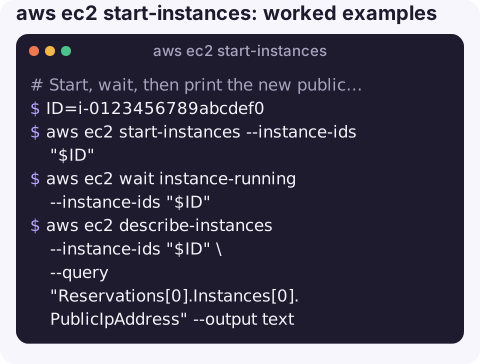
Start, wait, then print the new public IP:
ID=i-0123456789abcdef0
aws ec2 start-instances --instance-ids "$ID"
aws ec2 wait instance-running --instance-ids "$ID"
aws ec2 describe-instances --instance-ids "$ID" \
  --query "Reservations[0].Instances[0].PublicIpAddress" --output text
instance-running only means the hypervisor has started it. If you want to SSH in straight away, wait for the status checks too:
aws ec2 wait instance-status-ok --instance-ids "$ID"Start every stopped instance with a given tag (for example, a dev environment each morning):
IDS=$(aws ec2 describe-instances \
  --filters "Name=tag:Environment,Values=dev" "Name=instance-state-name,Values=stopped" \
  --query "Reservations[].Instances[].InstanceId" --output text)
[ -n "$IDS" ] && aws ec2 start-instances --instance-ids $IDS
The empty-check matters: calling start-instances with no IDs is a parameter error, which breaks scheduled scripts on days when nothing is stopped.
Check permissions before automating:
aws ec2 start-instances --instance-ids i-0123456789abcdef0 --dry-runAn error mentioning DryRunOperation means the call would have succeeded; UnauthorizedOperation means it would not.
Why a start fails or the instance stops again
| Symptom | Likely cause |
|---|---|
InsufficientInstanceCapacity | AWS has no spare capacity for that type in that Availability Zone right now. Retry later, or change the instance type while it is stopped. |
Goes to pending, then back to stopped | Commonly an encrypted EBS volume whose KMS key the caller or EC2 cannot use. Check StateReason in describe-instances. |
IncorrectInstanceState | The instance is still stopping, or is not stopped at all. |
UnauthorizedOperation with an encoded message | IAM or SCP denial; decode it with aws sts decode-authorization-message. |
VcpuLimitExceeded | Starting it would push the account above its vCPU quota for that instance family. |
Gotchas
- The public IPv4 address changes on every stop/start unless an Elastic IP is associated. The private IP stays the same.
- Instance store data is gone. Anything on ephemeral disks was lost when the instance stopped; only EBS data survives.
- Billing restarts as soon as the instance enters
running, with a new minimum billing period for Linux instances billed per second. - Auto Scaling groups. Starting an instance that an ASG manages, without the group's knowledge, can be undone by scaling activity. Change the group's capacity instead.
Questions
How do I start an EC2 instance from the command line?
Use aws ec2 start-instances --instance-ids followed by the instance ID, with --region if it is not your default region. Then aws ec2 wait instance-running blocks until it is up.
How do I restart an EC2 instance from the command line?
For a soft OS restart on the same host use aws ec2 reboot-instances. For a full restart that can move to new hardware, run aws ec2 stop-instances, wait for instance-stopped, then aws ec2 start-instances.
Can I start and stop instances on a schedule?
Yes. Common options are an EventBridge Scheduler schedule targeting the EC2 StartInstances and StopInstances API actions, a small Lambda function that calls them, or the AWS Instance Scheduler solution.
Being asked to bring a stopped box back while away from a terminal is a common on-call chore. CloudConsole, a phone app for AWS, is built to show instance state and alarms on a phone, with guardrails around production changes.
About the app → · Download on the App Store