 CloudConsole
How to restart an EC2 instance
Select the instance in the EC2 console and choose Instance state, then Reboot instance, or run aws ec2 reboot-instances --instance-ids i-0123456789abcdef0. A reboot keeps the same host, IP addresses and instance store data. If the instance is unresponsive because of a hardware or host problem, a stop followed by a start is the restart that actually helps, because it moves the instance to new hardware.
Reboot or stop/start?
| Reboot | Stop, then start | |
|---|---|---|
| Underlying host | Same | Usually different |
| Public IPv4 (not Elastic IP) | Kept | Changes |
| Instance store data | Kept | Lost |
| Fixes a failed system status check | No | Usually |
| Typical use | Kernel update, hung service, applying OS config | Host problems, resizing, scheduled retirement |
If the status checks show a system status check failure, skip the reboot and do a stop/start. If it is an instance status check failure, a reboot is the right first move.
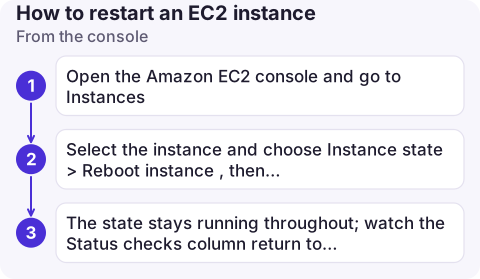
From the console
- Open the Amazon EC2 console and go to Instances.
- Select the instance and choose Instance state > Reboot instance, then confirm.
- The state stays
runningthroughout; watch the Status checks column return to passing.
For a stop/start, choose Stop instance, wait for stopped, then Start instance.
From the command line
# Reboot (asynchronous: returns immediately)
aws ec2 reboot-instances --instance-ids i-0123456789abcdef0

# Confirm it came back: both checks should report "ok"
aws ec2 describe-instance-status --instance-ids i-0123456789abcdef0 \
  --query 'InstanceStatuses[].{system:SystemStatus.Status,instance:InstanceStatus.Status}'

# Full stop/start to move to new hardware
aws ec2 stop-instances --instance-ids i-0123456789abcdef0
aws ec2 wait instance-stopped --instance-ids i-0123456789abcdef0
aws ec2 start-instances --instance-ids i-0123456789abcdef0
aws ec2 wait instance-status-ok --instance-ids i-0123456789abcdef0
From inside the instance, sudo reboot (Linux) or a Windows restart does the same as the API reboot. The API reboot asks the OS to shut down cleanly; if the OS doesn't comply within a few minutes, EC2 forces a hard reboot.
Check before and after
- Before: grab the serial console output with get-console-output if the instance is hung. It often shows a kernel panic or a full disk that a reboot will hide.
- Before a stop/start: make sure nothing important lives on instance store, and that DNS or allow-lists don't depend on the public IP.
- Scheduled events:
describe-instance-statusalso lists any scheduled events, such as an instance retirement. For a retirement, an OS reboot doesn't help; a stop/start before the deadline moves the instance to healthy hardware at a time you choose. - After: confirm services started on boot (systemd units enabled, Windows services set to automatic) and that the instance is healthy again in its load balancer target group.
Common mistakes
- Rebooting repeatedly to fix a system check failure. The host is the problem; only moving off it helps.
- Restarting an Auto Scaling instance with stop/start. The group sees a stopped instance and replaces it. Reboot instead, or use Standby.
- Expecting
reboot-instancesto wait. It returns at once and there is no reboot waiter; poll status checks as above.
Questions
How do I restart an EC2 server from the command line?
Use aws ec2 reboot-instances --instance-ids with the instance ID. To force it onto new hardware, stop it, wait for the stopped state and start it again.
Does restarting an EC2 instance change its IP address?
A reboot keeps every address. A stop and start keeps the private IP and any Elastic IP, but an automatically assigned public IPv4 address changes.
How long does an EC2 reboot take?
Usually about as long as the operating system takes to boot, often a minute or two. If the OS hangs on shutdown, EC2 forces the reboot after a few minutes.

A hung instance at 2am is where a reboot from your phone would save the walk to the laptop. CloudConsole, a phone app for AWS, is built to show instance status checks and alarms on your phone, with production guardrails on actions.
About the app → · Download on the App Store