 CloudConsole
aws ec2 stop-instances
aws ec2 stop-instances --instance-ids i-0123456789abcdef0 shuts down an EBS-backed instance and keeps its volumes, so you can start it again later. You stop paying for instance hours but still pay for EBS storage; add --force if it is stuck in stopping, and do not use it on instances in an Auto Scaling group.
What the command does
stop-instances asks the operating system to shut down, then moves the instance through stopping to stopped. The root and data EBS volumes stay attached, the private IP and instance ID stay the same, and you can start it again with start-instances.
What you lose: anything in RAM (unless you hibernate), anything on instance store disks, and the auto-assigned public IPv4 address. Instances whose root device is instance store cannot be stopped at all, only terminated.
Syntax
aws ec2 stop-instances --instance-ids i-0123456789abcdef0 [...] \
  [--hibernate] [--force] [--skip-os-shutdown] [--dry-run]
The output mirrors start-instances: a StoppingInstances array with CurrentState (usually stopping) and PreviousState.
Worked examples
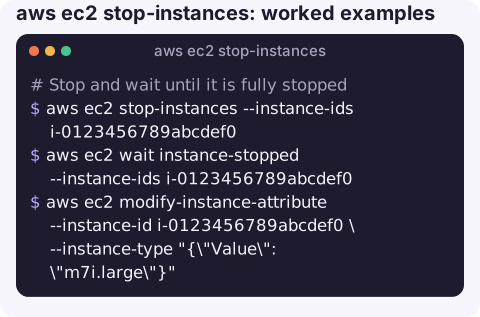
Stop and wait until it is fully stopped, for example before changing the instance type:
aws ec2 stop-instances --instance-ids i-0123456789abcdef0
aws ec2 wait instance-stopped --instance-ids i-0123456789abcdef0
aws ec2 modify-instance-attribute --instance-id i-0123456789abcdef0 \
  --instance-type "{\"Value\": \"m7i.large\"}"
Stop all running dev instances at night:
IDS=$(aws ec2 describe-instances \
  --filters "Name=tag:Environment,Values=dev" "Name=instance-state-name,Values=running" \
  --query "Reservations[].Instances[].InstanceId" --output text)
[ -n "$IDS" ] && aws ec2 stop-instances --instance-ids $IDS \
  --query "StoppingInstances[].[InstanceId,CurrentState.Name]" --output text
Unstick an instance that has been in stopping for a long time:
aws ec2 stop-instances --instance-ids i-0123456789abcdef0 --forceWith --force, EC2 still tries a graceful shutdown first and then stops the instance hard if that does not finish in time. You may lose unflushed writes, so run a file-system check afterwards on anything important.
Hibernate instead of stop (only if hibernation was enabled when the instance was launched):
aws ec2 stop-instances --instance-ids i-0123456789abcdef0 --hibernateIf hibernation cannot complete, EC2 falls back to a normal stop, so do not rely on RAM state surviving.
Key options
| Option | Use it when |
|---|---|
--force | The graceful stop has hung. Not a default; it risks file-system corruption. |
--hibernate | You want RAM saved to the encrypted root volume so applications resume where they left off. |
--skip-os-shutdown | You need the stop to happen immediately and accept losing anything not yet flushed to disk. |
--dry-run | Testing IAM permissions for a stop script without touching the instance. |
Gotchas
- Auto Scaling replaces stopped instances. An ASG sees a stopped instance as unhealthy and launches a replacement. Put it in standby, suspend the health-check process, or lower the desired capacity instead; see stopping an instance in an Auto Scaling group.
- Stop protection. If
DisableApiStopis set, the call fails withOperationNotPermitted. Turn it off withmodify-instance-attribute --no-disable-api-stopfirst. - You still pay for storage and addresses. EBS volumes, snapshots and any Elastic IPs keep billing while the instance is stopped.
- How long it takes. Most Linux instances stop within a minute or two; Windows instances applying updates can take much longer. Do not reach for
--forcejust because the console still saysstoppingafter 30 seconds. - Shutdown from inside the OS also stops the instance, unless its shutdown behaviour is set to
terminate.
Questions
How long does it take to stop an EC2 instance?
Usually a minute or two, depending on how fast the operating system shuts down. If it stays in stopping for much longer than usual, run stop-instances again with --force.
How do I stop an instance in an Auto Scaling group?
Do not stop it directly, because the group will replace it. Lower the desired capacity, move the instance to standby with aws autoscaling enter-standby, or suspend the HealthCheck and ReplaceUnhealthy processes first.
How do I enable stop protection?
Run aws ec2 modify-instance-attribute --instance-id i-0123456789abcdef0 --disable-api-stop. Stop attempts through the API or console then fail until you remove it.
Stopping the wrong instance is a mistake people make in a hurry, often from a small screen. CloudConsole, a phone app for AWS, is built with production guardrails so the state of an instance is clear before anyone acts on it.
About the app → · Download on the App Store