 CloudConsole
aws ec2 describe-instance-status
aws ec2 describe-instance-status returns the two EC2 status checks (system and instance) plus any scheduled events, such as a planned reboot or retirement, for your instances. By default it only reports running instances; add --include-all-instances to see stopped ones too.
What the command does
Where describe-instances tells you configuration, describe-instance-status tells you health. For each instance it reports:
- SystemStatus: AWS-side checks on the host, network and power. A failure here is AWS's problem, usually fixed by stop/start.
- InstanceStatus: checks that your OS is reachable on the network. Failures are usually yours: kernel panic, exhausted memory, broken network config.
- Events: scheduled maintenance such as
system-reboot,instance-reboot,instance-stop,instance-retirementandsystem-maintenance.
Each status is one of ok, impaired, initializing, insufficient-data or not-applicable.
Syntax
aws ec2 describe-instance-status \
  [--instance-ids i-0123456789abcdef0 ...] \
  [--filters "Name=<filter>,Values=..."] \
  [--include-all-instances]
Trimmed output for one instance:
{
  "InstanceStatuses": [{
    "InstanceId": "i-0123456789abcdef0",
    "AvailabilityZone": "eu-west-2a",
    "InstanceState": { "Code": 16, "Name": "running" },
    "SystemStatus":   { "Status": "ok", "Details": [{ "Name": "reachability", "Status": "passed" }] },
    "InstanceStatus": { "Status": "impaired", "Details": [{ "Name": "reachability", "Status": "failed", "ImpairedSince": "2026-11-16T03:12:00Z" }] }
  }]
}
Worked examples
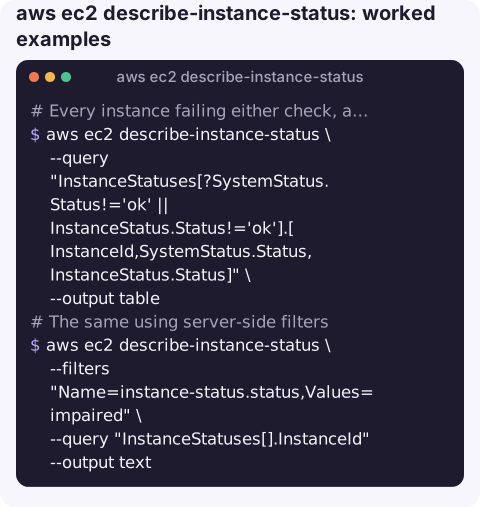
Every instance failing either check, as a table:
aws ec2 describe-instance-status \
  --query "InstanceStatuses[?SystemStatus.Status!='ok' || InstanceStatus.Status!='ok'].[InstanceId,SystemStatus.Status,InstanceStatus.Status]" \
  --output table
The same using server-side filters (faster in large accounts):
aws ec2 describe-instance-status \
  --filters "Name=instance-status.status,Values=impaired" \
  --query "InstanceStatuses[].InstanceId" --output text
Upcoming scheduled maintenance:
aws ec2 describe-instance-status \
  --filters "Name=event.code,Values=instance-reboot,system-reboot,system-maintenance,instance-retirement,instance-stop" \
  --query "InstanceStatuses[].[InstanceId,Events[0].Code,Events[0].NotBefore,Events[0].Description]" \
  --output table
Events that have already been handled stay in the list for a while with a description starting [Completed] or [Canceled]; ignore those.
Show stopped instances alongside running ones, useful in inventory scripts:
aws ec2 describe-instance-status --include-all-instances \
  --query "InstanceStatuses[].[InstanceId,InstanceState.Name]" --output text
Reading the result
| System | Instance | What to do |
|---|---|---|
| ok | ok | Healthy from EC2's point of view; look at the application. |
| impaired | impaired | Host problem; stop and start to move hosts (not reboot). |
| ok | impaired | OS problem; read get-console-output, check disk, memory and network config. |
| initializing | initializing | Just started; checks take a few minutes after launch or start. |
Gotchas
- Missing instances. If an instance is stopped and you did not pass
--include-all-instances, it is simply absent from the output, which looks like "no problems". - Checks run about once a minute. A just-recovered instance can still show
impairedbriefly. - Status checks are not application health. An instance can pass both while your service returns 500s; pair this with load balancer target health.
- Automate recovery with a CloudWatch alarm on
StatusCheckFailed_Systemand the EC2 recover action rather than polling this command. - Retirement events have a deadline. An
instance-retirementevent means the underlying host is degraded. For EBS-backed instances, a stop and start before theNotBeforedate moves the instance to healthy hardware on your own schedule rather than AWS's. - EBS has its own checks. Attached volume health appears separately; a volume with stalled I/O can make an instance unresponsive while both instance-level checks still look fine.
Questions
What is the difference between describe-instances and describe-instance-status?
describe-instances returns configuration: type, IPs, tags, state. describe-instance-status returns health: system and instance status checks and scheduled events.
Why is my stopped instance missing from describe-instance-status?
The command only returns running instances unless you add --include-all-instances.
How do I see scheduled events for all my instances?
Filter on event.code, or query InstanceStatuses[?Events] to list every instance that has at least one event, then read Code and NotBefore.
Failed status checks are a classic middle-of-the-night alarm. CloudConsole, a phone app for AWS, is built to put the alarm, the instance and its recent logs on one phone screen.
About the app → · Download on the App Store