 CloudConsole
aws ecs register-task-definition
aws ecs register-task-definition --cli-input-json file://taskdef.json creates a new revision of a task definition family. Revisions are immutable, so changing an image or environment variable means registering a new revision and pointing the service at it with update-service.
What the command does
A task definition describes how to run containers: images, CPU and memory, ports, environment, secrets, logging, roles and volumes. Each call adds revision N+1 to the family named in family and returns it in taskDefinition.taskDefinitionArn, for example ...:task-definition/orders-api:43. Nothing is deployed until a service or run-task uses that revision.
Syntax
aws ecs register-task-definition --cli-input-json file://taskdef.jsonIndividual options exist too (--family, --container-definitions, --cpu, --memory, --network-mode, --requires-compatibilities, --execution-role-arn, --task-role-arn), but a JSON file is far easier to review and keep in version control.
A minimal Fargate taskdef.json:
{
  "family": "orders-api",
  "requiresCompatibilities": ["FARGATE"],
  "networkMode": "awsvpc",
  "cpu": "512",
  "memory": "1024",
  "executionRoleArn": "arn:aws:iam::123456789012:role/ecsTaskExecutionRole",
  "taskRoleArn": "arn:aws:iam::123456789012:role/orders-api-task",
  "runtimePlatform": { "cpuArchitecture": "ARM64", "operatingSystemFamily": "LINUX" },
  "containerDefinitions": [{
    "name": "web",
    "image": "123456789012.dkr.ecr.eu-west-2.amazonaws.com/orders-api:1.4.2",
    "essential": true,
    "portMappings": [{ "containerPort": 8080 }],
    "environment": [{ "name": "LOG_LEVEL", "value": "info" }],
    "secrets": [{ "name": "DB_PASSWORD", "valueFrom": "arn:aws:secretsmanager:eu-west-2:123456789012:secret:orders-db" }],
    "logConfiguration": {
      "logDriver": "awslogs",
      "options": { "awslogs-group": "/ecs/orders-api", "awslogs-region": "eu-west-2", "awslogs-stream-prefix": "ecs" }
    }
  }]
}
Worked examples
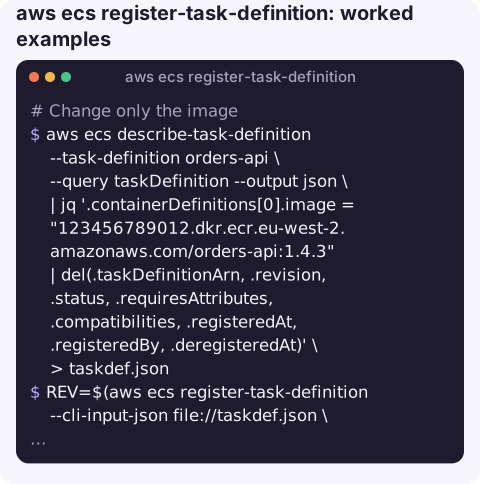
Change only the image of the current revision and deploy it. The output of describe-task-definition contains read-only fields that registration rejects, so strip them:
aws ecs describe-task-definition --task-definition orders-api \
  --query taskDefinition --output json \
  | jq '.containerDefinitions[0].image = "123456789012.dkr.ecr.eu-west-2.amazonaws.com/orders-api:1.4.3"
        | del(.taskDefinitionArn, .revision, .status, .requiresAttributes, .compatibilities, .registeredAt, .registeredBy, .deregisteredAt)' \
  > taskdef.json
REV=$(aws ecs register-task-definition --cli-input-json file://taskdef.json \
  --query "taskDefinition.taskDefinitionArn" --output text)
aws ecs update-service --cluster prod --service orders-api --task-definition "$REV"
Get a skeleton listing every accepted field:
aws ecs register-task-definition --generate-cli-skeleton > skeleton.jsonRetire an old revision so it is not used by mistake (running tasks are unaffected):
aws ecs deregister-task-definition --task-definition orders-api:12Fargate CPU and memory
| CPU units | Memory options (MiB) |
|---|---|
| 256 (.25 vCPU) | 512, 1024, 2048 |
| 512 (.5 vCPU) | 1024 to 4096 in 1024 steps |
| 1024 (1 vCPU) | 2048 to 8192 in 1024 steps |
| 2048 (2 vCPU) | 4096 to 16384 in 1024 steps |
| 4096 (4 vCPU) | 8192 to 30720 in 1024 steps |
Larger sizes exist; an invalid pair fails with ClientException: No Fargate configuration exists for given values.
Gotchas
- Execution role vs task role. The execution role lets ECS pull images, fetch secrets and write logs; the task role is what your code uses to call AWS. Missing execution-role permissions show up as
ResourceInitializationErrororCannotPullContainerError. - Unknown parameter errors when re-registering describe output mean you forgot to delete read-only fields.
- Secrets are fetched at start-up. Rotating a secret does not change running tasks; force a new deployment.
- Use immutable tags or digests for images so a revision always means the same code.
Questions
How do I register a task definition with --cli-input-json?
Put the definition in a JSON file using the register-task-definition field names, then run aws ecs register-task-definition --cli-input-json file://taskdef.json.
How do I update the image in an ECS task definition from the CLI?
Describe the current revision, change the image with jq, delete the read-only fields, register it as a new revision and update the service to use it.
Can I edit an existing task definition revision?
No. Revisions are immutable; every change creates a new revision number.
A bad task definition revision usually surfaces as tasks failing to start just after a deploy. CloudConsole, a phone app for AWS, is built to show those failures, their reasons and logs on a phone.
About the app → · Download on the App Store