 CloudConsole
aws ecs describe-task-definition
aws ecs describe-task-definition --task-definition orders-api:43 returns the full definition of that revision: containers and images, environment and secrets references, CPU and memory, ports, roles and logging. Pass just the family name to get its latest ACTIVE revision, and use --query to pull out a single field such as the image.
What the command does
The response wraps everything in taskDefinition, with read-only metadata (taskDefinitionArn, revision, status, registeredAt, registeredBy) alongside the fields you registered. Deregistered revisions (INACTIVE) can still be described, which is useful when investigating what an old task ran.
Syntax
aws ecs describe-task-definition --task-definition <family | family:revision | ARN> [--include TAGS]Worked examples
What revision is a service running, and with which image?
TD=$(aws ecs describe-services --cluster prod --services orders-api \
  --query "services[0].taskDefinition" --output text)
aws ecs describe-task-definition --task-definition "$TD" \
  --query "taskDefinition.containerDefinitions[].[name,image]" --output table
Environment variables and secret references (secret values are not included, only where they come from):
aws ecs describe-task-definition --task-definition orders-api \
  --query "taskDefinition.containerDefinitions[?name=='web'] | [0].{env: environment, secrets: secrets[].[name,valueFrom]}" \
  --output json
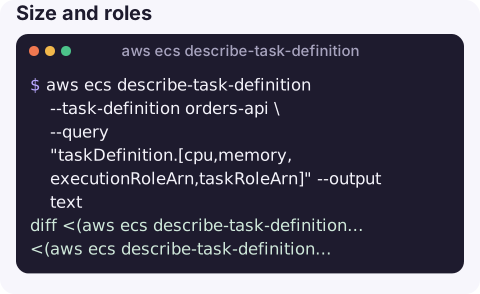
Size and roles:
aws ecs describe-task-definition --task-definition orders-api \
  --query "taskDefinition.[cpu,memory,executionRoleArn,taskRoleArn]" --output text
Compare two revisions:
diff <(aws ecs describe-task-definition --task-definition orders-api:42 --query "taskDefinition.containerDefinitions" --output json) \
     <(aws ecs describe-task-definition --task-definition orders-api:43 --query "taskDefinition.containerDefinitions" --output json)
List recent revisions of a family:
aws ecs list-task-definitions --family-prefix orders-api --sort DESC --max-items 5Answering "what changed?"
When a service starts failing after a deploy, the quickest evidence is a diff between the revision that worked and the one that does not. Take the previous revision number from the service's deployment history or from list-task-definitions, then compare only the parts that matter rather than the whole document, which also contains timestamps and registration metadata that always differ:
for r in 42 43; do
  aws ecs describe-task-definition --task-definition orders-api:$r \
    --query "taskDefinition.{cpu:cpu,memory:memory,containers:containerDefinitions[].{name:name,image:image,env:environment,secrets:secrets[].name}}" \
    --output json > rev-$r.json
done
diff rev-42.json rev-43.json
A changed image tag, a new or renamed environment variable, a reduced memory value or a secret that was added without a matching IAM permission accounts for most post-deploy failures. registeredBy on each revision tells you which identity created it.
Fields to look at during an incident
| Field | Why it matters |
|---|---|
containerDefinitions[].image | Is it the build you expect? Mutable tags can hide changes. |
memory and container memory/memoryReservation | Hard limits cause exit 137 when exceeded. |
healthCheck | Container health checks that are too strict cause restart loops. |
secrets[].valueFrom | Wrong ARN or missing permission causes ResourceInitializationError. |
logConfiguration | Tells you which log group to read. |
stopTimeout | How long containers get to shut down before SIGKILL. |
Gotchas
- Family alone means latest ACTIVE revision, not necessarily the one your service runs. Always check the service's
taskDefinitionfirst. - Environment values are visible to anyone with
ecs:DescribeTaskDefinition. Keep secrets insecrets, notenvironment. - Re-registering this output requires deleting read-only fields; see register-task-definition.
- Revisions are per region. The same family name in two regions is two unrelated sets of revisions.
Questions
How do I describe an ECS task definition from the CLI?
aws ecs describe-task-definition --task-definition family:revision. Without a revision you get the latest ACTIVE one.
How do I find which task definition a service is using?
Read services[0].taskDefinition from aws ecs describe-services, then describe that ARN.
How do I see the image of a running ECS task?
describe-tasks returns containers[].image and imageDigest for the task, which shows exactly what is running even if a tag moved.
Knowing exactly what is deployed is the first question in many incidents. CloudConsole, a phone app for AWS, is built to show services, their current revisions and recent changes on a phone.
About the app → · Download on the App Store