 CloudConsole
aws ecs describe-services
aws ecs describe-services --cluster my-cluster --services my-service returns a service's desired, running and pending task counts, its deployments and their rollout state, its current task definition and the last service events. The events list is where ECS explains why tasks are not starting or not becoming healthy.
What the command does
Up to ten services can be described per call. Each entry in services[] includes status, desiredCount, runningCount, pendingCount, taskDefinition, launchType or capacityProviderStrategy, loadBalancers, networkConfiguration, deployments[] and events[], the most recent service scheduler messages, newest first.
Services that do not exist appear under failures[] with reason MISSING rather than causing an error.
Syntax
aws ecs describe-services --cluster my-cluster --services svc-a [svc-b ...] [--include TAGS]Worked examples
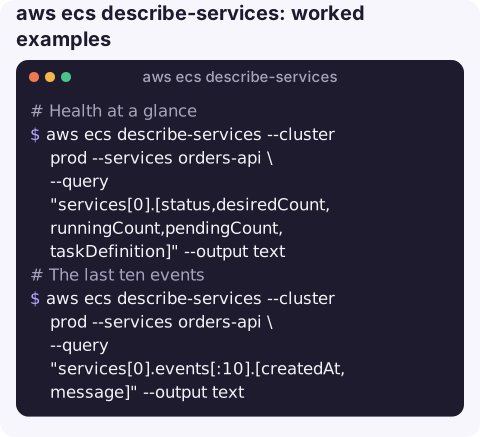
Health at a glance:
aws ecs describe-services --cluster prod --services orders-api \
  --query "services[0].[status,desiredCount,runningCount,pendingCount,taskDefinition]" --output text
The last ten events, the fastest way to see why a service is unhappy:
aws ecs describe-services --cluster prod --services orders-api \
  --query "services[0].events[:10].[createdAt,message]" --output text
Typical messages: has reached a steady state, was unable to place a task because no container instance met all of its requirements, (task ...) failed container health checks, is unhealthy in target-group ... due to (reason Health checks failed).
Deployment progress:
aws ecs describe-services --cluster prod --services orders-api \
  --query "services[0].deployments[].{status:status,td:taskDefinition,state:rolloutState,reason:rolloutStateReason,running:runningCount,failed:failedTasks}" \
  --output table
Every service in a cluster that is below its desired count (describe in batches of ten):
for s in $(aws ecs list-services --cluster prod --query "serviceArns[]" --output text); do
  aws ecs describe-services --cluster prod --services "$s" \
    --query "services[?runningCount<desiredCount].[serviceName,runningCount,desiredCount]" --output text
done
This makes one call per service, which is fine for a few dozen; for larger clusters, group ARNs into batches of ten per call.
Which target group and container port the service registers:
aws ecs describe-services --cluster prod --services orders-api \
  --query "services[0].loadBalancers" --output table
Reading the counts
| Pattern | Likely meaning |
|---|---|
| running = desired, one deployment | Steady state. |
| running < desired, pending > 0 | Tasks are starting: pulling images, waiting for ENIs or capacity. |
| running < desired, pending 0, events mention placement | No capacity that fits; see unable to place a task. |
| Two deployments for a long time | The new revision is not becoming healthy; tasks are being replaced repeatedly. |
failedTasks rising on the PRIMARY deployment | Tasks crash or fail health checks; read stopped tasks with describe-tasks. |
Gotchas
- Cluster defaults to
defaultwhen omitted, so an existing service shows up asMISSING. - Event history is short. Only the latest events are kept, and steady-state messages repeat every few hours. Use EventBridge or Container Insights for long-term history.
- Ten services per call. More than ten fails with
InvalidParameterException; batch them. - Counts lag slightly behind reality during fast scaling.
- Tags are opt-in. Add
--include TAGSwhen you need tags for ownership or cost reports; they are left out by default.
Questions
How do I see why an ECS service is not starting tasks?
Read services[0].events from describe-services, then describe recently stopped tasks with list-tasks --desired-status STOPPED and describe-tasks to see stoppedReason.
How do I describe an ECS cluster?
Use aws ecs describe-clusters --clusters my-cluster, which returns counts of running tasks, active services and registered container instances.
How do I describe an ECS task definition?
Use aws ecs describe-task-definition --task-definition family:revision. The service's current revision is in services[0].taskDefinition.
Service events are the first thing to read when an ECS alarm fires. CloudConsole, a phone app for AWS, is built to put service health, events and logs on one phone screen.
About the app → · Download on the App Store