 CloudConsole
aws elbv2 describe-target-health
aws elbv2 describe-target-health --target-group-arn <arn> lists each target registered with an Application, Network or Gateway Load Balancer target group, with its state (healthy, unhealthy, initial, draining, unused, unavailable) and, when it is not healthy, a reason code such as Target.ResponseCodeMismatch or Target.Timeout.
What the command does
It reports the load balancer's latest health check verdict for each target. Each entry has Target (ID, port, Availability Zone), HealthCheckPort, and TargetHealth with State, Reason and a human-readable Description such as Health checks failed with these codes: [502]. This is the first command to run for a 502 or 503 from a load balancer.
Syntax
aws elbv2 describe-target-health --target-group-arn <arn> \
  [--targets Id=<id>,Port=<port> ...] \
  [--include AnomalyDetection|All]
Worked examples
Find the target group ARN by name:
tg=$(aws elbv2 describe-target-groups --names web-prod \
  --query "TargetGroups[0].TargetGroupArn" --output text)
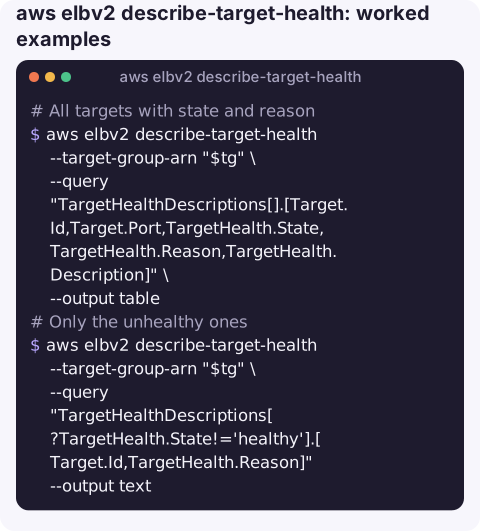
All targets with state and reason:
aws elbv2 describe-target-health --target-group-arn "$tg" \
  --query "TargetHealthDescriptions[].[Target.Id,Target.Port,TargetHealth.State,TargetHealth.Reason,TargetHealth.Description]" \
  --output table
Only the unhealthy ones:
aws elbv2 describe-target-health --target-group-arn "$tg" \
  --query "TargetHealthDescriptions[?TargetHealth.State!='healthy'].[Target.Id,TargetHealth.Reason]" --output text
Compare with the health check settings, which is where most problems are:
aws elbv2 describe-target-groups --target-group-arns "$tg" \
  --query "TargetGroups[0].[HealthCheckProtocol,HealthCheckPort,HealthCheckPath,Matcher.HttpCode,HealthCheckTimeoutSeconds,HealthyThresholdCount]"
Wait for a newly registered target to become healthy:
aws elbv2 wait target-in-service --target-group-arn "$tg" \
  --targets Id=i-0123456789abcdef0,Port=8080
Testing the health check yourself
Reproduce the check from a host in the same VPC, using the exact port and path from the target group. If it fails there, the problem is the application or the host firewall; if it works there but the load balancer still reports failures, look at security groups and network ACLs between the load balancer subnets and the target:
curl -s -o /dev/null -w '%{http_code} %{time_total}s\n' http://10.0.12.34:8080/healthReason codes and fixes
| Reason | Likely cause |
|---|---|
Target.ResponseCodeMismatch | App answered, but not with an expected code (e.g. 301 redirect or 404 on the health path). Fix the path or the matcher. |
Target.Timeout | No response in time: security group does not allow the load balancer, app not listening on that port, or app too slow. |
Target.FailedHealthChecks | Connection-level failures (refused or reset), often the app crashed or is listening on localhost only. |
Elb.InitialHealthChecking | New target; wait for the healthy threshold. |
Target.NotInUse | The target's Availability Zone is not enabled on the load balancer, or the group is not attached to any listener. |
Target.NotRegistered / Target.DeregistrationInProgress | Not (or no longer) registered. |
Target.InvalidState | Instance is stopped or terminated. |
Gotchas
- All targets unhealthy changes behaviour. An ALB fails open and sends traffic to all targets when none are healthy, so you may see intermittent errors rather than a clean 503.
- Security groups are the top cause. The target's security group must allow the health check port from the load balancer's security group.
- ECS targets come and go. Tasks register by IP and port; a target list full of
drainingentries usually means tasks are being replaced, often because they fail this very health check. See ECS task failed ELB health checks. - Lambda targets report differently, and health checks are off by default for them.
Questions
How do I find why an ALB target is unhealthy?
Run describe-target-health and read TargetHealth.Reason and Description, then compare with the target group's health check path, port and matcher from describe-target-groups.
What does Target.Timeout mean?
The load balancer got no response within the health check timeout. Check that the target's security group allows the load balancer and that the app listens on the health check port on all interfaces.
How long does a new target take to become healthy?
It needs HealthyThresholdCount consecutive successful checks at the configured interval; with defaults that is typically under a couple of minutes.
Unhealthy targets usually announce themselves as a burst of 5xx alarms. CloudConsole, a phone app for AWS, is built to show those alarms and the targets behind them on a phone.
About the app → · Download on the App Store