 CloudConsole
ALB target health check failed (unhealthy targets)
An ALB marks a target unhealthy when its health check request fails the configured number of times in a row. describe-target-health gives a reason code that usually names the fix: Target.ResponseCodeMismatch means the health check path returned an unexpected status (often a redirect or 401), Target.Timeout means the check could not get a response in time (often a security group), and Target.FailedHealthChecks means the connection failed.
Read the reason code
aws elbv2 describe-target-health --target-group-arn arn:aws:elasticloadbalancing:eu-west-2:123456789012:targetgroup/web/73e2d6bc24d8a067 \
  --query 'TargetHealthDescriptions[].{id:Target.Id,port:Target.Port,state:TargetHealth.State,reason:TargetHealth.Reason,detail:TargetHealth.Description}' \
--output table| Reason | Meaning | Typical fix |
|---|---|---|
Target.ResponseCodeMismatch | Got an HTTP status outside the matcher (default 200) | Point the check at an unauthenticated path that returns 200, or widen the matcher |
Target.Timeout | No response within the health check timeout | Allow the ALB security group; make the health endpoint fast |
Target.FailedHealthChecks | Connection failed or was closed | App not listening on that port, or crashing |
Elb.InitialHealthChecking | Still running the first checks | Wait; or give slow-starting apps a grace period |
Target.NotInUse | Target is in an AZ the ALB is not enabled in | Enable that subnet on the ALB |
Target.DeregistrationInProgress | Draining | Expected during deployments |
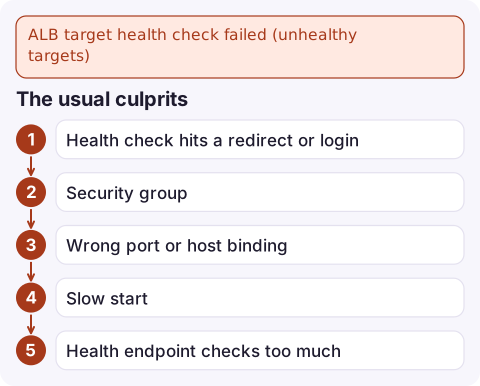
The usual culprits
- Health check hits a redirect or login.
/redirects HTTP to HTTPS (301) or to a login page (302), or returns 401. Add a dedicated/healthzthat returns 200 without auth. - Security group. The target's group must allow the ALB's security group on the traffic port, and on the health check port if it differs.
- Wrong port or host binding. The app listens on 127.0.0.1 or a different port from the one registered (common with containers mapping ports).
- Slow start. JVM or large apps take longer than the unhealthy threshold allows, so they are killed before they are ready; ECS replaces them and the cycle repeats.
- Health endpoint checks too much. A check that queries the database marks every target unhealthy when the database blips, and the whole fleet drops at once.
Test the health check yourself
See exactly what the ALB is configured to request:
aws elbv2 describe-target-groups --target-group-arns arn:aws:elasticloadbalancing:eu-west-2:123456789012:targetgroup/web/73e2d6bc24d8a067 \
  --query 'TargetGroups[].{path:HealthCheckPath,port:HealthCheckPort,proto:HealthCheckProtocol,matcher:Matcher.HttpCode,interval:HealthCheckIntervalSeconds,timeout:HealthCheckTimeoutSeconds,healthy:HealthyThresholdCount,unhealthy:UnhealthyThresholdCount}'
Then, from another instance in the same VPC, make the same request against the target's private IP:
curl -i -m 5 http://10.0.1.23:8080/healthzIf that returns 200 quickly, the problem is almost certainly the security group; if it redirects or errors, fix the app or the path.
Fix it
Point the check at a cheap endpoint and accept the right codes:
aws elbv2 modify-target-group --target-group-arn arn:aws:elasticloadbalancing:eu-west-2:123456789012:targetgroup/web/73e2d6bc24d8a067 \
  --health-check-path /healthz --matcher HttpCode=200 \
  --health-check-interval-seconds 15 --healthy-threshold-count 2
For ECS services behind the ALB, set a health check grace period on the service so new tasks are not judged before they have started. Keep the health endpoint shallow (process up, can serve requests) and monitor dependencies separately.
Alarm on it
Alarm on UnHealthyHostCount (or HealthyHostCount below your minimum) per target group:
aws cloudwatch put-metric-alarm --alarm-name web-unhealthy-hosts \
  --namespace AWS/ApplicationELB --metric-name UnHealthyHostCount \
  --dimensions Name=TargetGroup,Value=targetgroup/web/73e2d6bc24d8a067 \
               Name=LoadBalancer,Value=app/my-alb/50dc6c495c0c9188 \
  --statistic Maximum --period 60 --evaluation-periods 3 \
  --threshold 0 --comparison-operator GreaterThanThreshold \
  --alarm-actions arn:aws:sns:eu-west-2:123456789012:ops-alerts
Both dimensions are needed: the metric is published per target group per load balancer.
Questions
Why are my ALB targets unhealthy when the app works?
Usually the health check path returns a redirect or 401, or the target's security group does not allow the ALB. The reason code from describe-target-health tells you which.
How do I create a CloudWatch alarm on UnHealthyHostCount?
Use namespace AWS/ApplicationELB, metric UnHealthyHostCount, with both TargetGroup and LoadBalancer dimensions, statistic Maximum and a threshold of 0 with GreaterThanThreshold.
What happens if all targets are unhealthy?
The ALB fails open and sends traffic to all targets anyway, so users may still be served (badly) while every target shows unhealthy.

Unhealthy targets are often the first sign of a bad deploy. CloudConsole, a phone app for AWS, is built to show the UnHealthyHostCount alarm and the service behind it on your phone so you can decide whether to roll back.
Did it start after a deploy? What changed? on the app’s alarm screen lists the deploys and configuration changes from the hour before the alarm fired.
About the app → · Download on the App Store