 CloudConsole
Task failed ELB health checks in target group
The load balancer's target group marked the task unhealthy, so ECS stopped it and started a replacement. Run aws elbv2 describe-target-health to get the reason code, then check the usual suspects in order: the health check path returns something other than the expected status (redirects and 404s are common), the app listens on 127.0.0.1 or a different port, the task's security group doesn't allow the load balancer, or the app takes longer to start than the health check grace period.
What happens
service api (port 8080) is unhealthy in target-group api-tg due to (reason Health checks failed with these codes: [301]).
service api has stopped 1 running tasks: task 0f9e…
stoppedReason: Task failed ELB health checks in (target-group arn:aws:elasticloadbalancing:eu-west-2:123456789012:targetgroup/api-tg/…)
The first line, from the service's events, is the most useful: it often includes the exact HTTP codes the checks received. The loop it creates (start, fail checks, stop, start again) can keep a service below its desired count indefinitely.
Get the reason code
aws elbv2 describe-target-health \
  --target-group-arn arn:aws:elasticloadbalancing:eu-west-2:123456789012:targetgroup/api-tg/0123456789abcdef \
  --query 'TargetHealthDescriptions[].[Target.Id,Target.Port,TargetHealth.State,TargetHealth.Reason,TargetHealth.Description]' \
--output table| Reason | Meaning | Usual fix |
|---|---|---|
Target.ResponseCodeMismatch | App answered with an unexpected status | Point the check at a path that returns 200 without auth or redirects, or widen the matcher |
Target.Timeout | No response within the check timeout | Security group, listen address, or a slow health endpoint |
Target.FailedHealthChecks | Connection refused or reset | Wrong port, or the app isn't listening yet |
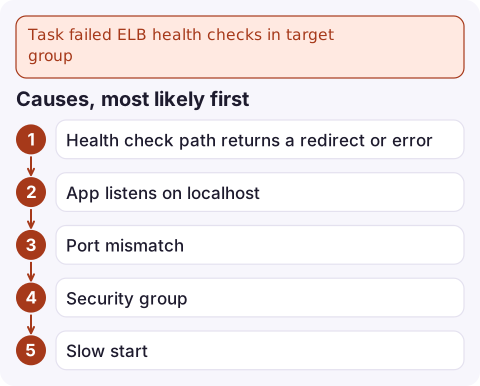
Causes, most likely first
- Health check path returns a redirect or error.
/redirects to/login(302) or to HTTPS (301), or the path needs authentication. Add a lightweight/healthendpoint that returns 200 and doesn't depend on every downstream service. - App listens on localhost. A server bound to
127.0.0.1works inside the container but is unreachable from the load balancer. Bind to0.0.0.0. - Port mismatch.
containerPortin the task definition, the service's load balancer mapping and the app's real port must all agree. - Security group. The task's security group must allow the container port from the load balancer's security group.
- Slow start. JVM apps, migrations at start-up or cache warm-up can take longer than the checks allow. Set a grace period so ECS ignores early failures:
aws ecs update-service --cluster prod --service api \
  --health-check-grace-period-seconds 120
Tune the target group
aws elbv2 modify-target-group --target-group-arn arn:aws:elasticloadbalancing:eu-west-2:123456789012:targetgroup/api-tg/0123456789abcdef \
  --health-check-path /health --matcher HttpCode=200 \
  --health-check-interval-seconds 15 --healthy-threshold-count 2 --unhealthy-threshold-count 3
Keep the health endpoint cheap and local. If it checks the database, a database blip marks every task unhealthy at once and ECS replaces the whole fleet, turning a partial outage into a full one.
Confirm it's fixed
Watch the targets move from initial to healthy with the describe-target-health command above, and the service events settle on "has reached a steady state". Then curl the health path from inside a task with ECS Exec to be sure it returns 200 on the container port.
Questions
Why do my ECS tasks keep failing ELB health checks?
Usually the health check path returns a redirect, 404 or auth error, the app listens on localhost or another port, the security group blocks the load balancer, or the app starts slower than the checks allow.
What is the ECS health check grace period?
A service setting, in seconds, during which ECS ignores load balancer health check failures for newly started tasks, giving slow-starting apps time to come up.
How do I see why a target is unhealthy?
Run aws elbv2 describe-target-health on the target group. The Reason and Description fields give the failure type and, often, the HTTP codes received.

Health-check loops often follow a deploy and show up as 5xx alarms on the load balancer. CloudConsole, a phone app for AWS, is built to show those alarms, target health and service events on your phone so you can see the loop without opening a laptop.
Did it start after a deploy? What changed? on the app’s alarm screen lists the deploys and configuration changes from the hour before the alarm fired.
About the app → · Download on the App Store