 CloudConsole
aws lambda add-permission
aws lambda add-permission adds a statement to a function's resource-based policy so that a service or account can invoke it, for example --principal s3.amazonaws.com --source-arn arn:aws:s3:::my-bucket. Always scope it with --source-arn (and --source-account for S3) so only your resource can trigger the function.
What the command does
Push-based triggers (S3, SNS, EventBridge, API Gateway, CloudWatch Logs subscriptions, other accounts) invoke a function with their own identity, so the function needs a resource policy allowing them. The console adds these statements for you when you configure a trigger; from the CLI or infrastructure code you add them yourself, and missing permission is the usual reason a trigger "does nothing".
Poll-based sources (SQS, Kinesis, DynamoDB Streams) do not need this; they use the function's execution role.
Syntax
aws lambda add-permission --function-name my-function \
  --statement-id <unique-id> \
  --action lambda:InvokeFunction \
  --principal <service.amazonaws.com | account-id> \
  [--source-arn <arn>] [--source-account 123456789012] \
  [--qualifier live]
Worked examples
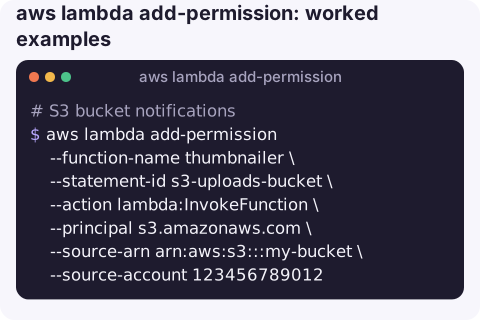
S3 bucket notifications:
aws lambda add-permission --function-name thumbnailer \
  --statement-id s3-uploads-bucket \
  --action lambda:InvokeFunction \
  --principal s3.amazonaws.com \
  --source-arn arn:aws:s3:::my-bucket \
  --source-account 123456789012
Bucket ARNs do not include an account ID, so --source-account stops a same-named bucket elsewhere being used.
API Gateway REST API, any stage and method on one resource:
aws lambda add-permission --function-name items-api \
  --statement-id apigw-items \
  --action lambda:InvokeFunction \
  --principal apigateway.amazonaws.com \
  --source-arn "arn:aws:execute-api:eu-west-2:123456789012:a1b2c3d4e5/*/GET/items"
EventBridge rule:
aws lambda add-permission --function-name nightly-report \
  --statement-id eb-nightly \
  --action lambda:InvokeFunction \
  --principal events.amazonaws.com \
  --source-arn arn:aws:events:eu-west-2:123456789012:rule/nightly-report
Another AWS account, on the live alias only:
aws lambda add-permission --function-name my-function --qualifier live \
  --statement-id partner-account \
  --action lambda:InvokeFunction \
  --principal 210987654321
See and remove statements:
aws lambda get-policy --function-name my-function --query Policy --output text | python3 -m json.tool
aws lambda remove-permission --function-name my-function --statement-id s3-uploads-bucket
Principals and source ARNs
| Trigger | --principal | --source-arn format |
|---|---|---|
| S3 | s3.amazonaws.com | arn:aws:s3:::bucket |
| SNS | sns.amazonaws.com | Topic ARN |
| EventBridge | events.amazonaws.com | Rule ARN |
| API Gateway | apigateway.amazonaws.com | arn:aws:execute-api:region:account:api-id/stage/METHOD/path |
| CloudWatch Logs subscription | logs.amazonaws.com | Log group ARN |
Gotchas
- Permissions are per qualifier. If the trigger invokes
my-function:live, add the permission with--qualifier live; a statement on the unqualified function does not cover the alias. ResourceConflictExceptionon add means the statement ID is already used. Pick a new ID or remove the old statement.- Omitting
--source-arnlets any resource of that service, in any account, invoke your function if it knows the ARN. Avoid it. - Policy size is limited (20 KB at the time of writing). Hundreds of per-route API Gateway statements can hit it; use wildcards in the source ARN.
- Organisation-wide access. To let every account in your AWS Organization invoke a function, use
--principal '*'together with--principal-org-idrather than adding one statement per account.
Questions
How do I add a trigger to a Lambda function with the CLI?
For push sources, add-permission grants the service access and you then configure the source (for example put-bucket-notification-configuration for S3). For SQS, Kinesis and DynamoDB, use create-event-source-mapping instead.
Why is my S3 trigger not invoking Lambda?
Usually the resource policy is missing or scoped to the wrong bucket. Check get-policy for an s3.amazonaws.com statement with your bucket ARN.
How do I add environment variables with the CLI?
That is update-function-configuration --environment, not add-permission. Remember it replaces all existing variables.
A trigger that silently stops firing is usually a permissions problem found much later. CloudConsole, a phone app for AWS, is built to show function invocations, errors and logs on a phone so gaps like this stand out.
About the app → · Download on the App Store