 CloudConsole
403 Forbidden: User is not authorized to access this resource
"User is not authorized to access this resource" means a Lambda authorizer (or a Cognito or IAM check) returned Deny for this request. The most common surprise is authorizer caching: a policy cached for one path is reused for another and denies it. Other 403 bodies point to resource policies, missing API keys, AWS WAF, or a VPC endpoint with private DNS hijacking calls to public APIs.
Read the exact message first
| Body | Response type | Usual cause |
|---|---|---|
User is not authorized to access this resource | ACCESS_DENIED | Lambda authorizer returned Deny, or a cached policy does not cover this method |
User: anonymous is not authorized to perform: execute-api:Invoke on resource: ... | ACCESS_DENIED | API resource policy denies the caller (IP range, VPC endpoint, account) |
Forbidden | INVALID_API_KEY or WAF_FILTERED | Missing or wrong x-api-key, or blocked by AWS WAF |
Missing Authentication Token | MISSING_AUTHENTICATION_TOKEN | Wrong path or stage; see its own page |
The security token included in the request is invalid | UNAUTHORIZED family | Bad SigV4 credentials on an IAM-authorised method |
Add $context.error.responseType and $context.error.message to the access log format so every 403 tells you which row it is.
The authorizer caching trap
A TOKEN or REQUEST authorizer can cache its policy by identity source (for example the Authorization header) for up to an hour. If the authorizer returns a policy that only allows the method ARN of the current request, the next request from the same user to a different path reuses that cached policy and gets 403, even though the token is fine. Symptoms: the first call works, the second endpoint fails, and it fixes itself after the TTL.
Fix it by returning a policy that covers every method the user may call (for example arn:aws:execute-api:eu-west-2:123456789012:abc123/prod/*), or by disabling caching. Flush the cache after changing the authorizer:
aws apigateway flush-stage-authorizers-cache --rest-api-id abc123 --stage-name prodTest what the authorizer returns for a given token:
aws apigateway test-invoke-authorizer --rest-api-id abc123 \
  --authorizer-id x1y2z3 --headers Authorization='Bearer eyJ...'
Resource policies and private APIs
Print the API's resource policy:
aws apigateway get-rest-api --rest-api-id abc123 --query policy --output textPrivate APIs need a policy allowing your VPC endpoint (aws:SourceVpce). IP allow lists must include the caller's public egress IP, which for callers behind NAT is the NAT gateway's address. After editing the policy, redeploy the API; resource policy changes only take effect on deployment.
403 from inside a VPC (the private DNS gotcha)
If a VPC has an interface endpoint for execute-api with private DNS enabled, every *.execute-api.<region>.amazonaws.com name in that VPC resolves to the endpoint. Calls from that VPC to public Regional or edge-optimised APIs then fail with 403. Call public APIs through a custom domain name instead, or turn off private DNS on the endpoint and address private APIs by their endpoint-specific hostnames.
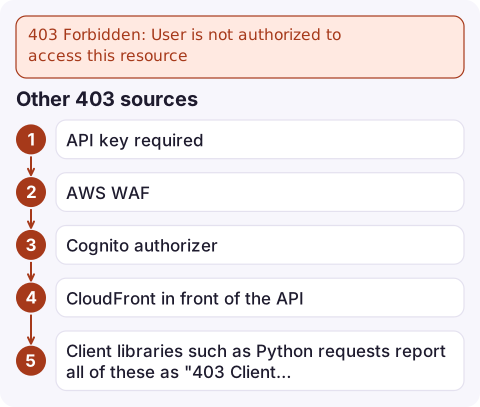
Other 403 sources
- API key required: send
x-api-key, and make sure the key belongs to a usage plan attached to this stage. - AWS WAF: check the web ACL's sampled requests or logs for the blocking rule.
- Cognito authorizer: send the ID token (not the access token) unless you configured OAuth scopes on the method.
- CloudFront in front of the API: a 403 with an HTML "request could not be satisfied" page comes from CloudFront, not API Gateway; see CloudFront 403.
- Client libraries such as Python requests report all of these as "403 Client Error: Forbidden for url"; print the response body to see which one it is.
Questions
Why does my API work for one endpoint but return 403 on another with the same token?
Almost always authorizer caching: the cached policy only allows the first method called. Return a wildcard resource in the policy or disable caching, then flush the cache.
Why do I get 403 calling a public API Gateway URL from my VPC?
An execute-api VPC endpoint with private DNS enabled routes all execute-api hostnames to the endpoint. Use a custom domain for the public API or disable private DNS on the endpoint.
Do I need to redeploy after changing an API Gateway resource policy?
Yes. Resource policy changes on REST APIs take effect only after you deploy the API to the stage.

Authorisation failures often hit a subset of users, so they show up as a rise in 4xx rather than an outage. CloudConsole, a phone app for AWS, is built to show that alarm alongside the matching access log lines on your phone.
Did it start after a deploy? What changed? on the app’s alarm screen lists the deploys and configuration changes from the hour before the alarm fired.
About the app → · Download on the App Store