 CloudConsole
aws lambda get-function
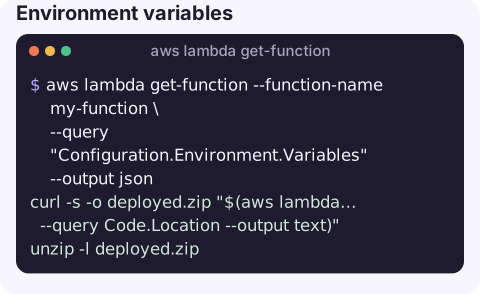
aws lambda get-function --function-name my-function returns the function's configuration, a short-lived download link for its code, its tags and its reserved concurrency. Use --query Configuration.Environment.Variables for environment variables, or Code.Location with curl to download the deployment package.
What the command does
The response has up to four parts:
Configuration: the same objectget-function-configurationreturns, including runtime, handler, role, memory, timeout, environment, VPC config, layers,State,LastUpdateStatusandLoggingConfig.Code:RepositoryTypeand a pre-signedLocationURL for zip packages (valid for a few minutes), or the image URI for container functions.Tags: the function's tags.Concurrency: reserved concurrency, if set.
Syntax
aws lambda get-function --function-name my-function [--qualifier live|7]--function-name accepts a name, a full ARN, or a partial ARN. A qualified ARN or --qualifier returns that version's configuration.
Worked examples
Environment variables:
aws lambda get-function --function-name my-function \
  --query "Configuration.Environment.Variables" --output json
Download the deployed code, for example to compare it with what is in Git:
curl -s -o deployed.zip "$(aws lambda get-function --function-name my-function \
  --query Code.Location --output text)"
unzip -l deployed.zip
Is it ready, and did the last update succeed?
aws lambda get-function --function-name my-function \
  --query "Configuration.[State,StateReason,LastUpdateStatus,LastUpdateStatusReason]" --output text
Pending or InProgress means a create or update is still being applied. Failed comes with a reason such as an invalid subnet or a missing ENI permission.
Which version an alias runs, and its code hash:
aws lambda get-function --function-name my-function --qualifier live \
  --query "Configuration.[Version,CodeSha256,LastModified]" --output text
Where its logs go (custom log group, or the default /aws/lambda/my-function when not set):
aws lambda get-function --function-name my-function \
  --query "Configuration.LoggingConfig.LogGroup" --output text
Who may invoke it (a different command):
aws lambda get-policy --function-name my-function --query Policy --output textIs the deployed code what you think it is?
When a function behaves differently from what is in your repository, compare hashes rather than guessing. Lambda reports CodeSha256 as the base64-encoded SHA-256 of the deployment package, so you can compute the same value from a locally built zip:
aws lambda get-function --function-name my-function \
  --query "Configuration.[CodeSha256,LastModified,CodeSize]" --output text
openssl dgst -sha256 -binary function.zip | base64
If the hashes differ, someone deployed a different build. LastModified tells you when, and a CloudTrail lookup for UpdateFunctionCode events on the function tells you who. Bear in mind that zip files built on different machines rarely hash the same even from identical sources, because timestamps and file order are stored inside the archive, so treat a mismatch as a prompt to look further rather than proof of a bad deploy.
Related read commands
| Need | Command |
|---|---|
| Configuration only, no code URL | get-function-configuration (needs fewer permissions) |
| Published versions | list-versions-by-function |
| Aliases | list-aliases |
| Poll-based triggers | list-event-source-mappings |
| Resource policy | get-policy |
Gotchas
- Permissions differ.
get-functionneedslambda:GetFunction, which also exposes the code. Give read-only operatorslambda:GetFunctionConfigurationif they should not download code. - The code URL expires quickly. Fetch it and download in the same step.
- Secrets in environment variables are returned in plain text, decrypted, to anyone who can call this.
ResourceNotFoundExceptionusually means the wrong region or a typo in the name; function names are case-sensitive.
Questions
How do I get Lambda environment variables with the CLI?
aws lambda get-function-configuration --function-name my-function --query Environment.Variables returns them as JSON.
How do I get Lambda logs from the CLI?
Logs are in CloudWatch Logs, usually /aws/lambda/<function-name>. Use aws logs tail /aws/lambda/my-function --follow, or filter-log-events to search.
How do I see which version of a Lambda function is live?
Call get-function with --qualifier set to the alias name and read Configuration.Version, or use aws lambda get-alias.
Checking what a function is actually configured with is often the first step when it starts failing. CloudConsole, a phone app for AWS, is built to show function settings, errors and logs on a phone.
About the app → · Download on the App Store