 CloudConsole
aws lambda update-function-code
aws lambda update-function-code --function-name my-function --zip-file fileb://function.zip replaces the function's code. Use --s3-bucket/--s3-key for packages over the direct-upload limit, --image-uri for container functions, and --publish to create a numbered version; then run aws lambda wait function-updated before the next change.
What the command does
The command updates the code of $LATEST, the unpublished version. Configuration (memory, environment, handler) is untouched. The update is asynchronous: the call returns with LastUpdateStatus: InProgress, and invocations keep using the old code until the new code is ready, typically within seconds.
Syntax
aws lambda update-function-code --function-name my-function \
  ( --zip-file fileb://function.zip
  | --s3-bucket my-artifacts --s3-key builds/function-1.4.2.zip [--s3-object-version ...]
  | --image-uri 123456789012.dkr.ecr.eu-west-2.amazonaws.com/my-fn:1.4.2 ) \
  [--publish] [--architectures arm64] [--revision-id ...] [--dry-run]
Note fileb://, not file://. With file:// the CLI reads the zip as text and the upload is corrupt or rejected.
Worked examples
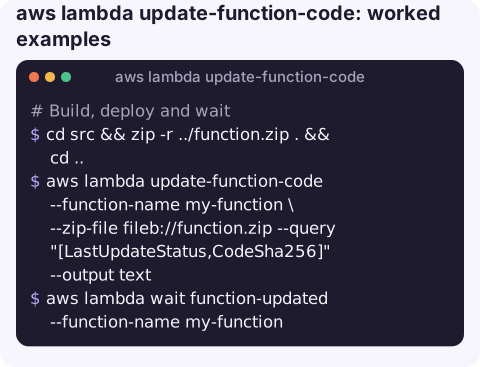
Build, deploy and wait (Python example):
cd src && zip -r ../function.zip . && cd ..
aws lambda update-function-code --function-name my-function \
  --zip-file fileb://function.zip --query "[LastUpdateStatus,CodeSha256]" --output text
aws lambda wait function-updated --function-name my-function
Deploy from S3, required for larger packages:
aws s3 cp function.zip s3://my-artifacts/builds/function-1.4.2.zip
aws lambda update-function-code --function-name my-function \
  --s3-bucket my-artifacts --s3-key builds/function-1.4.2.zip
The bucket must be in the same region as the function.
Deploy a container image and publish a version in one step:
aws lambda update-function-code --function-name my-fn \
  --image-uri 123456789012.dkr.ecr.eu-west-2.amazonaws.com/my-fn:1.4.2 --publish \
  --query Version --output text
Deploy safely behind an alias: publish, then move the alias only after testing the new version:
V=$(aws lambda update-function-code --function-name my-function \
  --zip-file fileb://function.zip --publish --query Version --output text)
aws lambda wait function-updated --function-name my-function
aws lambda invoke --function-name my-function --qualifier "$V" --payload fileb://smoke.json out.json
aws lambda update-alias --function-name my-function --name live --function-version "$V"
Errors
| Error | Fix |
|---|---|
ResourceConflictException: The operation cannot be performed at this time. An update is in progress | Another update has not finished. Run aws lambda wait function-updated between code and configuration changes. |
RequestEntityTooLargeException | The zip is over the direct-upload limit (50 MB at the time of writing); upload to S3 and use --s3-bucket/--s3-key. |
InvalidParameterValueException: Unzipped size must be smaller than ... | Code plus layers exceeds the unzipped limit; trim dependencies or use a container image. |
CodeStorageExceededException | Too many old versions and layers stored; delete unused versions. |
Gotchas
- Handler mismatch. If the zip's layout changes (a folder level added), the handler path no longer resolves and every invocation fails with
Runtime.ImportModuleErrororHandlerNotFound. Zip the contents of the folder, not the folder. - Architecture. Native dependencies built for x86_64 crash on arm64 functions. Pass
--architecturesto switch, and build for the target. $LATESTis live for anything invoking the unqualified name. Use aliases if you need a gap between deploy and release.- Container functions require the image in ECR in the same region, and the function cannot switch between zip and image packaging.
Questions
How do I update a Lambda function from a zip file?
Run aws lambda update-function-code --function-name my-function --zip-file fileb://function.zip, then aws lambda wait function-updated.
How do I update Lambda environment variables?
That is a configuration change, not a code change. Use update-function-configuration --environment, which replaces the full set of variables.
Why do I get ResourceConflictException after updating code?
A previous update is still in progress. Wait with aws lambda wait function-updated before the next update.
A bad deploy is often noticed first as an alarm on your phone. CloudConsole, a phone app for AWS, is built to show the error spike and the log lines behind it, with guardrails around production changes.
About the app → · Download on the App Store