 CloudConsole
aws lambda update-function-configuration
aws lambda update-function-configuration --function-name my-function --timeout 30 --memory-size 1024 changes a function's settings without touching its code. Be careful with --environment and --layers: each replaces the whole list, so passing one variable deletes all the others.
What the command does
The command updates the configuration of $LATEST: timeout, memory, environment variables, runtime, handler, role, layers, VPC attachment, ephemeral storage, dead-letter queue, tracing, logging and more. Only the options you pass change. Published versions are immutable, so to change a version you update $LATEST and publish again.
Like code updates, it is asynchronous. Wait for LastUpdateStatus to become Successful before the next update.
Syntax
aws lambda update-function-configuration --function-name my-function \
  [--timeout 30] [--memory-size 1024] \
  [--environment "Variables={LOG_LEVEL=info,TABLE=orders}"] \
  [--runtime python3.13] [--handler app.handler] \
  [--layers arn:aws:lambda:eu-west-2:123456789012:layer:deps:7 ...] \
  [--vpc-config SubnetIds=subnet-0123456789abcdef0,SecurityGroupIds=sg-0123456789abcdef0] \
  [--ephemeral-storage Size=2048]
Worked examples
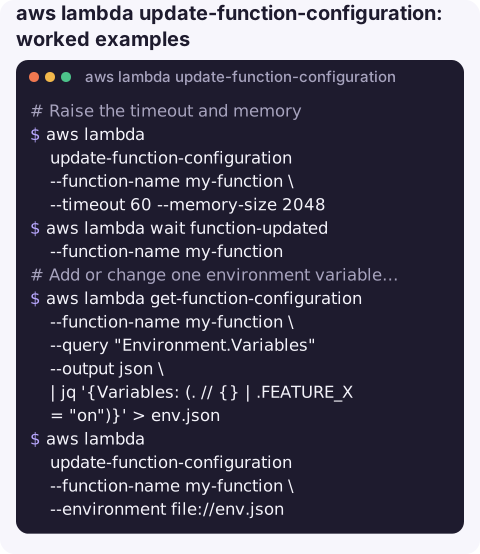
Raise the timeout and memory:
aws lambda update-function-configuration --function-name my-function \
  --timeout 60 --memory-size 2048
aws lambda wait function-updated --function-name my-function
Add or change one environment variable without losing the rest (needs jq):
aws lambda get-function-configuration --function-name my-function \
  --query "Environment.Variables" --output json \
  | jq '{Variables: (. // {} | .FEATURE_X = "on")}' > env.json
aws lambda update-function-configuration --function-name my-function \
  --environment file://env.json
Upgrade the runtime (test first; dependencies may need rebuilding):
aws lambda update-function-configuration --function-name my-function --runtime python3.13Attach a function to a VPC; the execution role needs permission to manage network interfaces, for example via the AWSLambdaVPCAccessExecutionRole managed policy:
aws lambda update-function-configuration --function-name my-function \
  --vpc-config SubnetIds=subnet-0aa0123456789abcd,subnet-0bb0123456789abcd,SecurityGroupIds=sg-0123456789abcdef0
Detach from a VPC with empty lists:
aws lambda update-function-configuration --function-name my-function \
  --vpc-config SubnetIds=[],SecurityGroupIds=[]
Remove all layers:
aws lambda update-function-configuration --function-name my-function --layers []Key options
| Option | Range / notes |
|---|---|
--timeout | 1–900 seconds. Default for new functions is 3. |
--memory-size | 128–10,240 MB. CPU scales with memory. |
--environment | Replaces all variables. Total size is limited to 4 KB. |
--layers | Replaces the list; up to five layers, each as a full version ARN. |
--ephemeral-storage | /tmp size, 512–10,240 MB. |
--revision-id | Only update if nobody else changed the function since you read it. |
Gotchas
- Environment wipe-out. The single most common mistake with this command; always merge with the current variables.
ResourceConflictExceptionif a code update is still in progress. Wait first.- Timeout above the caller's limit is wasted: API Gateway and many SDK clients give up earlier while the function keeps running and billing.
- VPC attachment takes longer to apply and removes direct internet access unless the subnets route through a NAT gateway.
- Changes hit
$LATESTimmediately. Callers using the unqualified function name pick up a new runtime, memory or variable straight away. If you need a gradual rollout, publish a version and move an alias with weighted routing instead. - Use
--revision-idin automation so two pipelines changing the same function cannot overwrite each other's settings without noticing.
Questions
How do I update Lambda environment variables with the CLI?
Use --environment with the full set of variables, ideally built by reading the current ones with get-function-configuration and merging your change.
Does update-function-configuration delete existing environment variables?
Yes, if you pass --environment. Whatever you pass becomes the complete set.
What is the maximum Lambda timeout?
900 seconds (15 minutes).
Raising a timeout or memory setting is a common quick fix during an incident. CloudConsole, a phone app for AWS, is built to show the errors and durations that tell you whether that fix is the right one, with production guardrails.
About the app → · Download on the App Store