 CloudConsole
Runtime.ImportModuleError: Unable to import module
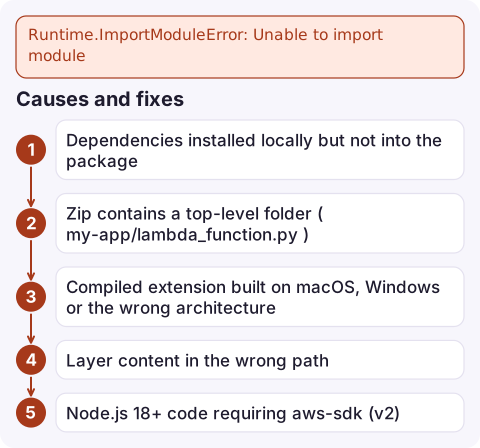
Lambda couldn't load your handler's file or one of the modules it imports, so the function fails before any of your code runs. The usual causes are dependencies that weren't packaged in the deployment zip, files sitting inside an extra folder in the zip, native packages built for the wrong OS or CPU architecture, and in Node.js 18 and later, code that still requires the v2 aws-sdk package.
What the message says
The text after "Unable to import module" names the file Lambda tried to load and the import that failed:
[ERROR] Runtime.ImportModuleError: Unable to import module 'lambda_function': No module named 'requests'
[ERROR] Runtime.ImportModuleError: Unable to import module 'app': No module named 'pydantic_core._pydantic_core'
Runtime.ImportModuleError: Error: Cannot find module 'aws-sdk'
Runtime.ImportModuleError: Error: Cannot find module 'index'
When the missing name is your own handler file ('index', 'lambda_function'), the problem is the package layout or the handler setting. When it's a third-party package, the dependency didn't make it into the deployment, or it did but can't be loaded on Lambda's platform.
Causes and fixes
| Cause | Fix |
|---|---|
| Dependencies installed locally but not into the package | Install them into the build directory (pip install -t, npm ci) and zip that directory |
Zip contains a top-level folder (my-app/lambda_function.py) | Zip the folder's contents so the handler file is at the root |
| Compiled extension built on macOS, Windows or the wrong architecture | Install Linux wheels for the function's architecture (see below) |
| Layer content in the wrong path | Python layers need python/, Node.js layers nodejs/node_modules/ at the root of the layer zip |
Node.js 18+ code requiring aws-sdk (v2) | Migrate to @aws-sdk/client-* (v3, included in the runtime), or bundle v2 yourself |
| Python version mismatch | Wheels built for 3.11 won't load on a 3.12 runtime; build for the function's runtime |
Check what you deployed
- Look inside the zip. The handler file must be at the top level:
unzip -l function.zip | head -20 - Compare with the function's settings:
aws lambda get-function-configuration --function-name my-function \ --query '[Runtime,Handler,Architectures,Layers[].Arn]' - Download what Lambda actually has, if the build pipeline is opaque:
curl -so deployed.zip "$(aws lambda get-function --function-name my-function --query Code.Location --output text)"
unzip -l deployed.zip | grep -i requests
Build Python packages that load on Lambda
Ask pip for Linux wheels that match the runtime and architecture, rather than whatever your laptop uses:
rm -rf package && mkdir package
pip install -r requirements.txt -t package/ \
  --platform manylinux2014_x86_64 --only-binary=:all: \
  --python-version 3.12 --implementation cp
cp lambda_function.py package/
(cd package && zip -qr ../function.zip .)
aws lambda update-function-code --function-name my-function --zip-file fileb://function.zip
Use manylinux2014_aarch64 for arm64 functions. Building inside a container image that matches the Lambda runtime, or with sam build --use-container, avoids the problem entirely.
Mistakes to avoid
- Fixing it once in the console's code editor. The next pipeline deploy overwrites it; fix the build.
- Adding
boto3to every package just to be safe. The Python runtime includes it, and bundling a large copy adds size (see unzipped size limit). Do pin it if you need a specific version. - Confusing this with Runtime.HandlerNotFound, where the file loads but the function name inside it doesn't exist.
Questions
How do I fix No module named in AWS Lambda?
Package the dependency in the deployment zip or a layer, built for Linux and the function's architecture and Python version, with the files at the zip root (or under python/ in a layer).
Why does Lambda say Cannot find module aws-sdk?
Node.js 18 and later runtimes include only the AWS SDK for JavaScript v3. Switch to the @aws-sdk/client-* packages or bundle aws-sdk v2 with your code.
Why does my Lambda work locally but fail with ImportModuleError?
Your local machine has the packages installed globally or built for its own OS and CPU. Lambda only sees what's in the deployment package and layers, running on Amazon Linux.

An import error after a deploy makes every invocation fail at once. CloudConsole, a phone app for AWS, is built to show the error alarm and the first failing log line on your phone, so you know straight away that the last deploy broke packaging.
Did it start after a deploy? What changed? on the app’s alarm screen lists the deploys and configuration changes from the hour before the alarm fired.
About the app → · Download on the App Store