 CloudConsole
aws lambda publish-version
aws lambda publish-version --function-name my-function --description "release 1.4.2" freezes the current $LATEST code and configuration as a new numbered version. Versions are immutable; point an alias at the number to release it, and note that if nothing changed since the last version, Lambda returns that existing version instead of creating a new one.
What the command does
Each published version is a read-only snapshot with its own ARN ending in :N. Numbers only go up and are never reused, even after a version is deleted. Invoking a version always runs exactly the code and settings it was published with, which is what makes aliases, safe rollbacks and features like SnapStart and provisioned concurrency possible.
Syntax
aws lambda publish-version --function-name my-function \
  [--description "release 1.4.2"] \
  [--code-sha256 <expected hash>] \
  [--revision-id <expected revision>]
The response is the new version's configuration; the number is in Version.
Worked examples
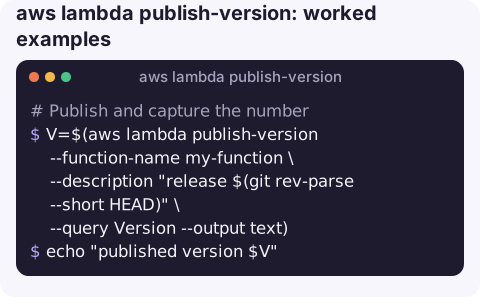
Publish and capture the number:
V=$(aws lambda publish-version --function-name my-function \
  --description "release $(git rev-parse --short HEAD)" \
  --query Version --output text)
echo "published version $V"
Publish only if $LATEST holds the code you just built, guarding against a concurrent deploy:
SHA=$(openssl dgst -sha256 -binary function.zip | base64)
aws lambda publish-version --function-name my-function --code-sha256 "$SHA"
If the hash does not match, the call fails rather than freezing someone else's code.
Promote it by pointing the alias your triggers use:
aws lambda update-alias --function-name my-function --name live --function-version "$V"Check what each alias currently points at:
aws lambda list-aliases --function-name my-function \
  --query "Aliases[].[Name,FunctionVersion]" --output table
Versions vs aliases vs $LATEST
| Mutable? | Use for | |
|---|---|---|
$LATEST | Yes, every deploy changes it | Development, simple functions without staged releases |
Version (:7) | No | Exact, reproducible deployments; rollback targets |
Alias (:live) | Pointer can move | What triggers and callers should reference |
Gotchas
- "Why didn't I get a new version?" Lambda skips publishing when neither code nor configuration changed since the last published version and returns that one. Scripts that expect a fresh number every time should compare
CodeSha256. - Wait for updates first. Publishing while a code or configuration update is in progress fails with
ResourceConflictException. Runaws lambda wait function-updatedbeforehand. - Old versions use storage. Each version's package counts towards the regional code storage quota; CI pipelines that publish on every commit eventually hit CodeStorageExceededException.
- Environment variables are frozen too. To change a setting on a live version, update
$LATEST, publish a new version and move the alias. - Permissions are per qualifier. Resource-policy grants made on an alias do not automatically apply to other versions.
- SnapStart applies to versions. With SnapStart enabled, Lambda initialises the function and takes a snapshot during publishing, so the call takes longer and invocations of
$LATESTdo not benefit; only published versions and aliases pointing at them do. - Keep descriptions meaningful. A build number or commit hash in
--descriptionis what makes a later rollback decision quick.
Questions
What is the difference between publish-version and publish-layer-version?
publish-version snapshots a function. publish-layer-version uploads a new version of a layer, which is a shared library package that functions reference.
Can I edit a published Lambda version?
No. Versions are immutable. Change $LATEST, publish a new version and move your alias to it.
How do I publish a version when deploying code?
Add --publish to update-function-code; it publishes a version once the code update completes.
Knowing which version is live matters most when you are rolling one back under pressure. CloudConsole, a phone app for AWS, is built to show function errors and recent changes on a phone, with guardrails around production.
About the app → · Download on the App Store