 CloudConsole
aws s3 rb
aws s3 rb s3://my-bucket deletes an empty bucket; aws s3 rb s3://my-bucket --force first deletes all current objects and then the bucket. On a versioned bucket --force is not enough: old versions and delete markers remain, the delete fails with BucketNotEmpty, and you must remove them first.
What the command does
rb ("remove bucket") calls DeleteBucket, which only succeeds on a completely empty bucket: no objects, no object versions, no delete markers. --force runs the equivalent of aws s3 rm --recursive first, which handles unversioned buckets but only adds delete markers on versioned ones.
This is irreversible. Once the bucket and its data are gone there is no recovery, and the name may be taken by someone else.
Syntax
aws s3 rb s3://<bucket-name> [--force]Worked examples
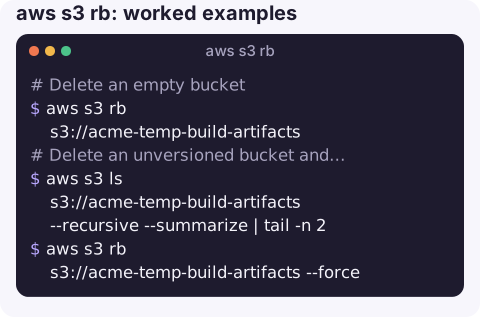
Delete an empty bucket:
aws s3 rb s3://acme-temp-build-artifactsDelete an unversioned bucket and everything in it (check its size first):
aws s3 ls s3://acme-temp-build-artifacts --recursive --summarize | tail -n 2
aws s3 rb s3://acme-temp-build-artifacts --force
Versioned bucket: delete every version and delete marker in batches (kept under the 1,000-key limit of delete-objects), then the bucket. Review carefully; this is permanent:
b=acme-old-exports
aws s3api put-bucket-versioning --bucket $b --versioning-configuration Status=Suspended
while :; do
  batch=$(aws s3api list-object-versions --bucket $b --max-items 500 \
    --query '{Objects: [Versions[].{Key:Key,VersionId:VersionId}, DeleteMarkers[].{Key:Key,VersionId:VersionId}][] | [?@]}' \
    --output json)
  [ "$(echo "$batch" | jq '.Objects | length')" -eq 0 ] && break
  aws s3api delete-objects --bucket $b --delete "$batch" --query 'length(Errors || `[]`)'
done
aws s3 rb s3://$b
For very large buckets, add a lifecycle rule that expires current and noncurrent versions and delete markers, wait for it to empty the bucket, then run rb. It is slower but costs no request charges for the deletes.
Why rb fails
| Error / situation | Fix |
|---|---|
BucketNotEmpty after --force | Versions or delete markers remain; see the loop above or deleting a versioned bucket. Also BucketNotEmpty. |
| Object Lock retention | Locked versions cannot be deleted until retention expires; compliance mode cannot be shortened by anyone. |
AccessDenied | Need s3:DeleteBucket, and the bucket policy may deny it. A policy that denies everyone can be removed by the account root user. |
| Bucket belongs to a CloudFormation stack | Delete it through the stack, or the stack will drift and fail later. |
| Incomplete multipart uploads | Not shown by ls; abort them or let a lifecycle rule clean them up. |
Gotchas
- Check what uses it. CloudFront origins, application config, log delivery and replication targets can point at a bucket; deleting it breaks them, and a deleted name that someone else recreates can receive your traffic.
- MFA delete on a bucket requires the root user and an MFA code to delete versions.
- Deletion of a bucket name is visible globally. Pick unique names if you plan to recreate it.
Questions
How do I delete an S3 bucket that has versioning enabled?
Suspend versioning, delete every object version and delete marker (s3api list-object-versions plus delete-objects, or a lifecycle rule), then run aws s3 rb.
How do I delete an S3 bucket with Object Lock?
You cannot until every locked version's retention period has passed and legal holds are removed. Governance mode can be bypassed by users with s3:BypassGovernanceRetention; compliance mode cannot.
Does aws s3 rb --force delete versioned objects?
No. It deletes current objects, which on a versioned bucket only creates delete markers. The old versions stay, so the bucket is still not empty.
Deleting a bucket is final, which is why it belongs behind more than one check. CloudConsole is built with production guardrails and to show S3 resources and costs on a phone.
About the app → · Download on the App Store