 CloudConsole
aws s3 cp
aws s3 cp copies a file between your machine and S3, or between two S3 locations: aws s3 cp report.csv s3://my-bucket/reports/. Add --recursive to copy a whole directory or prefix, --exclude and --include to filter it, and --sse aws:kms to encrypt with a KMS key.
What the command does
The source and destination decide the direction: local to s3:// uploads, s3:// to local downloads, and s3:// to s3:// copies server-side without passing data through your machine. Large files are split into parts and transferred in parallel automatically. Unlike sync, cp always copies, even if the destination already has an identical file.
Syntax
aws s3 cp <source> <destination> \
  [--recursive] [--exclude "<pattern>"] [--include "<pattern>"] \
  [--sse AES256|aws:kms] [--sse-kms-key-id <key>] \
  [--storage-class STANDARD_IA|GLACIER_IR|...] \
  [--content-type <type>] [--cache-control <value>] [--dryrun]
Worked examples
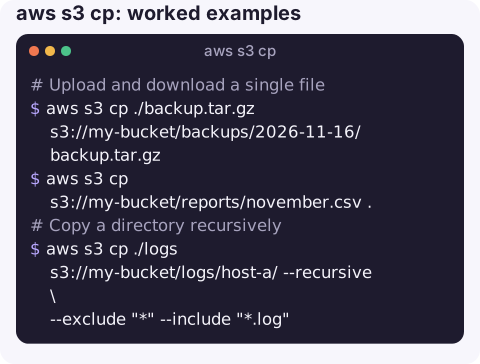
Upload and download a single file:
aws s3 cp ./backup.tar.gz s3://my-bucket/backups/2026-11-16/backup.tar.gz
aws s3 cp s3://my-bucket/reports/november.csv .
Copy a directory recursively, only the .log files:
aws s3 cp ./logs s3://my-bucket/logs/host-a/ --recursive \
  --exclude "*" --include "*.log"
Filters are applied in order and later ones win, so "exclude everything, then include *.log" is the standard pattern.
Encrypt with a customer managed KMS key:
aws s3 cp ./customers.csv s3://my-bucket/exports/ \
  --sse aws:kms --sse-kms-key-id alias/exports-prod
Copy between buckets (server-side) into a cheaper storage class:
aws s3 cp s3://prod-bucket/archive/ s3://archive-bucket/prod/ --recursive \
  --storage-class GLACIER_IR
Stream from stdin and to stdout with -:
pg_dump orders | gzip | aws s3 cp - s3://my-bucket/db/orders-$(date +%F).sql.gz
aws s3 cp s3://my-bucket/db/orders-2026-11-16.sql.gz - | gunzip | head
Preview a recursive copy without transferring anything:
aws s3 cp ./site s3://my-bucket/ --recursive --dryrunErrors and fixes
| Error | Cause |
|---|---|
AccessDenied on PutObject | Missing s3:PutObject, a bucket policy deny (e.g. requiring encryption), or KMS: uploads with SSE-KMS need kms:GenerateDataKey on the key. See S3 AccessDenied and KMS AccessDenied. |
AccessDenied or 403 on download | Missing s3:GetObject, or kms:Decrypt for KMS-encrypted objects; see 403 on HeadObject. |
[WinError 5] Access is denied | A local Windows permission problem: the destination folder is not writable, a file is locked by another program, or the target is a directory. Nothing to do with S3. |
The specified key does not exist | Wrong key or prefix; check with s3 ls, see NoSuchKey. |
Gotchas
- Trailing slashes change meaning.
s3://b/diras a destination creates an object calleddir;s3://b/dir/puts the file inside the prefix. - Recursive copies of huge prefixes can take a long time and many requests. For bucket-to-bucket copies of millions of objects, S3 Batch Operations or replication are better tools.
- Metadata on S3-to-S3 copies is copied by default. To change content type or cache headers during a copy, add
--metadata-directive REPLACEand specify all the metadata you want. - ACL flags may be rejected. Buckets with ACLs disabled (the default for new buckets) refuse
--aclvalues other than the owner-enforced ones. - Streams over 50 GB need
--expected-sizeso the CLI can choose a large enough part size.
Questions
How do I copy a folder to S3 recursively?
aws s3 cp ./folder s3://my-bucket/prefix/ --recursive. Use --exclude and --include to filter, or aws s3 sync if you only want to copy changed files.
How do I upload a file with KMS encryption?
Add --sse aws:kms and optionally --sse-kms-key-id with a key ID, ARN or alias. You need kms:GenerateDataKey on that key.
What is the difference between aws s3 cp and aws s3 sync?
cp copies everything you point it at, every time. sync compares source and destination and copies only new or changed files, and can delete extra files with --delete.
A failed nightly backup upload usually turns up as a missing file the next morning. CloudConsole is built to put alarms, logs and resources on a phone so gaps like that show up sooner.
About the app → · Download on the App Store