 CloudConsole
aws s3 rm
aws s3 rm s3://my-bucket/path/file.csv deletes one object; add --recursive to delete everything under a prefix, with --exclude and --include to narrow it. On a versioned bucket it only adds delete markers, so the data remains (and is still billed) until you delete the versions themselves.
What the command does
rm lists the matching keys and deletes them, in batches for recursive deletes. There is no confirmation prompt and, on an unversioned bucket, no undo. That makes --dryrun the most important flag on this page.
Syntax
aws s3 rm s3://bucket/key-or-prefix \
  [--recursive] [--exclude "<pattern>"] [--include "<pattern>"] \
  [--dryrun] [--only-show-errors]
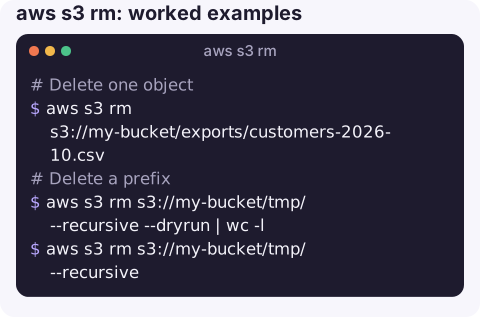
Worked examples
Delete one object:
aws s3 rm s3://my-bucket/exports/customers-2026-10.csvDelete a prefix, previewing first and counting what would go:
aws s3 rm s3://my-bucket/tmp/ --recursive --dryrun | wc -l
aws s3 rm s3://my-bucket/tmp/ --recursive
Delete only some files under a prefix, here everything except Parquet:
aws s3 rm s3://my-bucket/staging/ --recursive --exclude "*.parquet"Delete files from one day using filters on the key name:
aws s3 rm s3://my-bucket/logs/ --recursive \
  --exclude "*" --include "*2026-11-01*"
Check whether the bucket is versioned before assuming a delete frees space:
aws s3api get-bucket-versioning --bucket my-bucketVersioned buckets
With versioning enabled or suspended, aws s3 rm does not remove data. It adds a delete marker as the newest version, so the object disappears from listings while its previous versions stay. That is good for accidental deletes, because you can remove the marker to restore the object, and bad when you are trying to cut storage costs.
To delete versions permanently, list them with s3api list-object-versions and delete by version ID with s3api delete-objects, or add a lifecycle rule that expires noncurrent versions and delete markers. See deleting a versioned bucket.
Access denied when deleting
| Cause | Check |
|---|---|
No s3:DeleteObject on the keys | Your identity policy, and any bucket policy denies |
No s3:ListBucket for a recursive delete | Recursive rm lists first; without list rights it fails before deleting anything |
| Object Lock retention or legal hold | Locked versions cannot be deleted until retention ends |
| MFA delete enabled | Permanent version deletes need the root user with MFA; plain rm still adds markers |
| SCP or permissions boundary deny | See explicit deny in an SCP |
A generic S3 AccessDenied walkthrough covers the policy side in more depth.
Gotchas
- Prefix matching is literal.
s3://b/datawith--recursivealso matchesdata-old/anddatabase/. Add the trailing slash. - Filters are relative to the prefix and applied in order; the last matching filter wins.
- Large deletes take time and requests. For millions of objects, a lifecycle expiration rule is cheaper and does not need your terminal to stay open.
- Replication and events. Deletes can trigger
ObjectRemovednotifications; delete markers may replicate depending on your replication configuration.
Questions
How do I delete all objects in an S3 bucket with the CLI?
aws s3 rm s3://my-bucket --recursive deletes all current objects. On a versioned bucket you must also delete old versions and delete markers before the bucket is truly empty.
Can I undo aws s3 rm?
Only on a versioned bucket: delete the delete marker and the previous version becomes current again. On an unversioned bucket, deleted objects are gone.
Why do I get access denied from aws s3 rm on CloudFormation-created buckets?
Often a bucket policy created by the stack denies deletes, or the bucket uses Object Lock. Read the bucket policy with aws s3api get-bucket-policy.
A recursive delete on the wrong prefix is a classic way to start an incident. CloudConsole, a phone app for AWS, is built with production guardrails and to show S3 resources and alarms on a phone.
About the app → · Download on the App Store