 CloudConsole
aws secretsmanager create-secret
aws secretsmanager create-secret --name prod/orders/db --secret-string file://secret.json creates a secret and its first version, labelled AWSCURRENT. Store structured credentials as JSON key-value pairs, choose a customer managed KMS key with --kms-key-id if other accounts need access, and keep the value out of your shell history.
What the command does
It creates the secret container (name, description, KMS key, tags, optional replicas) and, if you pass --secret-string or --secret-binary, its first value. The response contains the full ARN, with a random six-character suffix, plus Name and VersionId. Use the ARN in IAM policies and in other accounts.
Syntax
aws secretsmanager create-secret --name <name> \
  [--secret-string <text>|file://path] [--secret-binary fileb://path] \
  [--description "..."] [--kms-key-id <key-id-or-alias>] \
  [--tags Key=k,Value=v ...] [--add-replica-regions Region=<region>]
Worked examples
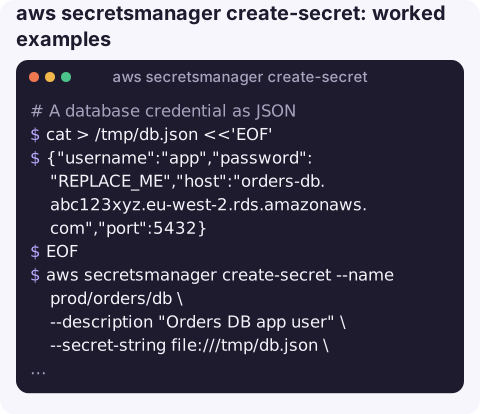
A database credential as JSON, from a file you delete afterwards:
cat > /tmp/db.json <<'EOF'
{"username":"app","password":"REPLACE_ME","host":"orders-db.abc123xyz.eu-west-2.rds.amazonaws.com","port":5432}
EOF
aws secretsmanager create-secret --name prod/orders/db \
  --description "Orders DB app user" \
  --secret-string file:///tmp/db.json \
  --tags Key=service,Value=orders Key=env,Value=prod \
  --query ARN --output text
shred -u /tmp/db.json
Generate a strong random value instead of inventing one:
pw=$(aws secretsmanager get-random-password --password-length 32 \
  --exclude-punctuation --query RandomPassword --output text)
aws secretsmanager create-secret --name prod/reports/api-token --secret-string "$pw"
unset pw
Encrypt with your own KMS key and replicate to a second Region for disaster recovery:
aws secretsmanager create-secret --name prod/payments/webhook-key \
  --secret-string file:///tmp/webhook.txt \
  --kms-key-id alias/payments-prod \
  --add-replica-regions Region=eu-west-1
Binary content such as a keystore:
aws secretsmanager create-secret --name prod/tls/keystore \
  --secret-binary fileb://keystore.p12
Naming and structure tips
- Use a path-like scheme (
env/service/purpose) so IAM policies can grantprod/orders/*. - Allowed characters are letters, digits and
/_+=.@-. Avoid ending a name with a hyphen followed by six characters, which looks like an ARN suffix. - Store related fields (user, password, host, port) together as JSON. RDS rotation functions expect that shape.
- For RDS master passwords, consider letting RDS manage the secret instead of creating it yourself.
Gotchas
- Name reuse after deletion. A deleted secret stays in a recovery window (7 to 30 days, 30 by default) and its name cannot be reused until it is gone. Restore it, or delete with
--force-delete-without-recoveryif you are sure. - Shell history.
--secret-string 'my-password'lands in~/.bash_history. Use a file or a variable read withread -s. - The default key limits sharing. Secrets encrypted with
aws/secretsmanagercannot be read from other accounts; choose a customer managed key up front. file://vsfileb://. Text goes in--secret-string file://; binary needs--secret-binary fileb://, or the bytes get mangled.- It already exists? To change an existing secret's value use put-secret-value; to change its description or key use
update-secret.
Questions
How do I create a secret with key-value pairs from the CLI?
Pass a JSON object as the secret string, ideally from a file: --secret-string file://secret.json containing {"username":"app","password":"..."}.
Why does create-secret say a secret with this name is scheduled for deletion?
The old secret is in its recovery window. Run aws secretsmanager restore-secret to bring it back, or force-delete it without recovery, then create the new one.
How do I turn on rotation for a new secret?
Use aws secretsmanager rotate-secret with --rotation-lambda-arn (or a managed rotation for supported services) and --rotation-rules to set the schedule.
Secrets created by hand during an incident often end up without tags or an owner. CloudConsole, a phone app for AWS, is built to show AWS resources on a phone with production guardrails.
About the app → · Download on the App Store