 CloudConsole
aws secretsmanager get-secret-value
aws secretsmanager get-secret-value --secret-id my/secret --query SecretString --output text prints the current value of a secret. JSON secrets come back as a single string, so pipe them to jq to pull out one key; add --version-stage AWSPREVIOUS to read the value from before the last rotation.
What the command does
It returns the decrypted secret along with its identifiers:
{
  "ARN": "arn:aws:secretsmanager:eu-west-2:123456789012:secret:prod/orders/db-AbCdEf",
  "Name": "prod/orders/db",
  "VersionId": "a1b2c3d4-5678-90ab-cdef-EXAMPLE11111",
  "SecretString": "{\"username\":\"app\",\"password\":\"…\",\"host\":\"orders-db…\"}",
  "VersionStages": ["AWSCURRENT"],
  "CreatedDate": "2026-11-01T03:00:12+00:00"
}
Text secrets are in SecretString; binary ones in SecretBinary (base64). Decryption uses the secret's KMS key, so the caller needs kms:Decrypt on it as well as secretsmanager:GetSecretValue.
Syntax
aws secretsmanager get-secret-value --secret-id <name-or-arn> \
  [--version-stage AWSCURRENT|AWSPREVIOUS|AWSPENDING|<custom>] \
  [--version-id <uuid>]
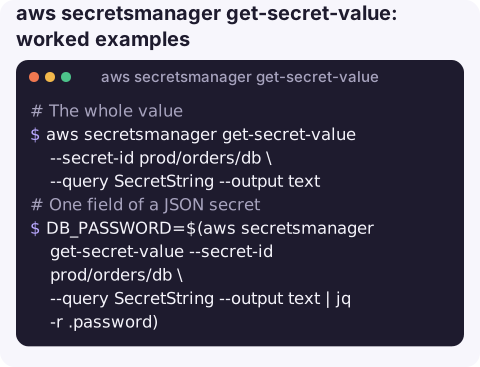
Worked examples
The whole value:
aws secretsmanager get-secret-value --secret-id prod/orders/db \
  --query SecretString --output text
One field of a JSON secret into a variable, without printing it:
DB_PASSWORD=$(aws secretsmanager get-secret-value --secret-id prod/orders/db \
  --query SecretString --output text | jq -r .password)
The previous value, when a rotation broke something and you need to compare:
aws secretsmanager get-secret-value --secret-id prod/orders/db \
  --version-stage AWSPREVIOUS --query "[VersionId,CreatedDate]" --output text
A secret in another account, which needs the full ARN:
aws secretsmanager get-secret-value \
  --secret-id arn:aws:secretsmanager:eu-west-2:210987654321:secret:shared/api-key-XyZ123
A binary secret written to a file:
aws secretsmanager get-secret-value --secret-id prod/tls/keystore \
  --query SecretBinary --output text | base64 -d > keystore.p12
Metadata only (rotation, last changed, tags), without exposing the value:
aws secretsmanager describe-secret --secret-id prod/orders/db \
  --query "[RotationEnabled,LastRotatedDate,LastChangedDate]"
Reading secrets in automation
In a deploy script, fetch the secret once, keep it in a variable, and pass it to the process that needs it through its environment or a file with tight permissions. For workloads on AWS, let the platform inject it instead: ECS task definitions, Lambda extensions and CloudFormation dynamic references can all read Secrets Manager directly, which keeps the value out of scripts and logs entirely.
Common errors
| Error | Usual cause |
|---|---|
ResourceNotFoundException | Wrong name, wrong Region, or a partial ARN; see can't find the specified secret |
AccessDeniedException mentioning KMS | You can read the secret but not decrypt it: check the key policy and kms:Decrypt |
InvalidRequestException … marked for deletion | The secret is scheduled for deletion; restore it with aws secretsmanager restore-secret |
DecryptionFailure | The KMS key is disabled, pending deletion, or not usable by the caller |
Gotchas
- Values end up in terminals and logs. Prefer reading into variables; never run this with
--debugin shared CI logs. - Cross-account needs a customer managed key. Secrets encrypted with the default
aws/secretsmanagerkey cannot be read from another account. - Calls are billed and rate limited. Applications should cache secrets (AWS provides caching clients) rather than call this on every request.
- Names vs ARNs. Secret ARNs end in a hyphen and six random characters. A name that itself ends in a hyphen and six characters can be mistaken for a partial ARN, so avoid naming secrets that way.
Questions
How do I get one key from a JSON secret with the AWS CLI?
Pipe the SecretString to jq: aws secretsmanager get-secret-value --secret-id <id> --query SecretString --output text | jq -r .password.
How do I list secrets from the CLI?
aws secretsmanager list-secrets --query "SecretList[].Name" lists names in the current Region. It never returns secret values.
What is AWSPENDING?
The label on a new value during rotation, before it is promoted to AWSCURRENT. If a rotation failed, AWSPENDING can be left on a version that never became current.
A rotated database password that the application never picked up is a classic outage. CloudConsole is built to show the resulting alarms and logs on a phone, without putting secret values on screen.
About the app → · Download on the App Store