 CloudConsole
aws secretsmanager put-secret-value
aws secretsmanager put-secret-value --secret-id my/secret --secret-string file://new.json stores a new version of an existing secret and makes it AWSCURRENT; the version it replaces becomes AWSPREVIOUS. It only changes what Secrets Manager stores, so if the secret is a database password you must change the password in the database too.
What the command does
Every write creates a new version with its own VersionId. Staging labels decide which version callers get: AWSCURRENT is what get-secret-value returns by default, AWSPREVIOUS is the one before. When you put a new value without specifying stages, the labels move automatically. Older unlabelled versions are eventually removed by Secrets Manager.
Applications that cache secrets will not see the change until their cache expires or they restart.
Syntax
aws secretsmanager put-secret-value --secret-id <name-or-arn> \
  (--secret-string <text>|file://path | --secret-binary fileb://path) \
  [--version-stages <label> ...] [--client-request-token <uuid>]
Worked examples
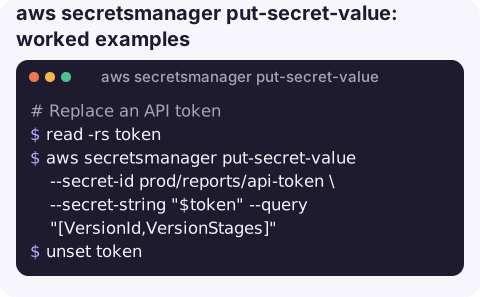
Replace an API token:
read -rs token
aws secretsmanager put-secret-value --secret-id prod/reports/api-token \
  --secret-string "$token" --query "[VersionId,VersionStages]"
unset token
Update one field of a JSON secret while keeping the others:
current=$(aws secretsmanager get-secret-value --secret-id prod/orders/db \
  --query SecretString --output text)
printf '%s' "$current" | jq --arg pw "$NEW_PW" '.password = $pw' > /tmp/db.json
unset current
aws secretsmanager put-secret-value --secret-id prod/orders/db \
  --secret-string file:///tmp/db.json
shred -u /tmp/db.json
Roll back to the previous value by moving the AWSCURRENT label back:
prev=$(aws secretsmanager list-secret-version-ids --secret-id prod/orders/db \
  --query "Versions[?contains(VersionStages, 'AWSPREVIOUS')].VersionId" --output text)
cur=$(aws secretsmanager list-secret-version-ids --secret-id prod/orders/db \
  --query "Versions[?contains(VersionStages, 'AWSCURRENT')].VersionId" --output text)
aws secretsmanager update-secret-version-stage --secret-id prod/orders/db \
  --version-stage AWSCURRENT --move-to-version-id "$prev" --remove-from-version-id "$cur"
Stage a value without making it current, for a coordinated switch later:
aws secretsmanager put-secret-value --secret-id prod/orders/db \
  --secret-string file:///tmp/next.json --version-stages NEXT
put-secret-value vs update-secret vs rotate-secret
| Command | Changes |
|---|---|
put-secret-value | Value only; new version, labels move |
update-secret | Description or KMS key, and optionally the value |
rotate-secret | Runs the rotation function, which changes the value and the credential in the target system |
Gotchas
- The database does not know. Changing a stored password here without changing it in the database breaks every client that fetches the new value. For rotated credentials, use
rotate-secretinstead of putting a value by hand. - Fighting a rotation schedule. If rotation is enabled, the next scheduled rotation will replace your manual value. Coordinate, or rotate immediately with
rotate-secret. - Idempotency tokens. The CLI generates a
--client-request-tokenfor you. Reusing a token with a different value fails; reusing it with the same value is a no-op. - Not a high-frequency store. Each put creates a version; writing many times an hour creates churn and cost. Use Parameter Store or a database for rapidly changing values.
- Replicas follow automatically if the secret has replica Regions, a short time later.
Questions
How do I update a secret value from the AWS CLI?
Run put-secret-value with --secret-id and the new --secret-string (or file://). The new version becomes AWSCURRENT and the old one AWSPREVIOUS.
How do I roll back a secret to the previous version?
Move the AWSCURRENT staging label to the AWSPREVIOUS version with update-secret-version-stage, passing both --move-to-version-id and --remove-from-version-id.
Does put-secret-value restart my application?
No. Applications pick up the new value the next time they fetch the secret, which depends on their caching.
Authentication failures right after a secret change are easy to diagnose when you can see the timing. CloudConsole is built to show alarms and logs together on a phone.
About the app → · Download on the App Store