 CloudConsole
aws ssm get-parameter
aws ssm get-parameter --name /app/prod/db-host --query Parameter.Value --output text prints a Parameter Store value. For SecureString parameters add --with-decryption, otherwise you get the encrypted ciphertext; to read many parameters under a prefix, use get-parameters-by-path.
What the command does
It returns one parameter with its metadata:
{
  "Parameter": {
    "Name": "/app/prod/db-host",
    "Type": "String",
    "Value": "orders-db.abc123xyz.eu-west-2.rds.amazonaws.com",
    "Version": 7,
    "LastModifiedDate": "2026-11-02T16:20:11.512000+00:00",
    "ARN": "arn:aws:ssm:eu-west-2:123456789012:parameter/app/prod/db-host",
    "DataType": "text"
  }
}
Parameters are regional; the same name in another Region is a different parameter.
Syntax
aws ssm get-parameter --name <name>[:version|:label] [--with-decryption]Worked examples
Just the value, for a script:
db_host=$(aws ssm get-parameter --name /app/prod/db-host \
  --query Parameter.Value --output text)
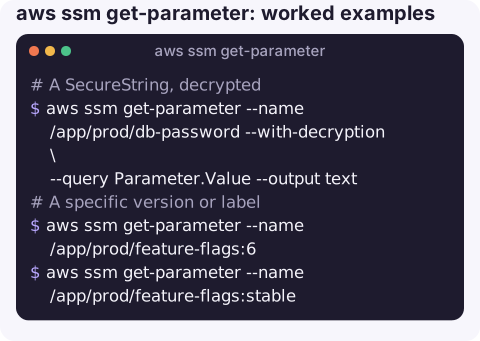
A SecureString, decrypted:
aws ssm get-parameter --name /app/prod/db-password --with-decryption \
  --query Parameter.Value --output text
A specific version or label, useful for rollbacks:
aws ssm get-parameter --name /app/prod/feature-flags:6
aws ssm get-parameter --name /app/prod/feature-flags:stable
Everything under a prefix as name/value pairs:
aws ssm get-parameters-by-path --path /app/prod/ --recursive --with-decryption \
  --query "Parameters[].[Name,Value]" --output text
Several named parameters in one call (up to 10), with any missing names reported separately:
aws ssm get-parameters --names /app/prod/db-host /app/prod/db-port /app/prod/nope \
  --query "{found:Parameters[].Name,missing:InvalidParameters}"
The latest Amazon Linux 2023 AMI from an AWS public parameter:
aws ssm get-parameter \
  --name /aws/service/ami-amazon-linux-latest/al2023-ami-kernel-default-x86_64 \
  --query Parameter.Value --output text
In applications and pipelines
Scripts and CI jobs are where this command is used most. Keep three habits. Read values into variables with --query Parameter.Value --output text rather than parsing JSON. Fail the job if the call fails, instead of continuing with an empty value. And scope the job's IAM role to the paths it needs, for example ssm:GetParameter on arn:aws:ssm:eu-west-2:123456789012:parameter/app/prod/*, so a build for one service cannot read another's secrets.
set -euo pipefail
DB_HOST=$(aws ssm get-parameter --name /app/prod/db-host \
  --query Parameter.Value --output text)
ECS task definitions, Lambda extensions and CloudFormation dynamic references can also read parameters directly, which avoids shell scripts altogether.
Key options
| Option | Notes |
|---|---|
--name | Name (with leading / for hierarchical names) or ARN. Append :version or :label to select one. |
--with-decryption | Decrypt SecureString values. Ignored for String and StringList. Requires kms:Decrypt on the key. |
Gotchas
- ParameterNotFound usually means a typo, a missing leading slash, or the wrong Region or account.
- Encrypted output without
--with-decryption. You get a long base64 string, not an error. Easy to miss in a script. - AccessDenied on decrypt often comes from KMS, not SSM: the caller can read the parameter but not use the key. See KMS AccessDenied.
- Secrets in shell history and logs. Printing a decrypted value to the terminal or CI log exposes it. Capture it in a variable and avoid echoing it.
- Throughput limits. High-frequency reads from many processes can be throttled; cache values in the application rather than calling on every request.
Questions
How do I get a SecureString value with the AWS CLI?
Add --with-decryption, for example aws ssm get-parameter --name /app/prod/db-password --with-decryption --query Parameter.Value --output text. You need kms:Decrypt on the KMS key used to encrypt it.
How do I list all parameters in Parameter Store?
aws ssm describe-parameters lists names and metadata without values. For values under a prefix, use get-parameters-by-path --path /prefix/ --recursive.
Should I use Parameter Store or Secrets Manager for passwords?
Both can store them encrypted. Secrets Manager adds managed rotation, cross-Region replication and resource policies, at a per-secret cost; Parameter Store SecureString is fine for static secrets.
Checking a configuration value is often the quickest way to rule out a bad deploy. CloudConsole is built to show AWS resources and alarms on a phone, with care around anything secret.
About the app → · Download on the App Store