 CloudConsole
aws sqs receive-message
aws sqs receive-message --queue-url <url> --max-number-of-messages 10 --wait-time-seconds 20 fetches up to 10 messages and hides them from other consumers for the visibility timeout. It does not delete anything; you remove a processed message with aws sqs delete-message and its receipt handle.
What the command does
Receiving a message starts its visibility timeout. Until it expires, no other consumer can see that message; if you do not delete it in time, it reappears and its ApproximateReceiveCount goes up. On a queue with a redrive policy, enough receives without a delete move the message to the dead-letter queue.
That makes "just have a look at what is in the queue" an operation with side effects on a live system. Read the gotchas before running this against production.
Syntax
aws sqs receive-message --queue-url <queue-url> \
  [--max-number-of-messages 1-10] \
  [--wait-time-seconds 0-20] \
  [--visibility-timeout <seconds>] \
  [--message-system-attribute-names All] \
  [--message-attribute-names All]
Worked examples
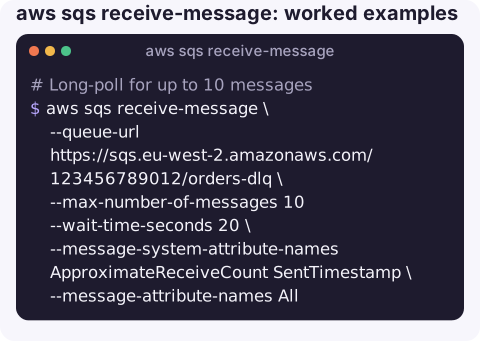
Long-poll for up to 10 messages with their receive count and sent time:
aws sqs receive-message \
  --queue-url https://sqs.eu-west-2.amazonaws.com/123456789012/orders-dlq \
  --max-number-of-messages 10 --wait-time-seconds 20 \
  --message-system-attribute-names ApproximateReceiveCount SentTimestamp \
  --message-attribute-names All
Each entry in Messages has MessageId, ReceiptHandle, Body, MD5OfBody, and the requested Attributes and MessageAttributes. No Messages key at all means nothing was available.
Print just the bodies:
aws sqs receive-message --queue-url https://sqs.eu-west-2.amazonaws.com/123456789012/orders-dlq \
  --max-number-of-messages 10 --wait-time-seconds 5 \
  --query "Messages[].Body" --output text
Process and delete one message:
msg=$(aws sqs receive-message --queue-url https://sqs.eu-west-2.amazonaws.com/123456789012/orders --wait-time-seconds 20 \
  --query "Messages[0].[ReceiptHandle,Body]" --output text)
handle=$(printf '%s' "$msg" | cut -f1)
body=$(printf '%s' "$msg" | cut -f2-)
echo "$body"   # do the work here
aws sqs delete-message --queue-url https://sqs.eu-west-2.amazonaws.com/123456789012/orders --receipt-handle "$handle"
Give yourself more time to inspect a message before it becomes visible again:
aws sqs receive-message --queue-url https://sqs.eu-west-2.amazonaws.com/123456789012/orders-dlq --visibility-timeout 300Key options
| Option | Notes |
|---|---|
--max-number-of-messages | 1–10. Default 1. You may get fewer even when more are queued. |
--wait-time-seconds | Long polling, up to 20 seconds. Fewer empty responses and lower cost than short polling. |
--visibility-timeout | Overrides the queue's timeout for the messages in this receive. |
--message-system-attribute-names | System attributes such as ApproximateReceiveCount, SentTimestamp, MessageGroupId. Replaces the older --attribute-names. |
--message-attribute-names | Custom attributes to return; All for every one. |
--receive-request-attempt-id | FIFO only: lets you retry a receive after a network error and get the same batch. |
Gotchas
- Peeking hides messages from real consumers for the visibility timeout and counts as a receive. Do it against the dead-letter queue or a copy, not a busy production queue.
--visibility-timeout 0is not a free peek. The message becomes visible again immediately, but its receive count still increases and can push it to the DLQ.- Short polling can miss messages. With
--wait-time-seconds 0, SQS samples a subset of servers and may return nothing even though the queue is not empty. - FIFO groups lock. While a message from a group is in flight, later messages in that group are not delivered.
- "The security token included in the request is invalid" is a credentials problem, not an SQS one; see that error.
Questions
Does aws sqs receive-message delete the message?
No. It only hides it for the visibility timeout. Call aws sqs delete-message with the ReceiptHandle once you have processed it, or it will be delivered again.
How do I view messages in an SQS queue without consuming them?
There is no true read-only peek. Receiving always affects visibility and the receive count. The SQS console's poll feature does the same thing; prefer inspecting the dead-letter queue.
Why does receive-message return no messages when the queue has messages?
Common reasons: short polling sampled empty servers, messages are in flight with another consumer, they are delayed, or a FIFO group is locked. Use --wait-time-seconds 20 and check ApproximateNumberOfMessagesNotVisible.
Inspecting a dead-letter queue is usually the first step after a processing alarm. CloudConsole is built to show SQS queues and their alarms on a phone, so you can see a backlog forming before you start pulling messages.
About the app → · Download on the App Store