 CloudConsole
aws sqs get-queue-attributes
aws sqs get-queue-attributes --queue-url <url> --attribute-names All returns a queue's settings and approximate counters. ApproximateNumberOfMessages is the visible backlog, ApproximateNumberOfMessagesNotVisible is in flight with consumers, and RedrivePolicy shows the dead-letter queue and maxReceiveCount.
What the command does
It returns a flat map of attribute names to string values under Attributes. Some are configuration (visibility timeout, retention, delay, redrive policy, encryption, the access policy), some are counters, and some identify the queue, such as QueueArn. If you leave out --attribute-names, you get nothing back, which surprises people the first time.
Syntax
aws sqs get-queue-attributes --queue-url <queue-url> \
  --attribute-names All | <Name> [<Name> ...]
Worked examples
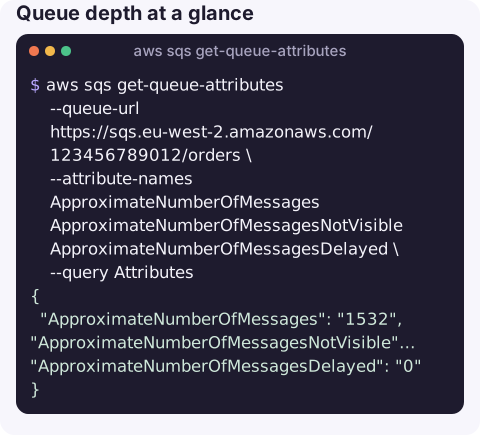
Queue depth at a glance:
aws sqs get-queue-attributes --queue-url https://sqs.eu-west-2.amazonaws.com/123456789012/orders \
  --attribute-names ApproximateNumberOfMessages ApproximateNumberOfMessagesNotVisible ApproximateNumberOfMessagesDelayed \
  --query Attributes
{
"ApproximateNumberOfMessages": "1532",
"ApproximateNumberOfMessagesNotVisible": "40",
"ApproximateNumberOfMessagesDelayed": "0"
}A large visible count with a small in-flight count usually means consumers are not running or not scaling, rather than slow.
Get the queue ARN (needed for redrive policies, Lambda event sources and IAM):
aws sqs get-queue-attributes --queue-url https://sqs.eu-west-2.amazonaws.com/123456789012/orders \
  --attribute-names QueueArn --query Attributes.QueueArn --output text
Find the dead-letter queue and retry limit:
aws sqs get-queue-attributes --queue-url https://sqs.eu-west-2.amazonaws.com/123456789012/orders \
  --attribute-names RedrivePolicy --query Attributes.RedrivePolicy --output text
The value is itself a JSON string, e.g. {"deadLetterTargetArn":"arn:aws:sqs:eu-west-2:123456789012:orders-dlq","maxReceiveCount":5}. Because --output text prints the raw string, piping it to jq . pretty-prints it.
Depth of every queue in the Region:
for q in $(aws sqs list-queues --query "QueueUrls[]" --output text); do
  printf '%s\t%s\n' "${q##*/}" "$(aws sqs get-queue-attributes --queue-url "$q" \
    --attribute-names ApproximateNumberOfMessages \
    --query Attributes.ApproximateNumberOfMessages --output text)"
done
Reading the numbers during an incident
Take two readings a minute apart rather than one. A visible count that keeps climbing while the in-flight count stays flat points at consumers: crashed, scaled to zero, or failing before they receive. A high in-flight count that never drains usually means consumers receive messages and then fail without deleting them, so the messages cycle through the visibility timeout and eventually land in the DLQ. Check the DLQ's own depth with the same command to confirm.
Attributes you will use most
| Attribute | Meaning |
|---|---|
ApproximateNumberOfMessages | Messages available to receive now. |
ApproximateNumberOfMessagesNotVisible | Received but not yet deleted (in flight). |
ApproximateNumberOfMessagesDelayed | Waiting out a delay. |
VisibilityTimeout | Seconds a received message stays hidden. Should exceed your consumer's processing time. |
MessageRetentionPeriod | Seconds before unconsumed messages are deleted (default 4 days, up to 14). |
RedrivePolicy / RedriveAllowPolicy | DLQ wiring and which source queues may use this queue as a DLQ. |
FifoQueue, ContentBasedDeduplication | FIFO settings, only returned for FIFO queues. |
Gotchas
- Counts are approximate and eventually consistent. Do not use them for exact accounting; use them for trends.
- All values are strings, including numbers. Convert before comparing in scripts.
- Age of the oldest message is a metric, not an attribute. For "how stale is the backlog", read
ApproximateAgeOfOldestMessagein CloudWatch; see the oldest message alarm. - Cross-account needs the URL of the right account. A queue URL contains the owning account ID; a policy on the queue must allow you to call this action.
Questions
How do I check the number of messages in an SQS queue?
Run get-queue-attributes with --attribute-names ApproximateNumberOfMessages ApproximateNumberOfMessagesNotVisible. The first is the waiting backlog, the second is messages being processed.
How do I find which dead-letter queue a queue uses?
Read the RedrivePolicy attribute. Its deadLetterTargetArn is the DLQ and maxReceiveCount is how many receives a message gets before it moves there.
Why does get-queue-attributes return nothing?
You did not pass --attribute-names. Add --attribute-names All, or list the specific attributes you want.
Queue depth is the number everyone asks for when a pipeline slows down. CloudConsole is built to show SQS backlogs and their alarms on a phone.
About the app → · Download on the App Store