 CloudConsole
aws sqs start-message-move-task
aws sqs start-message-move-task --source-arn <dlq-arn> moves the messages in a dead-letter queue back to the queues they originally came from. Add --destination-arn to send them somewhere else instead, and --max-number-of-messages-per-second to throttle the redrive so you do not flood a recovering consumer.
What the command does
This is the API behind the console's "Start DLQ redrive" button. SQS runs the move as an asynchronous task: it receives messages from the DLQ, sends them to the destination, and deletes them from the DLQ. The command returns a TaskHandle straight away; the work continues in the background.
Two rules shape how you use it. The source must be a queue that is configured as a dead-letter queue for other SQS queues (DLQs fed by Lambda or SNS are not supported), and only one move task can be active per queue at a time.
Syntax
aws sqs start-message-move-task \
  --source-arn <dlq-arn> \
  [--destination-arn <queue-arn>] \
  [--max-number-of-messages-per-second 1-500]
Worked examples
1. Get the DLQ's ARN and check how many messages it holds:
aws sqs get-queue-attributes --queue-url https://sqs.eu-west-2.amazonaws.com/123456789012/orders-dlq \
  --attribute-names QueueArn ApproximateNumberOfMessages --query Attributes
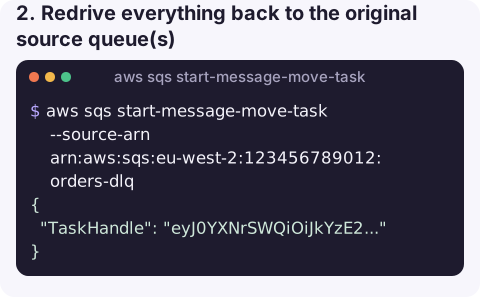
2. Redrive everything back to the original source queue(s), after the consumer bug is fixed:
aws sqs start-message-move-task --source-arn arn:aws:sqs:eu-west-2:123456789012:orders-dlq{
"TaskHandle": "eyJ0YXNrSWQiOiJkYzE2..."
}3. Redrive slowly, so a fragile downstream service is not overwhelmed:
aws sqs start-message-move-task --source-arn arn:aws:sqs:eu-west-2:123456789012:orders-dlq \
  --max-number-of-messages-per-second 20
4. Send to a different queue, for example a quarantine queue for manual analysis:
aws sqs start-message-move-task --source-arn arn:aws:sqs:eu-west-2:123456789012:orders-dlq \
  --destination-arn arn:aws:sqs:eu-west-2:123456789012:orders-quarantine
5. Watch progress and cancel if errors start again:
aws sqs list-message-move-tasks --source-arn arn:aws:sqs:eu-west-2:123456789012:orders-dlq \
  --query "Results[].[Status,ApproximateNumberOfMessagesMoved,ApproximateNumberOfMessagesToMove]" \
  --output text
aws sqs cancel-message-move-task --task-handle "eyJ0YXNrSWQiOiJkYzE2..."
Options
| Option | Notes |
|---|---|
--source-arn | Required. The ARN (not URL) of the dead-letter queue. |
--destination-arn | Optional. If omitted, each message goes back to the queue it was originally dead-lettered from. |
--max-number-of-messages-per-second | Optional fixed rate, up to 500. Leave it out and SQS picks a rate based on the backlog. |
Checklist before redriving
- Fix the cause first. If the consumer still fails on these messages, they will cycle straight back into the DLQ after
maxReceiveCountattempts. - Look at a sample. Receive a few messages from the DLQ with a long visibility timeout to confirm they are the failures you think they are; see receive-message.
- Make sure consumers have capacity. A redrive of tens of thousands of messages arrives as a burst; scale consumers up or set a rate before you start.
- Mind idempotency. Some of these messages may have been partly processed before they failed. Make sure reprocessing them twice is safe.
Gotchas
Only one active task: starting a second move on the same DLQ fails until the first completes or is cancelled.- Permissions are split across queues. The caller needs
sqs:StartMessageMoveTask,sqs:ReceiveMessage,sqs:DeleteMessageandsqs:GetQueueAttributeson the DLQ, andsqs:SendMessageon the destination, plus KMS permissions if the queues are encrypted. - ARN, not URL. Passing a queue URL to
--source-arnfails validation. - Cancelling is not rollback. Messages already moved stay at the destination.
Questions
How do I redrive an SQS dead-letter queue from the CLI?
Run aws sqs start-message-move-task --source-arn with the DLQ's ARN. Without --destination-arn the messages return to their original source queues. Track it with list-message-move-tasks.
How do I stop a DLQ redrive?
Call aws sqs cancel-message-move-task --task-handle with the handle returned by the start command, or found with list-message-move-tasks.
Can I redrive messages from a Lambda or SNS dead-letter queue this way?
No. The API only supports queues that act as dead-letter queues for other SQS queues. For other sources you need to receive and resend the messages yourself.
A DLQ alarm usually means someone has to decide between redrive and purge. CloudConsole is built to show queues, their depth and alarms on a phone, with guardrails for actions that change production.
About the app → · Download on the App Store