 CloudConsole
aws sqs purge-queue
aws sqs purge-queue --queue-url <url> permanently deletes every message in the queue, including messages currently in flight with consumers. Deletion takes up to 60 seconds, cannot be undone, and you can only purge a given queue once every 60 seconds.
What the command does
Purging empties the queue but keeps the queue itself, its URL, attributes, policy and redrive configuration. It is the right move when a queue is full of messages that are known to be worthless: a backlog of duplicate events after a bug, test traffic on a staging queue, or a dead-letter queue you have already analysed.
It is the wrong move when you are not sure what the messages are. Purged messages cannot be recovered, and nothing in SQS keeps a copy.
Syntax
aws sqs purge-queue --queue-url <queue-url>Before you purge
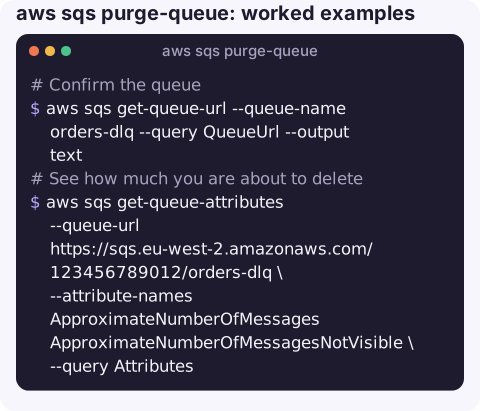
- Confirm the queue. Purging the main queue when you meant the DLQ is the classic mistake; the names often differ only by a suffix.
aws sqs get-queue-url --queue-name orders-dlq --query QueueUrl --output text - See how much you are about to delete.
aws sqs get-queue-attributes --queue-url https://sqs.eu-west-2.amazonaws.com/123456789012/orders-dlq \ --attribute-names ApproximateNumberOfMessages ApproximateNumberOfMessagesNotVisible \ --query Attributes - Keep a sample. Receive a few messages with a long visibility timeout and save them, so you can explain later what was thrown away.
aws sqs receive-message --queue-url https://sqs.eu-west-2.amazonaws.com/123456789012/orders-dlq \ --max-number-of-messages 10 --visibility-timeout 600 > dlq-sample.json - Stop the producer if it is the problem. Otherwise the queue refills while you watch.
Run it and check
aws sqs purge-queue --queue-url https://sqs.eu-west-2.amazonaws.com/123456789012/orders-dlq
# wait a minute, then
aws sqs get-queue-attributes --queue-url https://sqs.eu-west-2.amazonaws.com/123456789012/orders-dlq \
  --attribute-names ApproximateNumberOfMessages --query Attributes
The call returns no output on success. Counts are approximate and the purge itself takes up to a minute, so check again after 60 seconds before deciding it did not work. Messages sent just before or during the purge may also be removed.
Purging a dead-letter queue
Most purges are of DLQs after an incident. Before you empty one, decide whether any of the messages still need processing. If the bug that caused the failures is fixed, redriving them back to the source queue is usually better than discarding them. If they are genuinely junk, such as malformed test events, purge and make a note of the count and time in the incident log.
Alternatives
| If you want to… | Use |
|---|---|
| Move failed messages back for another try | start-message-move-task (DLQ redrive) |
| Remove only some messages | Receive, filter, and delete-message the ones you do not want |
| Let old messages age out | Lower MessageRetentionPeriod with set-queue-attributes (minimum 60 seconds) |
| Start completely fresh | Delete and recreate the queue, but SQS makes you wait 60 seconds before reusing the name |
Gotchas
- In-flight messages go too. Consumers holding a message will get an error when they try to delete it, because its receipt handle is no longer valid.
PurgeQueueInProgressmeans you already purged in the last 60 seconds. Wait; do not loop.- Permissions. The caller needs
sqs:PurgeQueue. Consider leaving it out of day-to-day operator roles for production queues. - Metrics lag. CloudWatch queue-depth metrics are reported at intervals, so graphs keep showing the old backlog for a few minutes.
Questions
Can I undo an SQS purge?
No. Purged messages are deleted permanently. Save a sample first if you might need to explain or replay them.
How long does purge-queue take?
SQS says deletion takes up to 60 seconds regardless of queue size. Wait at least that long before checking the counts.
Does purging a queue delete the queue?
No. The queue, its URL and its settings stay. Only the messages are removed. To remove the queue itself use aws sqs delete-queue.
A purge is exactly the kind of irreversible action that should not be one tap away. CloudConsole is built with production guardrails, putting queue depth and alarms on a phone so the decision is better informed.
About the app → · Download on the App Store