 CloudConsole
ECS was unable to assume the role that was provided for this task
ECS tried to assume the task role or task execution role named in your task definition and STS refused. Almost always the role's trust policy doesn't allow the service principal ecs-tasks.amazonaws.com, the ARN in the task definition is wrong or points at a deleted role or another account, or a SourceArn/SourceAccount condition in the trust policy doesn't match. Fix the trust policy or the ARN, then start the task again.
What it looks like
An error occurred (ClientException) when calling the RunTask operation:
ECS was unable to assume the role 'arn:aws:iam::123456789012:role/orders-task' that was provided for this task.
Please verify that the role being passed has the proper trust relationship and permissions
and that your IAM user has permissions to pass this role.
You get it from RunTask, CreateService or UpdateService, and as a service event when the scheduler can't start tasks. Note which role it names: the task role (taskRoleArn, used by your code) and the execution role (executionRoleArn, used by ECS to pull images, fetch secrets and write logs) are checked separately.
Check the trust policy
aws iam get-role --role-name orders-task --query Role.AssumeRolePolicyDocumentIt must allow sts:AssumeRole for the ECS tasks service principal:
{
  "Version": "2012-10-17",
  "Statement": [{
    "Effect": "Allow",
    "Principal": { "Service": "ecs-tasks.amazonaws.com" },
    "Action": "sts:AssumeRole",
    "Condition": {
      "ArnLike": { "aws:SourceArn": "arn:aws:ecs:eu-west-2:123456789012:*" },
      "StringEquals": { "aws:SourceAccount": "123456789012" }
    }
  }]
}
Common mistakes here: ecs.amazonaws.com (that's the ECS service-linked role's principal, not tasks), ec2.amazonaws.com copied from an instance role, or a SourceArn condition naming the wrong Region or account.
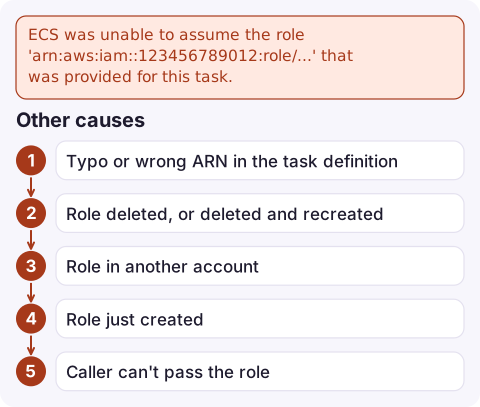
Other causes
| Cause | Check |
|---|---|
| Typo or wrong ARN in the task definition | aws ecs describe-task-definition --task-definition orders --query 'taskDefinition.[taskRoleArn,executionRoleArn]' |
| Role deleted, or deleted and recreated | aws iam get-role returns NoSuchEntity; recreate and re-register |
| Role in another account | Task and execution roles must be in the same account as the cluster |
| Role just created | IAM changes can take a few seconds to propagate; retry |
| Caller can't pass the role | The user or pipeline calling ECS needs iam:PassRole on both roles |
After the fix
- Trust policy changes apply to new tasks; there's no need to re-register the task definition unless the ARN itself was wrong.
- For a service, force a new deployment so the scheduler retries:
aws ecs update-service --cluster prod --service orders --force-new-deployment. - If tasks now start but then fail with
ResourceInitializationError, the execution role is trusted but missing permissions; see ResourceInitializationError. - If your code then gets AccessDenied, the task role is trusted but its permissions policy lacks the action.
Questions
How do I fix ECS was unable to assume the role?
Make sure the role's trust policy allows sts:AssumeRole for ecs-tasks.amazonaws.com, that the ARN in the task definition is correct and in the same account, and that any SourceArn or SourceAccount condition matches.
What is the difference between the ECS task role and execution role?
The execution role is used by ECS to pull images, read secrets and write logs before your container starts. The task role is used by your application code at runtime.
Does the ECS task execution role need the same trust policy?
Yes. Both the task role and the task execution role must trust ecs-tasks.amazonaws.com.

When a role is changed or deleted by mistake, a service can stop launching tasks without any code change. CloudConsole, a phone app for AWS, is being built to show ECS service events and alarms on your phone, so a service that has stopped scaling is easier to spot.
Did it start after a deploy? What changed? on the app’s alarm screen lists the deploys and configuration changes from the hour before the alarm fired.
About the app → · Download on the App Store